 NEWS
NEWS
AirPods Shipping Estimates Improve to 3 to 5 Business Days
 09/28/2017
 3500
3500
Apple is closing in on its aim to achieve supply/demand balance for its AirPods, with the popular earphones now shipping from the online Apple Store in just three to five business days in the United States, Canada, U.K., Australia, and several other countries around the world.
According to Apple's U.S. website, AirPods ordered today will be delivered between October 4 and October 6, while U.K. customers ordering today are being quoted delivery dates between October 3 and October 5. These are the best estimates Apple has offered since the AirPods launched in December 2016. 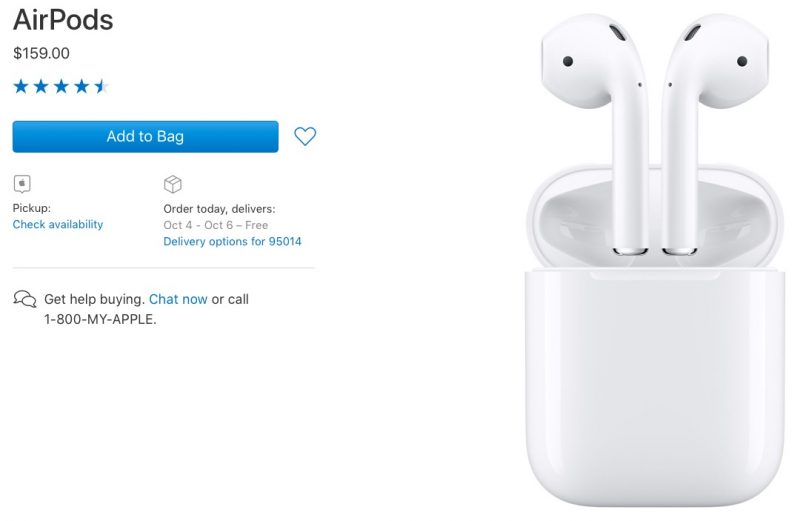
AirPods have been in extremely short supply since they became available for purchase, with a typical wait time of six weeks from order to delivery. Only in August did stock begin steadily improving, with shipping estimates dropping to four weeks and then two to three weeks. Earlier this month, estimates improved to one to two weeks, before hitting three to five business days today.
During Apple's third quarter earnings call, Apple CEO Tim Cook said Apple had boosted AirPods production capacity and was "working very hard" to get AirPods to customers as quickly as possible.
Occasionally, Apple retail stores have received stock and third-party retailers like Best Buy have been able to offer AirPods with faster shipping on a regular basis, but those stocks have usually run out fast.
Costing $159, Apple's "truly wireless" AirPods have gained popularity due to their long battery life, capacious charge case, infrared sensors that detect when they're being worn, touch-based gestures, and a built-in W1 chip that improves Bluetooth connection. AirPods are also relatively inexpensive compared to rival "truly wireless" earbuds that have launched in recent months.
Source: macrumors










