
NEWS

49% of Apple Watch Owners Likely To Upgrade To The New Apple Watch 3

09/21/2017

2899

Half of current Apple Watch owners are likely to upgrade to the new version that Apple will start shipping on Friday, according to data from a 2,500-person survey by Fluent.


If true, this means that Apple should sell 15 million units over the next 12 months without adding a single net new Apple Watch owner, since the company has sold about 32 million Apple Watches to date. Add in some net new buyers, and Apple has a shot at selling more Apple Watches over the next year than it has since launching the device category in April 2015.
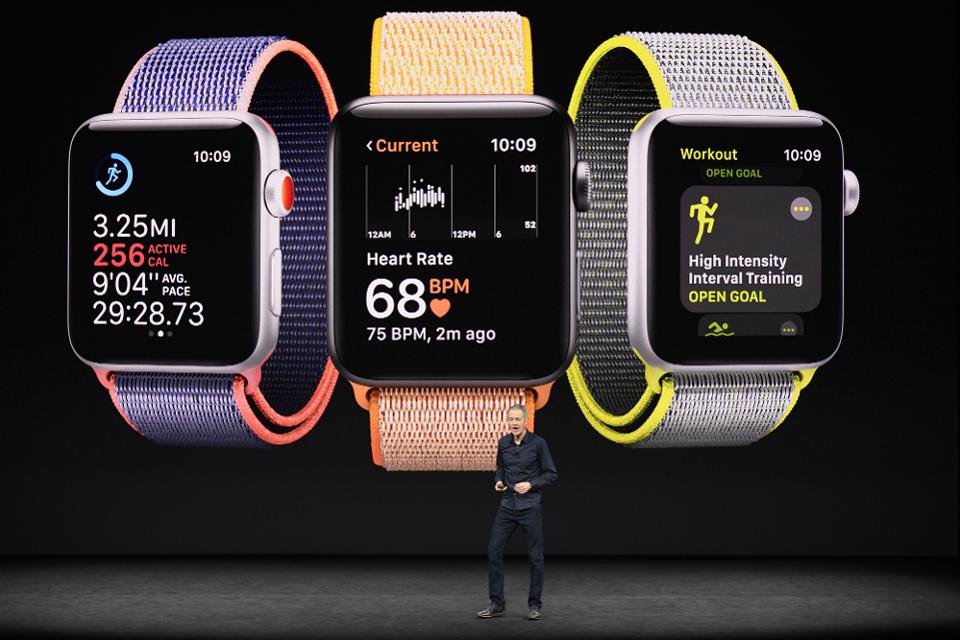

49% of Apple Watch Owners Likely To Upgrade To The New Apple Watch 3


According to the survey results, 27% of existing Apple Watch owners say they definitely will, and another 22% say they probably will upgrade. Another 19% say they "might or might not." The opportunity to grow is big, since 86% of Americans currently do not own a smartwatch.


But currently, iPhone owners are the driving force behind Apple Watch adoption. While 42% of iPhone owners say they're most likely to purchase an AppleWatch, only 8% of Android owners say the same. Android owners are much more likely to be interested in buying a Samsung Gear (19%), a Fitbit (10%), or another option from Sony, LG, Motorola, Huawei, or Asus.


Interestingly, while almost a third of Apple Watch owners "definitely will" upgrade their device in the next year, only 6% of other smartwatch owners say the same.


Source: forbes

Windows
Mac OS
iOS
Linux
3uTools
Win 64-bit For this device
V9.0 2025-11-11
Download
Win 32-bit For this device
V9.0 2025-11-11
Download
3uTools
Intel Chip How to Identify Chip Type
V9.0 2025-12-02
Download
Apple Silicon
V9.0 2025-12-02
Download
How to Identify Chip Type
1.  Click the Apple icon in the top-left corner of the screen and select About This Mac.
2.  Check the Processor or Chip field to determine if it is "Intel" or "Apple".
Please use the 3uTools PC client to install the iOS client:
1、 Install either the Windows or Mac version of 3uTools on your computer
2、 Open the PC client and connect your device to the computer via USB cable
3、 After the connection is successful, wait for the computer to automatically install the mobile app for the device, or locate “Install Mobile App” on the computer and manually click to install.
3uTools
deb file
V3.01 2025-11-20
Download
rpm file
V3.01 2025-11-20
Download
Windows
Windows
iOS
iOS
Android
Android
TV
TV
3uAirPlayer
Win 64-bit For this device
V6.0.2 2025-11-19
Download
Win 32-bit For this device
V6.0.2 2025-11-19
Download
iOS Device Mirroring (No App Required)
1、 Install 3uAirPlayer on the Windows PC
2、 Open Control Center and select Screen Mirroring
3、 From the list, choose your PC to start mirroring
4、 Or connect your iOS device to the PC via USB to begin mirroring
Scan to get "3uAirPlayer" App
3uAirPlayer TV V1.0.18
2025-11-28
TV System Requirements: Android 7.0 or later
Download the TV installation package, copy it to a USB drive, insert it into your TV or set-top box, then select the file from the home screen to install.




