NEWS

Apple is Looking for Psychologist to Improve Siri

09/19/2017

2777

Apple is Looking for Psychologist to Improve Siri


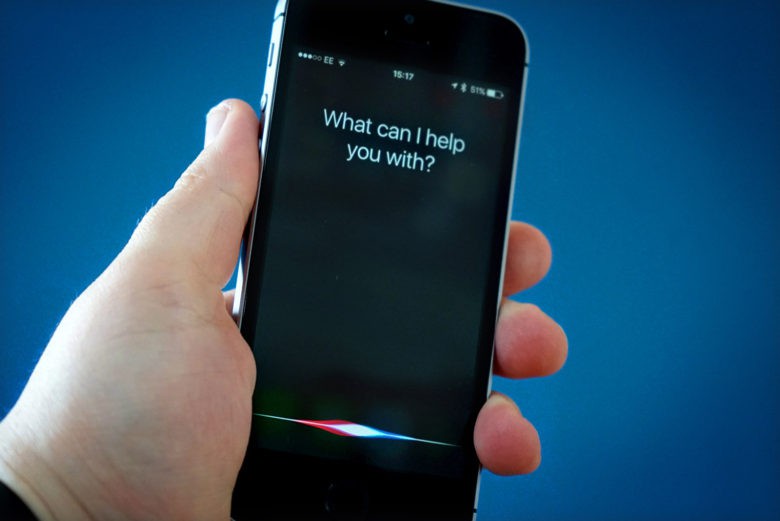
Apple’s digital assistant Siri could soon become your new psychologist.


According to a new job listing posted by Apple, the company is searching for a software engineer that also has some previous experience in psychology or counseling. Why? Because people are starting to talk to Siri like its a human.


A more compassionate Siri

Whoever gets the job will be in charge of designing and implementing natural language interactions into Siri. That makes it sound like Apple is getting even more serious about making AI-powered assistant more the one from the movie Her.

“People have serious conversations with Siri. People talk to Siri about all kinds of things, including when they’re having a stressful day or have something serious on their mind. They turn to Siri in emergencies or when they want guidance on living a healthier life. Does improving Siri in these areas pique your interest? Come work as part of the Siri Domains team and make a difference.”


To earn a spot on the Siri team you’ll need a unique skill set. Apple is looking for someone that can not only write complex code but also knows algorithms and is a good communicator. Speaking more than one language is also preferred.


The job posting has been up since April so maybe Apple’s having a hard time filling the position. Or it’s looking for multiple people to fill the role.


Source: cult of mac

Windows
Mac OS
iOS
Linux
3uTools
Win 64-bit For this device
V9.0 2025-11-11
Download
Win 32-bit For this device
V9.0 2025-11-11
Download
3uTools
Intel Chip How to Identify Chip Type
V9.0 2025-12-02
Download
Apple Silicon
V9.0 2025-12-02
Download
How to Identify Chip Type
1.  Click the Apple icon in the top-left corner of the screen and select About This Mac.
2.  Check the Processor or Chip field to determine if it is "Intel" or "Apple".
Please use the 3uTools PC client to install the iOS client:
1、 Install either the Windows or Mac version of 3uTools on your computer
2、 Open the PC client and connect your device to the computer via USB cable
3、 After the connection is successful, wait for the computer to automatically install the mobile app for the device, or locate “Install Mobile App” on the computer and manually click to install.
3uTools
deb file
V3.01 2025-11-20
Download
rpm file
V3.01 2025-11-20
Download
Windows
Windows
iOS
iOS
Android
Android
TV
TV
3uAirPlayer
Win 64-bit For this device
V6.0.2 2025-11-19
Download
Win 32-bit For this device
V6.0.2 2025-11-19
Download
iOS Device Mirroring (No App Required)
1、 Install 3uAirPlayer on the Windows PC
2、 Open Control Center and select Screen Mirroring
3、 From the list, choose your PC to start mirroring
4、 Or connect your iOS device to the PC via USB to begin mirroring
Scan to get "3uAirPlayer" App
3uAirPlayer TV V1.0.18
2025-11-28
TV System Requirements: Android 7.0 or later
Download the TV installation package, copy it to a USB drive, insert it into your TV or set-top box, then select the file from the home screen to install.