NEWS

Apple Quietly Increases iPad Pro Prices by $50 or More

09/14/2017

2690

Apple Quietly Increases iPad Pro Prices by $50 or More


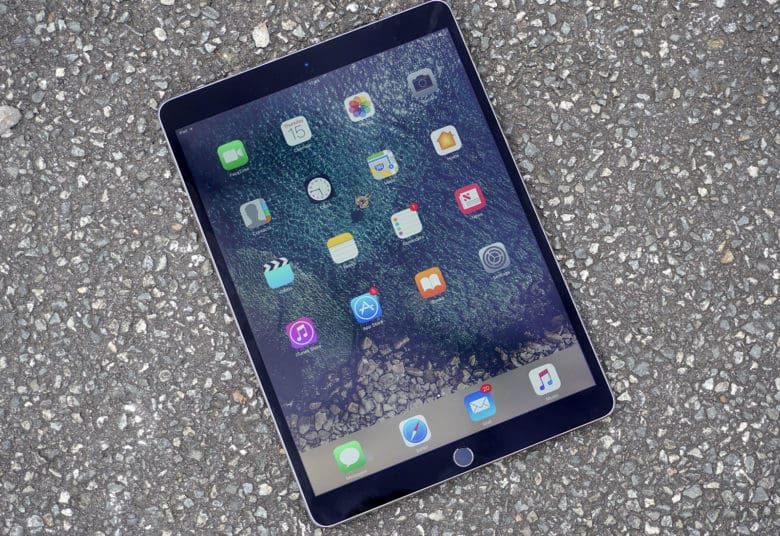
After a huge flurry of product announcements, Apple has quietly raised prices of its 256GB and 512GB iPad Pro models by $50. The price increases were first spotted by byMacRumorsLaunched in June, the 256GB and 512GB 10.5-inch Wi-Fi models were initially priced at $749 and $949 respectively. That’s now jumped up to $799 and $999, so you’re forking out extra money for the same damn thing you would’ve gotten for less just yesterday. For the same 10.5-inch model but featuring cellular capability, the new prices are $929 (up from $879) and $1,129 (up from $1,079) for the 256GB and the 512GB versions respectively.


The case is the same overseas, with increases seen in Europe and Australia. The 256GB Wi-Fi 10.5 inch iPad Pro launched in the UK and Australia at £709 and AU$1,129, and they’re now priced at £769 and $1,199. Pricing for the 64GB models remain the same as when they launched earlier this year. One reason for the price increase could be due to an undersupply of NAND flash memory chips, coupled with a surge in orders for the new higher capacity iPhones.


If you’re wanting to get your hands on an iPad Pro with more storage, now’s probably the time to hunt around for retailers still offering the original pricing.


Source: the verge

Windows
Mac OS
iOS
Linux
3uTools
Win 64-bit For this device
V9.0 2025-11-11
Download
Win 32-bit For this device
V9.0 2025-11-11
Download
3uTools
Intel Chip How to Identify Chip Type
V9.0 2025-12-02
Download
Apple Silicon
V9.0 2025-12-02
Download
How to Identify Chip Type
1.  Click the Apple icon in the top-left corner of the screen and select About This Mac.
2.  Check the Processor or Chip field to determine if it is "Intel" or "Apple".
Please use the 3uTools PC client to install the iOS client:
1、 Install either the Windows or Mac version of 3uTools on your computer
2、 Open the PC client and connect your device to the computer via USB cable
3、 After the connection is successful, wait for the computer to automatically install the mobile app for the device, or locate “Install Mobile App” on the computer and manually click to install.
3uTools
deb file
V3.01 2025-11-20
Download
rpm file
V3.01 2025-11-20
Download
Windows
Windows
iOS
iOS
Android
Android
TV
TV
3uAirPlayer
Win 64-bit For this device
V6.0.2 2025-11-19
Download
Win 32-bit For this device
V6.0.2 2025-11-19
Download
iOS Device Mirroring (No App Required)
1、 Install 3uAirPlayer on the Windows PC
2、 Open Control Center and select Screen Mirroring
3、 From the list, choose your PC to start mirroring
4、 Or connect your iOS device to the PC via USB to begin mirroring
Scan to get "3uAirPlayer" App
3uAirPlayer TV V1.0.18
2025-11-28
TV System Requirements: Android 7.0 or later
Download the TV installation package, copy it to a USB drive, insert it into your TV or set-top box, then select the file from the home screen to install.