 NEWS
NEWS
The new Apple TV gets a 4K HDR upgrade
 09/12/2017
 3111
3111
The new Apple TV is here, and it offers 4K support. That's the big reason to upgrade here, and given the growth of the 4K video content and TV hardware markets between now and the release of the last major Apple TV revision, it’s a very welcome improvement.
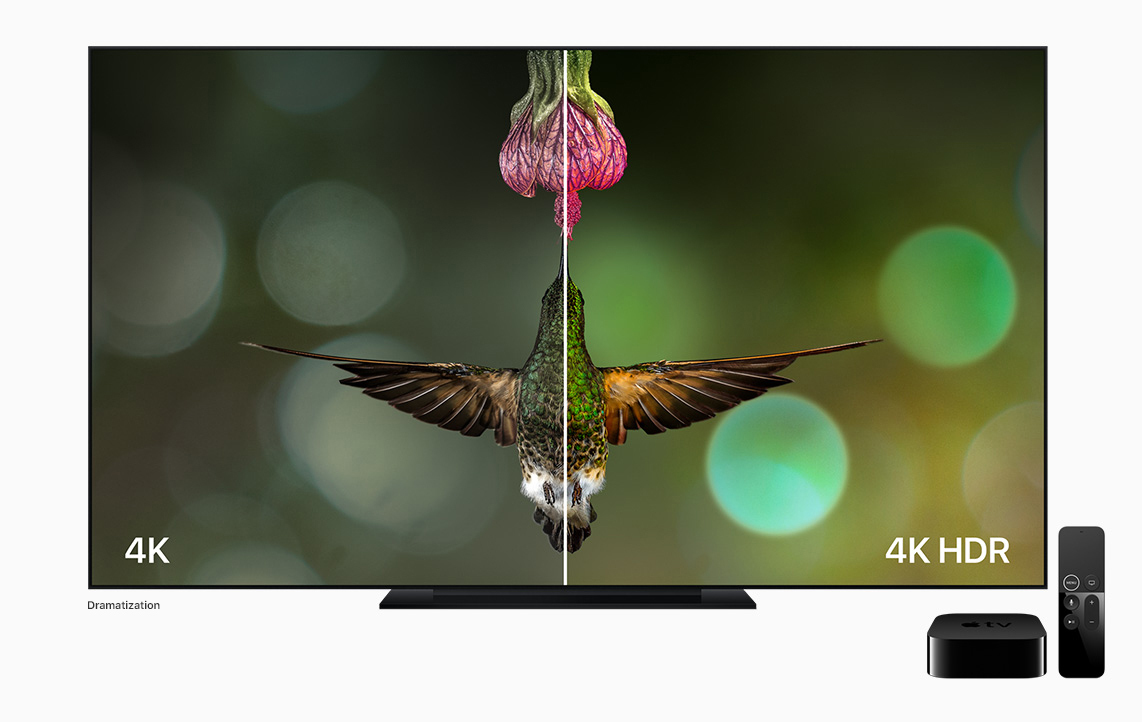
Apple’s new 4K streaming box also offers support for High Dynamic Range (HDR) video, which is a big improvement even for non 4K content. HDR makes for brighter images with better visibility throughout a range of lighting conditions and better color rendering, which helps makes movies and TV shows pop on the big screen (provided you have a screen that supports it).
Apple TV 4K will support both HDR10 and Dolby Vision profiles, which are industry standard for content makers. The entire UI is also redone in 4K, Apple announced on stage.
All of this new image technology on the new Apple TV is powered by dramatically improved internals, including an A10X Fusion processor (which also powers the new iPad Pro models) and 3GB of RAM. 4K video content, especially when streamed, requires a lot of memory to run smoothly, hence the need for the upgrade.
The new Apple TV will be improved in terms of gaming capabilities thanks to its improved specifications, too: 4K gaming could make the set-top box move even more towards its console competitors, provided developers and consumers show adequate interest in that side of things. It boasts 4x better graphics performance thanks to the A10X. Apple showed off a demo of Sky, a new exclusive gaming title coming to iOS and Apple TV this winter to demonstrate its capabilities.
Apple TV gaining 4K playback means it’s now able to match what competitors from Roku, Amazon and Nvidia can provide. But the availability of 4K movies on iTunescould be an advantage, depending on how its library compares to the 4K offerings on Google Play Movies, which are currently available for streaming.
The new Apple TV 4K will sell for $179 for a 32GB version, and a 64GB version for $199, with orders beginning September 15 and shipping starting on September 22.
Source: techcrunch










