
NEWS

Apple Products 'Change the World' Aren't Priced Just 'For the Rich'

09/12/2017

2628

Apple has ranked third on Fortune's annual list of companies that "change the world" based on the social impact of their core businesses, and CEO Tim Cook sat down for a related interview with executive editor Adam Lashinsky. 


Cook agreed that Apple has changed the world, primarily through its products, which simply enable people to accomplish more.


He added that Apple has also changed the world through environmentalism, education, and advocacy for human rights, privacy, and philanthropy. 

When asked why Apple doesn't run a charitable foundation, Cook said having a "separate thing" with a separate board of directors "wouldn't be Apple."
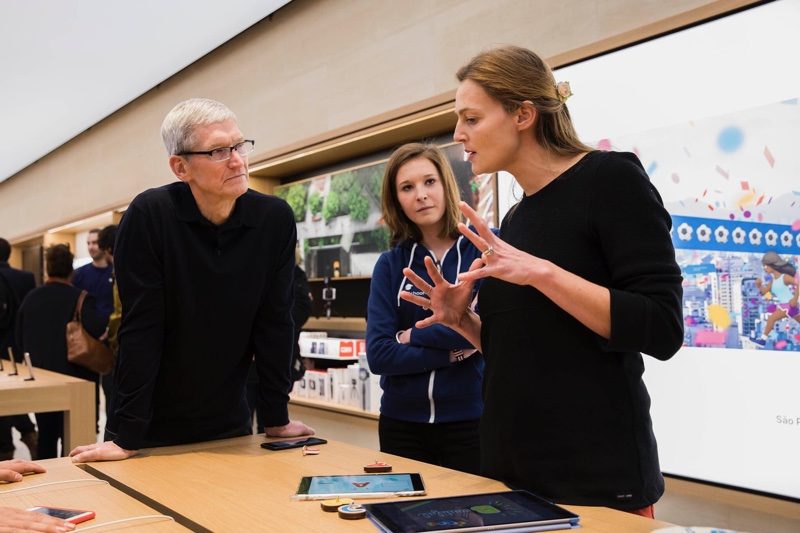

Apple Products 'Change the World'  Aren't Priced Just 'For the Rich'


Cook mentioned Apple's free Swift Playgrounds curriculum as an example of how its products enable people to learn and create.


Those people who learn to code may eventually become developers. Cook reiterated that the App Store economy supports millions of jobs. 

Cook later disagreed with Lashinsky's opinion that Apple's business strategy is to "make premium-priced, high-margin, high-end products."


Cook also hinted that Apple has "much more" to accomplish in the health-related area, and hinted at future products or services to come.


Source: macrumors

Windows
Mac OS
iOS
Linux
3uTools
Win 64-bit For this device
V9.0 2025-11-11
Download
Win 32-bit For this device
V9.0 2025-11-11
Download
3uTools
Intel Chip How to Identify Chip Type
V9.0 2025-12-02
Download
Apple Silicon
V9.0 2025-12-02
Download
How to Identify Chip Type
1.  Click the Apple icon in the top-left corner of the screen and select About This Mac.
2.  Check the Processor or Chip field to determine if it is "Intel" or "Apple".
Please use the 3uTools PC client to install the iOS client:
1、 Install either the Windows or Mac version of 3uTools on your computer
2、 Open the PC client and connect your device to the computer via USB cable
3、 After the connection is successful, wait for the computer to automatically install the mobile app for the device, or locate “Install Mobile App” on the computer and manually click to install.
3uTools
deb file
V3.01 2025-11-20
Download
rpm file
V3.01 2025-11-20
Download
Windows
Windows
iOS
iOS
Android
Android
TV
TV
3uAirPlayer
Win 64-bit For this device
V6.0.2 2025-11-19
Download
Win 32-bit For this device
V6.0.2 2025-11-19
Download
iOS Device Mirroring (No App Required)
1、 Install 3uAirPlayer on the Windows PC
2、 Open Control Center and select Screen Mirroring
3、 From the list, choose your PC to start mirroring
4、 Or connect your iOS device to the PC via USB to begin mirroring
Scan to get "3uAirPlayer" App
3uAirPlayer TV V1.0.18
2025-11-28
TV System Requirements: Android 7.0 or later
Download the TV installation package, copy it to a USB drive, insert it into your TV or set-top box, then select the file from the home screen to install.




