
NEWS

Apple Updates Apple TV Events App Ahead of Next Week's Keynote

09/06/2017

2480

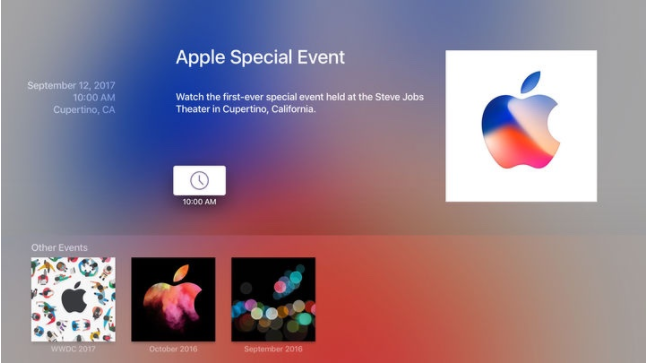
Ahead of its iPhone-centric event set to take place on Tuesday, September 12, Apple has updated its Apple Events app designed for the fourth-generation Apple TV, adding new artwork and details about the upcoming keynote. 

"Watch the first-ever special event held at the Steve Jobs Theater in Cupertino, California," reads the text of the updated app. The date and time for the event, September 12 at 10:00 a.m. Pacific Time are listed, and the app's icon and internal art has been updated with the multi-colored Apple logo 
featured on media invites


The Apple Events app will be used to live stream the iPhone event on the fourth-generation Apple TV, and it can be downloaded from the tvOS App Store for no cost.
Apple Updates Apple TV Events App Ahead of Next Week's Keynote


Those who have already downloaded the app should see the update automatically, but it can be forced by finding the app in the tvOS App Store and selecting "Update." 

Apple's event is expected to include the revamped OLED iPhone 8, an iPhone 7s and iPhone 7s Plus, an LTE Apple Watch, and a 4K Apple TV. 

For those unable to watch Apple's live stream, which is also 
available on Apple's website, MacRumors will be providing live coverage here on MacRumors.com and on our MacRumorsLive Twitter account.


Source: macrumors

Windows
Mac OS
iOS
Linux
3uTools
Win 64-bit For this device
V9.0 2025-11-11
Download
Win 32-bit For this device
V9.0 2025-11-11
Download
3uTools
Intel Chip How to Identify Chip Type
V9.0 2025-12-02
Download
Apple Silicon
V9.0 2025-12-02
Download
How to Identify Chip Type
1.  Click the Apple icon in the top-left corner of the screen and select About This Mac.
2.  Check the Processor or Chip field to determine if it is "Intel" or "Apple".
Please use the 3uTools PC client to install the iOS client:
1、 Install either the Windows or Mac version of 3uTools on your computer
2、 Open the PC client and connect your device to the computer via USB cable
3、 After the connection is successful, wait for the computer to automatically install the mobile app for the device, or locate “Install Mobile App” on the computer and manually click to install.
3uTools
deb file
V3.01 2025-11-20
Download
rpm file
V3.01 2025-11-20
Download
Windows
Windows
iOS
iOS
Android
Android
TV
TV
3uAirPlayer
Win 64-bit For this device
V6.0.2 2025-11-19
Download
Win 32-bit For this device
V6.0.2 2025-11-19
Download
iOS Device Mirroring (No App Required)
1、 Install 3uAirPlayer on the Windows PC
2、 Open Control Center and select Screen Mirroring
3、 From the list, choose your PC to start mirroring
4、 Or connect your iOS device to the PC via USB to begin mirroring
Scan to get "3uAirPlayer" App
3uAirPlayer TV V1.0.18
2025-11-28
TV System Requirements: Android 7.0 or later
Download the TV installation package, copy it to a USB drive, insert it into your TV or set-top box, then select the file from the home screen to install.




