NEWS

Find My Friends app saves injured climber’s life

07/31/2017

3267

Find My Friends app saves injured climber’s life


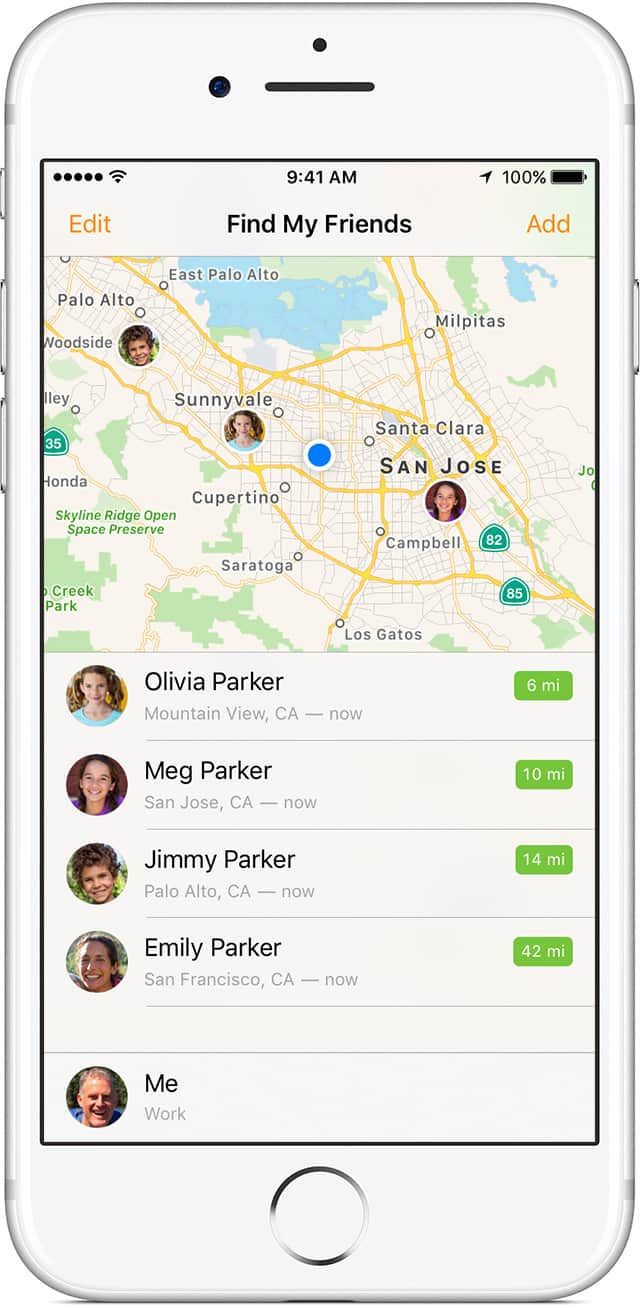
Next time you go hunting for a famous hidden cave, make sure to turn on the ‘Find My Friends’ app. One lucky climber from the U.K. just found out it can totally save your life.


Mountain rescuers workers came to the ill-prepared hiker’s aid after he was injured during his pursuit of the famous Priest Hole cave at the UK’s Lake District National Park. The hike fell over 60 feet and suffered a serious head injury, but was eventually located using Apple’s app.


According to a report from The Daily Mail, the hiker descended into a thick cloud of fog and lost his footing and fell into a steep gully. He was able to get cell service and dial for emergency service, but the rescue team couldn’t determine his precise location.


Find My Friends to the rescue

Patterdale MRT leader Mike Blakey said the climber was a “very lucky boy’. Using Find My Friends, workers pinned down his exact coordinates and sent a rescue chopper to pick him up.


Unfortunately, the injured climber also felt the need to document the entire ordeal on social media. He started posting updates of his rescue on Facebook which caused his battery to die before the team could pick him up.


“This was unhelpful and a distraction for all concerned during what was a complex rescue,” said Mr Blakey.


Rescuers eventually found the hiker and air lifted him to the nearest hospital. He walked out later that day with only minor bruising.


Source: cult of mac


Windows
Mac OS
iOS
Linux
3uTools
Win 64-bit For this device
V9.0 2025-11-11
Download
Win 32-bit For this device
V9.0 2025-11-11
Download
3uTools
Intel Chip How to Identify Chip Type
V9.0 2025-12-02
Download
Apple Silicon
V9.0 2025-12-02
Download
How to Identify Chip Type
1.  Click the Apple icon in the top-left corner of the screen and select About This Mac.
2.  Check the Processor or Chip field to determine if it is "Intel" or "Apple".
Please use the 3uTools PC client to install the iOS client:
1、 Install either the Windows or Mac version of 3uTools on your computer
2、 Open the PC client and connect your device to the computer via USB cable
3、 After the connection is successful, wait for the computer to automatically install the mobile app for the device, or locate “Install Mobile App” on the computer and manually click to install.
3uTools
deb file
V3.01 2025-11-20
Download
rpm file
V3.01 2025-11-20
Download
Windows
Windows
iOS
iOS
Android
Android
TV
TV
3uAirPlayer
Win 64-bit For this device
V6.0.2 2025-11-19
Download
Win 32-bit For this device
V6.0.2 2025-11-19
Download
iOS Device Mirroring (No App Required)
1、 Install 3uAirPlayer on the Windows PC
2、 Open Control Center and select Screen Mirroring
3、 From the list, choose your PC to start mirroring
4、 Or connect your iOS device to the PC via USB to begin mirroring
Scan to get "3uAirPlayer" App
3uAirPlayer TV V1.0.18
2025-11-28
TV System Requirements: Android 7.0 or later
Download the TV installation package, copy it to a USB drive, insert it into your TV or set-top box, then select the file from the home screen to install.