 NEWS
NEWS
Microsoft Officially Launches 'Visual Studio for Mac' With Cross-Platform App Coding
 05/11/2017
 3484
3484
After spending months in preview, Microsoft today is officially launching its Visual Studio coding platform for the Mac (via VentureBeat). Visual Studio allows developers to code applications using Microsoft's integrated development environment (IDE) on Apple's macOS platform, which they can sync across both Windows and Mac devices.
Thanks to integration with Xamarin, a cross-platform software development company that Microsoft acquired last year, Visual Studio encourages macOS and iOS developers "to use Microsoft’s development tools, since they will no longer need a Windows computer or virtual machine to do so." Xamarin is expected to eventually close for good following a full integration into Microsoft. 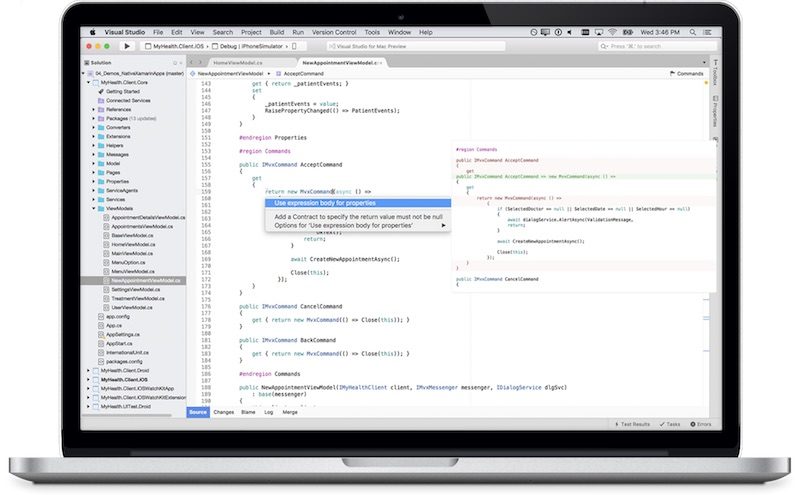
“Developers get a great IDE and a single environment to not only work on end-to-end solutions — from mobile and web apps to games — but also to integrate with and deploy to Azure,” Scott Guthrie, executive vice president of the Microsoft Cloud and Enterprise group, said in a statement. “Whether you use C#, F#, .NET Core, ASP.NET Core, Xamarin or Unity, you’ll get a best-in-class development environment, natively designed for the Mac.”
Visual Studio has been designed natively for macOS, according to Microsoft, letting developers manage their code hosted by any provider, including GitHub and Visual Studio Team Services. Developers can build, connect, and tune native mobile apps for iOS, macOS, and Android while also having the ability to create web applications thanks to support for ASP.NET Core. In terms of programming languages, the C# and F# languages are supported.
There are three different versions of Visual Studio for Mac that users can download, including Visual Studio Community, Visual Studio Professional, and Visual Studio Enterprise. Microsoft markets Community as its free, but "fully-featured," IDE for students and individual developers. Professional targets small teams with subscription benefits, while more "demanding" users and projects with larger scale are suggested to look into Enterprise.
For its cloud subscriptions, there are yearly and monthly options available to users interested in the higher-tier Visual Studio plans. An annual subscription to Visual Studio Professional costs $539/year while a monthly subscription costs $45/month. For Visual Studio Enterprise, users will pay $2,999/year or $250/month. Subscribers will be able to earn small credits back each month for the yearly tiers, contingent on their use of different Azure services.
For a detailed breakdown of the differences between each Visual Studio subscription, including individual licenses, check out the app's new website.
Source: macrumors










