
NEWS

Apple Music Debuts Toronto's 'House of Strombo' Concert Series

04/17/2017

3373

Top music interviewer and CBC Radio 2 host George Stroumboulopoulos debuted his new House of Strombo music series on Apple Music on Thursday (via Billboard). 

The 10-episode show is a spin-off of the Canadian host's radio series The Strombo Show, which is filmed at his Toronto home in front of a live audience. The show is set to feature video segments, artist interviews, and exclusive behind-the-scenes access. Stroumboulopoulos was interviewed by Zane Lowe on Apple Music's Beats 1 about the partnership. 
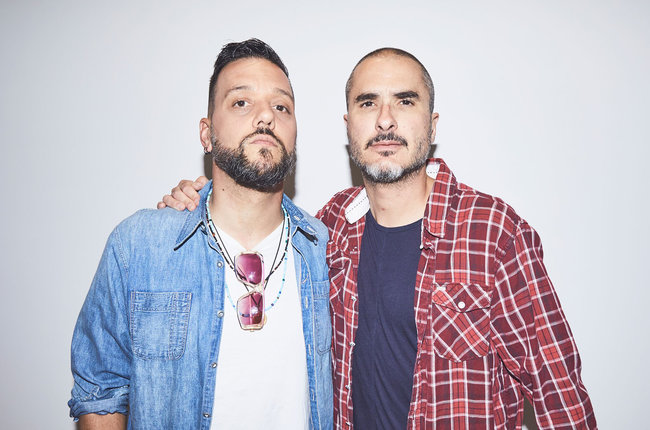
Apple Music Debuts Toronto's 'House of Strombo' Concert Series


"The bands set-up right in my living room, with a live audience packing the place," Stroumboulopoulos explained in a statement. "Lights, smoke machines and amplifiers stacked high -- it's every gig in a small space that you've ever loved, with the best bands in the world."


The video segment of the first show features a performance and interview with Canadian group A Tribe Called Red, an Ottawa-based First Nations DJ collective. Apple Music subscribers can view it in the Browse section of the app under the Strombo banner, where playlists and other content can also be found. Going forward, videos for the show will be available in the Connect section of the Strombo page. 

A longer 30-minute version of each episode can be found on YouTube. Check out the first offering embedded below. 


Source: macrumors

Windows
Mac OS
iOS
Linux
3uTools
Win 64-bit For this device
V9.0 2025-11-11
Download
Win 32-bit For this device
V9.0 2025-11-11
Download
3uTools
Intel Chip How to Identify Chip Type
V9.0 2025-12-02
Download
Apple Silicon
V9.0 2025-12-02
Download
How to Identify Chip Type
1.  Click the Apple icon in the top-left corner of the screen and select About This Mac.
2.  Check the Processor or Chip field to determine if it is "Intel" or "Apple".
Please use the 3uTools PC client to install the iOS client:
1、 Install either the Windows or Mac version of 3uTools on your computer
2、 Open the PC client and connect your device to the computer via USB cable
3、 After the connection is successful, wait for the computer to automatically install the mobile app for the device, or locate “Install Mobile App” on the computer and manually click to install.
3uTools
deb file
V3.01 2025-11-20
Download
rpm file
V3.01 2025-11-20
Download
Windows
Windows
iOS
iOS
Android
Android
TV
TV
3uAirPlayer
Win 64-bit For this device
V6.0.2 2025-11-19
Download
Win 32-bit For this device
V6.0.2 2025-11-19
Download
iOS Device Mirroring (No App Required)
1、 Install 3uAirPlayer on the Windows PC
2、 Open Control Center and select Screen Mirroring
3、 From the list, choose your PC to start mirroring
4、 Or connect your iOS device to the PC via USB to begin mirroring
Scan to get "3uAirPlayer" App
3uAirPlayer TV V1.0.18
2025-11-28
TV System Requirements: Android 7.0 or later
Download the TV installation package, copy it to a USB drive, insert it into your TV or set-top box, then select the file from the home screen to install.




