NEWS

Apple Music for Android Finally Gets New iOS 10 Design

04/05/2017

2749

Apple Music for Android Finally Gets New iOS 10 Design


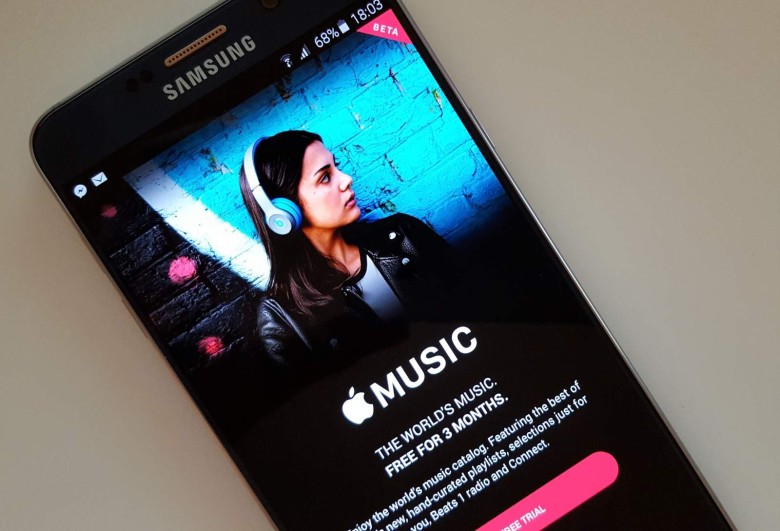
Apple Music subscribers on Android got some much-needed love from Apple today in the form of an update that brings a fresh UI to the streaming app.


It’s been nearly a year since Apple unveiled its Apple Music redesign as part of iOS 10 at WWDC 2016, but Android users are just now getting a taste of the interface’s bold, streamlined look.


New features include the option to read lyrics on songs. The For You recommendation section got redesigned. And album artwork enjoys a bigger focus in the new UI, which brings navigational changes that save users some swipes.


Apple released Apple Music on Android in November 2015 as its first and only major app on the platform. The app doesn’t get updated as frequently as the iOS version (in fact it lingered in beta for nearly a year). Apple’s only other Android offerings are an app for the Beats Pill and another that makes it easier for switchers to move to iOS.


Here’s the full list of new stuff in the Apple Music Android app:

  • Now Playing. Read lyrics for songs as you listen.

  • Library. Navigate your music easily and see the Downloaded Music you can play offline.

  • For You. Get recommendations for playlists, albums and more, based on music you love.

  • Browse. Listen to new music first, plus playlists for any mood or activity.

  • Radio. Tune in to Beats 1 shows or listen to stations for any genre


Source: cult of mac



Windows
Mac OS
iOS
Linux
3uTools
Win 64-bit For this device
V9.0 2025-11-11
Download
Win 32-bit For this device
V9.0 2025-11-11
Download
3uTools
Intel Chip How to Identify Chip Type
V9.0 2025-12-02
Download
Apple Silicon
V9.0 2025-12-02
Download
How to Identify Chip Type
1.  Click the Apple icon in the top-left corner of the screen and select About This Mac.
2.  Check the Processor or Chip field to determine if it is "Intel" or "Apple".
Please use the 3uTools PC client to install the iOS client:
1、 Install either the Windows or Mac version of 3uTools on your computer
2、 Open the PC client and connect your device to the computer via USB cable
3、 After the connection is successful, wait for the computer to automatically install the mobile app for the device, or locate “Install Mobile App” on the computer and manually click to install.
3uTools
deb file
V3.01 2025-11-20
Download
rpm file
V3.01 2025-11-20
Download
Windows
Windows
iOS
iOS
Android
Android
TV
TV
3uAirPlayer
Win 64-bit For this device
V6.0.2 2025-11-19
Download
Win 32-bit For this device
V6.0.2 2025-11-19
Download
iOS Device Mirroring (No App Required)
1、 Install 3uAirPlayer on the Windows PC
2、 Open Control Center and select Screen Mirroring
3、 From the list, choose your PC to start mirroring
4、 Or connect your iOS device to the PC via USB to begin mirroring
Scan to get "3uAirPlayer" App
3uAirPlayer TV V1.0.18
2025-11-28
TV System Requirements: Android 7.0 or later
Download the TV installation package, copy it to a USB drive, insert it into your TV or set-top box, then select the file from the home screen to install.