 NEWS
NEWS
Readdle Hires Apple Mail Engineering Manager To Work On Spark
 03/30/2017
 3139
3139
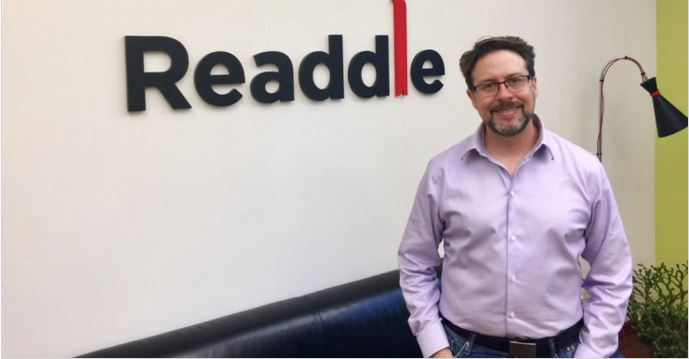
Third-party app developer Readdle has developed some of the most successful productivity apps on iOS and macOS. And email client Spark in particular is going to be Readdle’s next big bet. Readdle just hired Terry Blanchard, an engineering manager for Apple Mail for six years. He’s going to build a new team in Silicon Valley.
Readdle has built an entire company on the App Store by selling productivity apps, such as Scanner Pro, PDF Expert and Calendars 5. It’s a great bootstrapping story with a team of more than a hundred people working for Readdle today. But email apps are a very competitive space with many popular free email clients on iOS alone, such as Outlook, Gmail and EasilyDo Mail.
So Readdle decided to release Spark for free. Spark is now available on the iPhone, the iPad, the Mac and the Apple Watch. The three key features are the smart inbox, the search feature and all the available personalizations.
In Spark, you can choose to view your emails in a traditional, chronological list. But you can also opt for an automatic categorization of your incoming emails. Spark groups emails in separate widgets based on the categories that matter to you. For instance, you can put new emails at the top, then pinned emails, then newsletters, etc.
In many ways, this feature is reminiscent of Gmail’s categories. But Spark works with all email providers and can group your emails across different accounts in a unified inbox.
When it comes to the search feature, you can use natural language to search for specific things. For instance, you could search for “PDF attachments sent by Elon Musk” and find that secret document about Mars colonization. You can save search queries and create smart folders.
Based in Odessa, Ukraine, Readdle wants to be more ambitious and attracts the best engineering talent for an email app. That’s why the company is going to open a second office in Silicon Valley with Blanchard heading the team. Readdle is also thinking about raising money for the first time.
You can expect an Android app in the future as well as more powerful calendar features. You’ll also be able to automate more tasks and work collaboratively with your team.
I think email is a very personal thing. You have to try many different apps to figure out what works for you. But everybody needs an email client. If Readdle can address a large portion of that market, the company could end up becoming a key productivity company.
Source: techcruch










