 NEWS
NEWS
'Proton' Mac Trojan Has Apple Code-Signing Signatures, Sold To 'Customers' For $50K
 03/15/2017
 4272
4272
Security researchers have discovered the existence of a new trojan dubbed "Proton" being marketed in hacking forums to online criminals, claiming to ship with genuine Apple code-signing signatures that could make it a greater risk to victims.
Found on Russian cybercrime forums, "Proton" is a remote access trojan (RAT) aimed at macOS systems. Written in Objective C, allowing it to run without any dependencies, the malware is marketed by the creator as a "professional FUD surveillance and control solution, with which you can do almost everything with (a) target's Mac."
With root-access privileges, the list of potential actions includes keylogging, uploading and downloading files, screenshots, webcam access, and SSH and VNC connectivity. It is also claimed the malware can also present victims with a custom window, which could be used to request extra information, such as a credit card number.
The user's locally-stored data is not the only information at risk, as the researchers note the trojan also grants access to iCloud, even if the user has enabled two-factor authentication.
Sixgill advises the malware's creator managed to get the code signed by Apple, suggesting it has managed to pass through Apple's rigorous filtration process for third-party software developers. It is believed the developer has either falsified their registration to the Apple Developer ID Program or used stolen credentials, in order to get through the signing process.
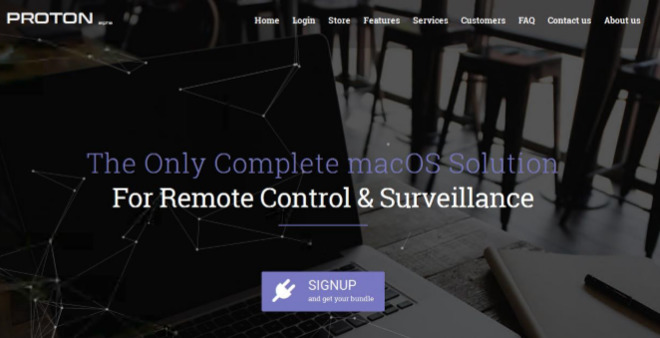
Despite its capabilities, the trojan still relies on existing methods to be infected on a target system. Users of Proton still have to disguise the malware with a custom name and icon, and to somehow trick targets into downloading and installing it.
The creator of Proton attempted to market it as a supposedly legitimate security tool, complete with a website advertising it as an ideal solution to prevent corporate espionage, to help administrators manage systems, and for parents to monitor their children's Internet usage. The website was quickly taken down shortly after Sixgill published its report.
Notably, the trojan's creator has cut the price of Proton for their potential "customers." Previously, the tool cost 100 bitcoins ($126,000) to acquire, with a license for unlimited installations, but criticism from others prompted a reduction to 40 bitcoins ($50,400) for unlimited installations, or 2 bitcoins ($2,512) for a single installation.
Proton is the latest in a recent string of malware discoveries targeting Macs, a platform considered to be more robust against attacks compared to Windows and other operating systems. In February, malware called "MacDownloader" was discovered as part of an attempt to hack individuals and companies in the U.S. defense industry, and human rights advocates, by posing as a Flash Player update.
In the same month, malware employing an auto-running macro in a Word document surfaced, using an old technique previously used to infect Windows systems. Later in February, a Russian hacking group accused of interfering with the 2016 U.S. presidential elections was found to have updated its "Xagent" malware package, expanding its reach from Windows, iOS, Android, and Linux devices to attack Macs.
Source: appleinsider










