 NEWS
NEWS
John Ternus Explains Apple's Touchscreen MacBook Pro Strategy
 10/29/2026
 161
161
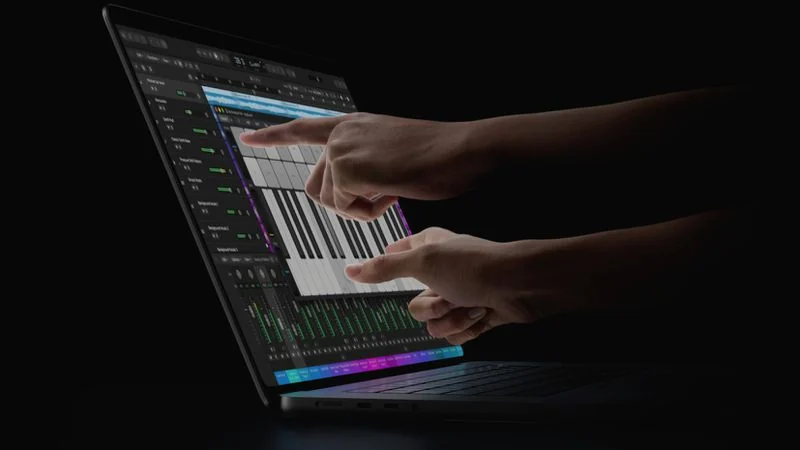
Apple CEO John Ternus has explained the company's approach to touchscreen support on the new MacBook Pro in an interview with Wired. Despite introducing touch input to its professional laptops, Apple continues to view the Mac primarily as a device designed around the keyboard and trackpad.
The new OLED MacBook Pro models combine touchscreen capabilities with a redesigned display and thermal architecture, addressing Apple's longstanding concerns about adding touch without compromising the laptop experience.
Apple Still Sees the MacBook Pro as an Indirect Input Device
In the Wired interview, Ternus emphasized that the Mac's traditional input methods remain central to its design.
"The Mac is first and foremost an indirect input device, built around the trackpad and keyboard," Ternus explained, adding that touch can be convenient in certain situations.
He also said Apple wanted to ensure that adding a touchscreen would not make the MacBook Pro heavier or thicker. The company was able to bring touch support together with an OLED display that Ternus described as the best display Apple has ever put in a Mac.
Rather than redesigning macOS around touch, Apple appears to be treating it as an additional input option that complements the existing keyboard-and-trackpad experience.
Why Apple Is Adding Touch Now
Apple has traditionally maintained a distinction between the Mac and iPad, arguing that the two product lines serve different purposes. The introduction of a touchscreen MacBook Pro does not necessarily mean that Apple plans to merge the two platforms.
Hardware chief Johny Srouji told Wired that advances in display technology, Apple silicon, and software have finally reached the level required to meet Apple's standards for touchscreen integration.
Marketing chief Greg Joswiak offered another perspective, noting that professional users have been waiting for touch capabilities and that a younger generation of creators increasingly expects touch interaction.
Together, their comments suggest that Apple sees touchscreen support as a natural addition to the Mac rather than a replacement for its established design philosophy.
How Apple Addressed Touchscreen MacBook Pro Design Challenges
Adding touch to a laptop introduces several hardware challenges, particularly when users press directly against the display. Apple has reportedly made several changes to address these concerns.
●Redesigned thermal architecture: The system is designed to prevent the display from becoming uncomfortably hot during use.
●Anti-reflective coating: Apple says the new display coating should not require more cleaning than a standard display.
●Reinforced hinge: The updated hinge is designed to keep the screen stable when users interact with it by touch.
●Thin and lightweight design: Apple aimed to add touch functionality without making the laptop thicker or heavier.
These changes are intended to preserve the MacBook Pro's familiar form factor while introducing a more flexible way to interact with content.
OLED MacBook Pro Pricing and Release Date
Apple's new OLED MacBook Pro models are available for preorder, with the official launch scheduled for November 6. Pricing starts at $2,899.
The new models bring together OLED display technology, touchscreen input, and Apple's existing professional laptop design. For users who prefer the precision of a trackpad but occasionally want to interact directly with the screen, the combination could offer a more versatile workflow.
Touchscreen Support Doesn't Mean the Mac Is Becoming an iPad
Apple's messaging makes its position clear: the keyboard and trackpad remain fundamental to the Mac experience. Touch is intended to make certain tasks more convenient, not to replace the traditional way people use a Mac.
Whether this approach satisfies users who have long wanted a touchscreen MacBook Pro remains to be seen. The new models represent a significant change for Apple's laptop lineup, but one designed to preserve the distinction between Mac and iPad.
Source: Macrumors










