NEWS

Apple Says iPhone X is Now Obsolete

08/14/2026

78

 Apple Says iPhone X is Now Obsolete


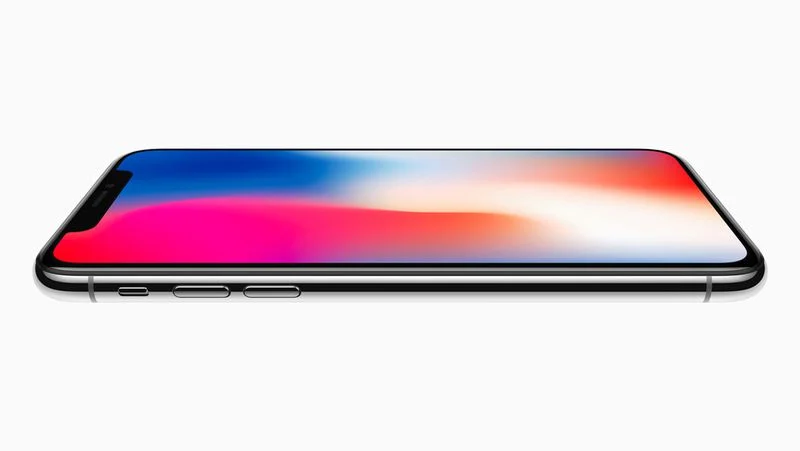
Apple today added the iPhone X and the 2018 model of the 15-inch MacBook Pro to its obsolete products list, according to an updated support document


Released in November 2017, the iPhone X was the first iPhone with an OLED display and Face ID. The lack of a Touch ID home button resulted in the device having a more edge-to-edge screen with a notch for the front camera and Face ID sensors. The device featured a premium design with a glass back and a stainless steel frame.


When an iPhone becomes obsolete, it is no longer eligible for repairs or other hardware service at Apple Stores or Apple Authorized Service Providers.


Apple considers a product to be obsolete once seven years have passed since it stopped distributing the product. Apple stopped selling the iPhone X in September 2018, but the device remained available at select resellers for longer.


iOS 16 was the final major software version compatible with the iPhone X.


Source: Macrumors

Windows
Mac OS
iOS
Linux
3uTools
Win 64-bit For this device
V9.07 2026-07-17
Download
Win 32-bit For this device
V9.07 2026-07-17
Download
3uTools
Intel Chip How to Identify Chip Type
V9.05 2026-07-25
Download
Apple Silicon
V9.05 2026-07-25
Download
How to Identify Chip Type
1.  Click the Apple icon in the top-left corner of the screen and select About This Mac.
2.  Check the Processor or Chip field to determine if it is "Intel" or "Apple".
Please use the 3uTools PC client to install the iOS client:
1、 Install either the Windows or Mac version of 3uTools on your computer
2、 Open the PC client and connect your device to the computer via USB cable
3、 After the connection is successful, wait for the computer to automatically install the mobile app for the device, or locate “Install Mobile App” on the computer and manually click to install.
3uTools
deb file
V9.02 2026-08-12
Download
rpm file
V9.02 2026-08-12
Download
Windows
Windows
iOS
iOS
Android
Android
TV
TV
3uAirPlayer
Win 64-bit For this device
V6.0.6 2026-06-26
Download
Win 32-bit For this device
V6.0.6 2026-06-26
Download
iOS Device Mirroring (No App Required)
1、 Install 3uAirPlayer on the Windows PC
2、 Open Control Center and select Screen Mirroring
3、 From the list, choose your PC to start mirroring
4、 Or connect your iOS device to the PC via USB to begin mirroring
Scan to get "3uAirPlayer" App
3uAirPlayerTV
 
TV System Requirements: Android 7.0 or later
Download the TV installation package, copy it to a USB drive, insert it into your TV or set-top box, then select the file from the home screen to install.