
NEWS

Apple Plans To Switch All iPhone Models To OLED by 2019

03/08/2017

2876

Apple is reportedly planning on switching to OLED panels on all variants of the iPhone by 2019. The company was keen on using OLED panels on all variants of the iPhone this year itself as per an early report, but supply issues have forced the company to use the panel only on the new 5.8-inch premium model that it will be debuting this year.


In addition, the report claims that Apple will be sourcing Flexible PCBs from Samsung and Interflex for the iPhone 8. While Samsung has been supplying Apple with PCBs for quite some time, Interflex is a new vendor in Apple’s supply-chain. The company is also setting up a $866 million production facility to handle the additional demand from Apple.
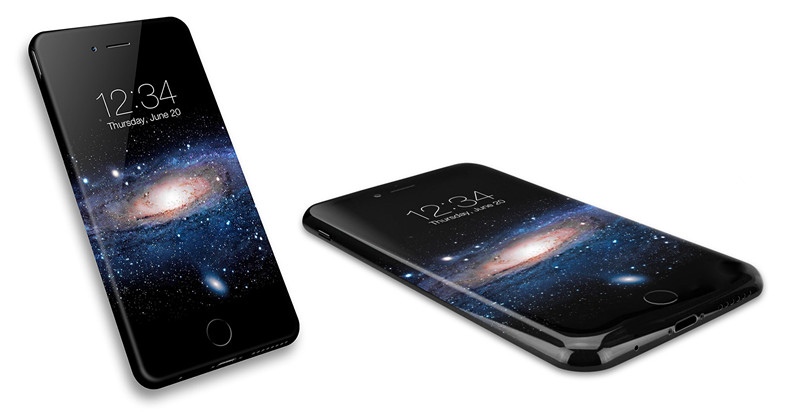

Apple Plans To Switch All iPhone Models To OLED by 2019


As of now, Samsung Display dominates the OLED market. The company supplies OLED panels to majority of Android OEMs out there, but reserves the very best panel technology for its flagship devices. The Korean company has already secured an order to supply 60 million OLED panels to Apple this year that was reportedly worth $4.3 billion. Apple does not like to rely on one company for sourcing its components, so it has asked its other vendors to set up OLED factories for it.


The premium iPhone 8 model is expected to come with a 5.8-inch OLED panel with a bezel-less design. The handset will also feature wireless charging, fast charging, and a revolutionary front camera with facial or iris recognition


Windows
Mac OS
iOS
Linux
3uTools
Win 64-bit For this device
V9.0 2025-11-11
Download
Win 32-bit For this device
V9.0 2025-11-11
Download
3uTools
Intel Chip How to Identify Chip Type
V9.0 2025-12-02
Download
Apple Silicon
V9.0 2025-12-02
Download
How to Identify Chip Type
1.  Click the Apple icon in the top-left corner of the screen and select About This Mac.
2.  Check the Processor or Chip field to determine if it is "Intel" or "Apple".
Please use the 3uTools PC client to install the iOS client:
1、 Install either the Windows or Mac version of 3uTools on your computer
2、 Open the PC client and connect your device to the computer via USB cable
3、 After the connection is successful, wait for the computer to automatically install the mobile app for the device, or locate “Install Mobile App” on the computer and manually click to install.
3uTools
deb file
V3.01 2025-11-20
Download
rpm file
V3.01 2025-11-20
Download
Windows
Windows
iOS
iOS
Android
Android
TV
TV
3uAirPlayer
Win 64-bit For this device
V6.0.2 2025-11-19
Download
Win 32-bit For this device
V6.0.2 2025-11-19
Download
iOS Device Mirroring (No App Required)
1、 Install 3uAirPlayer on the Windows PC
2、 Open Control Center and select Screen Mirroring
3、 From the list, choose your PC to start mirroring
4、 Or connect your iOS device to the PC via USB to begin mirroring
Scan to get "3uAirPlayer" App
3uAirPlayer TV V1.0.18
2025-11-28
TV System Requirements: Android 7.0 or later
Download the TV installation package, copy it to a USB drive, insert it into your TV or set-top box, then select the file from the home screen to install.



