NEWS

CarPlay is Coming to Pontoon Boats

08/05/2026

53

 CarPlay is Coming to Pontoon Boats


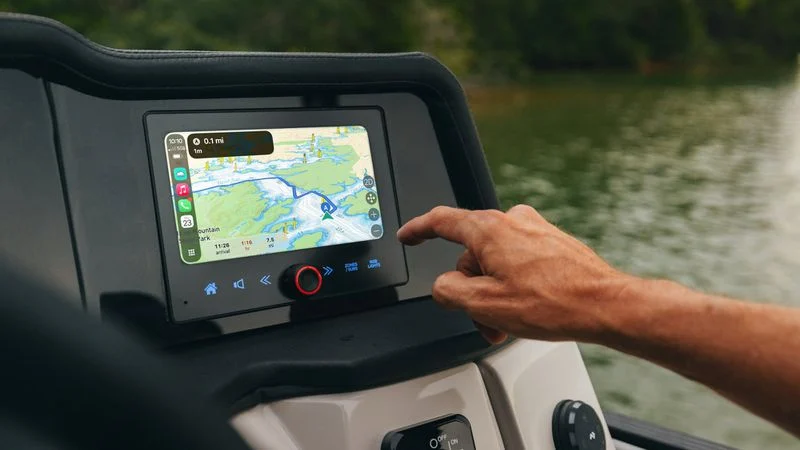
MasterCraft Boat Holdings today said it is adding CarPlay to its upcoming Crest and Balise Pontoons. The company is working with Savvy Navvy to bring ‌CarPlay‌ and on-water navigation to boaters.


Boaters who purchase select 2027 Crest or Balise pontoons will have access to ‌CarPlay‌, with many of the same features that are available in a car. The Savvy Navvy mobile app will integrate with ‌CarPlay‌ to show nautical charts, GPS tracking, smart routing, and live weather forecasts right alongside other ‌CarPlay‌ apps.


Savvy Navvy will provide water navigation, a feature that is not available through the Apple Maps ‌CarPlay‌ integration.


  ●"Boaters have been asking for a modern infotainment system for years," says Jelte Liebrand, Founder and CEO of Savvy Navvy. "Plan your trip on the couch, step aboard, and it is already at the helm. No complicated ways to synchronise things; it just works. Savvy Navvy for CarPlay works on iOS and Android with any compatible display. I'm thrilled to see Crest and Balise put CarPlay in front of their boaters."


Starting with the 2027 model year, Apple ‌CarPlay‌ with Savvy Navvy will come standard on all new Balise and Crest Conquest and Caribbean models. A limited Savvy Navvy Premium subscription is included.


The Savvy Navvy app is available for ‌CarPlay‌ worldwide starting today, and it works with any compatible ‌CarPlay‌ display, including aftermarket marine head units.


Source: Macrumors

Windows
Mac OS
iOS
Linux
3uTools
Win 64-bit For this device
V9.07 2026-07-17
Download
Win 32-bit For this device
V9.07 2026-07-17
Download
3uTools
Intel Chip How to Identify Chip Type
V9.05 2026-07-25
Download
Apple Silicon
V9.05 2026-07-25
Download
How to Identify Chip Type
1.  Click the Apple icon in the top-left corner of the screen and select About This Mac.
2.  Check the Processor or Chip field to determine if it is "Intel" or "Apple".
Please use the 3uTools PC client to install the iOS client:
1、 Install either the Windows or Mac version of 3uTools on your computer
2、 Open the PC client and connect your device to the computer via USB cable
3、 After the connection is successful, wait for the computer to automatically install the mobile app for the device, or locate “Install Mobile App” on the computer and manually click to install.
3uTools
deb file
V9.01 2026-05-28
Download
rpm file
V9.01 2026-05-28
Download
Windows
Windows
iOS
iOS
Android
Android
TV
TV
3uAirPlayer
Win 64-bit For this device
V6.0.6 2026-06-26
Download
Win 32-bit For this device
V6.0.6 2026-06-26
Download
iOS Device Mirroring (No App Required)
1、 Install 3uAirPlayer on the Windows PC
2、 Open Control Center and select Screen Mirroring
3、 From the list, choose your PC to start mirroring
4、 Or connect your iOS device to the PC via USB to begin mirroring
Scan to get "3uAirPlayer" App
3uAirPlayerTV
 
TV System Requirements: Android 7.0 or later
Download the TV installation package, copy it to a USB drive, insert it into your TV or set-top box, then select the file from the home screen to install.