NEWS

watchOS 27 beta 3 brings Siri AI to the Apple Watch

07/09/2026

88

watchOS 27 beta 3 brings Siri AI to the Apple Watch


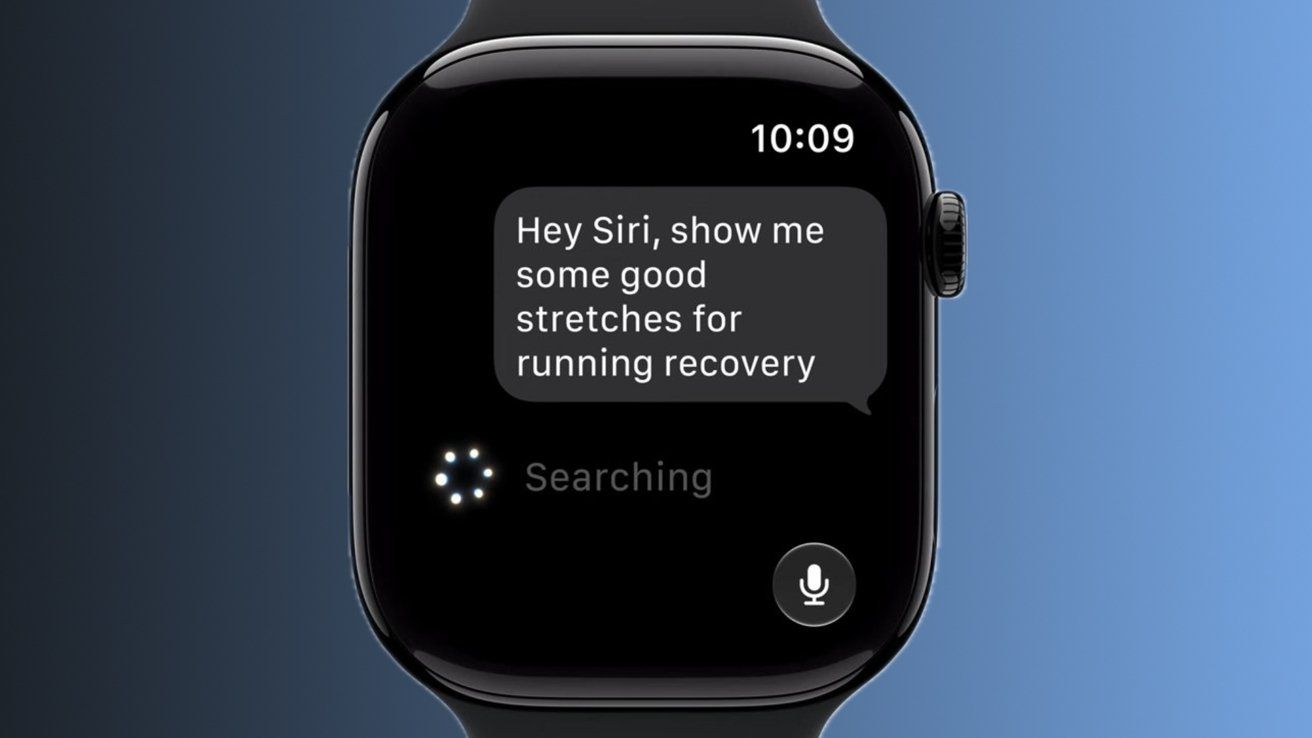
Apple Watch owners can now finally use the new-and-improved Siri AI, thanks to watchOS 27 beta 3.


At WWDC 2026, Apple's virtual assistant received a long-overdue upgrade. Siri AI, available on iOS 27 beta, supports contextual awareness and understands natural language, effectively making it an Apple-designed chatbot.

Initially, Siri AI was made available to developers with an iPhone, iPad, Mac, or Apple Vision Pro. With Monday's watchOS 27 developer beta, however, the revamped digital assistant has made its way to the Apple Watch, in the form of a dedicated Siri app.

Siri AI conversations held on one Apple device will appear across all linked and compatible products. This means that, even though Siri AI is new to the Apple Watch, developers can still pick up where they left off on their iPhone or iPad.

With watchOS 27 beta 3, the Siri app can be launched from the Dynamic App Grid, which acts as the default Home Screen. The Siri app is now front and center, with five surrounding context-aware applications chosen based on the wearer's routines.

Monday's developer beta, and watchOS 27, controversially require an Apple Watch Series 9, Apple Watch Ultra 2, Apple Watch SE 3, or newer. Essentially, the operating system only supports six Apple Watch models, as Apple says newer hardware works best with Siri AI.

Source: Appleinsider

Windows
Mac OS
iOS
Linux
3uTools
Win 64-bit For this device
V9.06 2026-04-09
Download
Win 32-bit For this device
V9.06 2026-04-09
Download
3uTools
Intel Chip How to Identify Chip Type
V9.03 2026-03-27
Download
Apple Silicon
V9.03 2026-03-27
Download
How to Identify Chip Type
1.  Click the Apple icon in the top-left corner of the screen and select About This Mac.
2.  Check the Processor or Chip field to determine if it is "Intel" or "Apple".
Please use the 3uTools PC client to install the iOS client:
1、 Install either the Windows or Mac version of 3uTools on your computer
2、 Open the PC client and connect your device to the computer via USB cable
3、 After the connection is successful, wait for the computer to automatically install the mobile app for the device, or locate “Install Mobile App” on the computer and manually click to install.
3uTools
deb file
V9.01 2026-05-28
Download
rpm file
V9.01 2026-05-28
Download
Windows
Windows
iOS
iOS
Android
Android
TV
TV
3uAirPlayer
Win 64-bit For this device
V6.0.6 2026-06-26
Download
Win 32-bit For this device
V6.0.6 2026-06-26
Download
iOS Device Mirroring (No App Required)
1、 Install 3uAirPlayer on the Windows PC
2、 Open Control Center and select Screen Mirroring
3、 From the list, choose your PC to start mirroring
4、 Or connect your iOS device to the PC via USB to begin mirroring
Scan to get "3uAirPlayer" App
3uAirPlayerTV
 
TV System Requirements: Android 7.0 or later
Download the TV installation package, copy it to a USB drive, insert it into your TV or set-top box, then select the file from the home screen to install.