 NEWS
NEWS
Apple Watch Ultra 4 Could Get Redesign and Blood Pressure Monitoring
 05/19/2026
 1141
1141
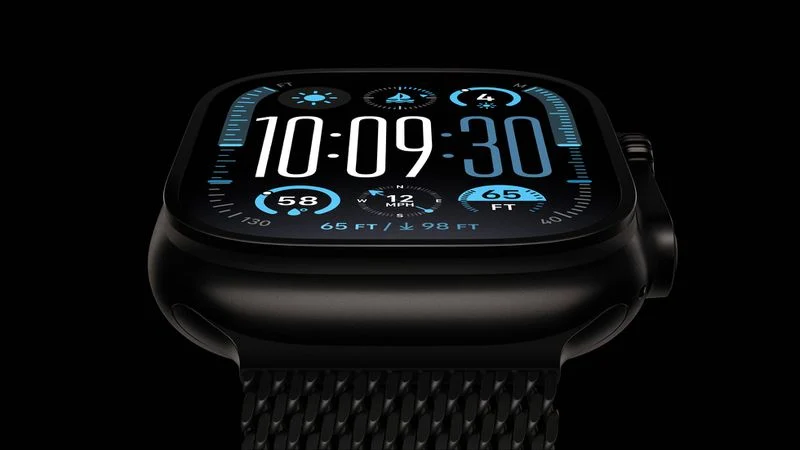
The Apple Watch Ultra 4 could feature a complete redesign and blood pressure monitoring, according to DigiTimes.
Apple will apparently add a new high blood pressure notification feature to the Apple Watch that uses the optical heart-rate sensor on the back of the device to analyze how blood vessels respond to each heartbeat, sending alerts when an abnormal pattern is detected. The feature is said to be under FDA review.
It is not entirely clear how it differs from the Hypertension Notifications feature Apple introduced with watchOS 26 last fall, which itself uses the optical heart sensor to analyze blood vessel responses over 30-day periods. DigiTimes says that earlier Apple Watch models already had some blood-pressure sensing capabilities, and the new feature appears to represent a more refined or clinically validated implementation of that underlying hardware.
After this, Apple's next health monitoring capabilities are expected to focus on noninvasive blood-glucose monitoring, a capability Apple has been pursuing for a number of years, pending government approval.
The report is largely consistent with a DigiTimes report from last year, which said at least one new Apple Watch model would feature a "significant redesign," with supply chain sources pointing to exterior design changes including eight sensors arranged in a ring pattern on the back of the device. Today's update describes the changes more forcefully, calling it a "full redesign" alongside a "significant upgrade to sensing functions."
According to market observers cited by the report, the redesign could boost Apple Watch shipments by 20% to 30% compared to 2025. The sensor upgrades are expected to be a major boost for Taiwan-Asia Semiconductor (TASC), Apple's exclusive supplier of sensor components, with large-volume orders anticipated as early as July.
Apple Watch Ultra 4 is expected to be announced alongside the Apple Watch Series 12, iPhone 18 Pro, iPhone 18 Pro Max, and foldable "iPhone Ultra" in fall 2026.
Source: Macrumors










