 NEWS
NEWS
AirPods Max 2 Reveal iOS 26.4 Launch Date
 03/17/2026
 2515
2515
Apple today introduced the second-generation version of its over-ear AirPods Max headphones, and some of the software requirements in the fine print give us some insight into when Apple's iOS 26.4 update will be released to the public.
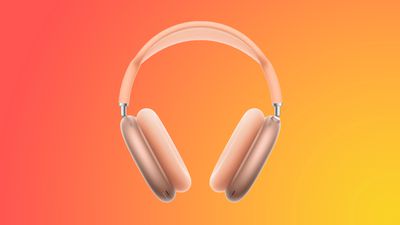
To use several of the added features like Live Translation, the AirPods Max 2 will need to be paired with an iPhone running iOS 26.4, an iPad running iPadOS 26.4, or a Mac running macOS Tahoe 26.4.
The AirPods are set to launch in early April, which means iOS 26.4 and its sister updates will need to launch during the same time frame. iOS 26.4 will be here by the first week of April, and it could even launch before the end of March.
We're at the fourth beta now, so the release candidate version could come at any time. The release candidate likely includes AirPods Max 2 mentions in the code, so Apple was probably holding back on providing it to developers and public beta testers until the AirPods Max 2 were announced.
Apple plans to begin accepting preorders for the AirPods Max 2 on Wednesday, March 25. There is no more specific launch date than "early April," which suggests the first week and a half of the month.
Features that require iOS 26.4 include Live Translation, Adaptive Audio, Conversation Awareness, "Siri" wake word support, Voice Isolation, and the new Digital Crown controls for using the AirPods Max as a camera button. Apple says the feature set will require the latest AirPods Max firmware as well as the iOS 26.4, iPadOS 26.4, and macOS Tahoe 26.4 software.
Source: Macrumors










