 NEWS
NEWS
iPhone Fold: 5 Things We Learned This Week About Apple's Foldable
 03/16/2026
 2062
2062
It's been a big week for foldable iPhone rumors. In case you missed any of them, here are five developments that we've covered over the last few days.
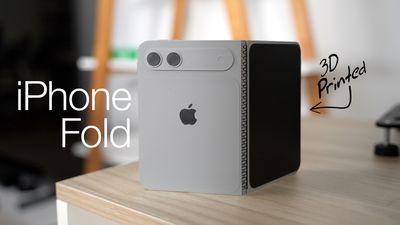
Apple is expected to launch the iPhone Fold this September. For everything else we know, be sure to check out our dedicated roundup.
Display Crease
Early reports suggested Apple had solved the crease problem that has plagued many foldables on the market, thanks to a new Samsung-supplied panel that has been described variously as being "virtually crease free" and having "no crease at all." However, the latest report suggests things may have been overstated. Bloomberg's Mark Gurman says the new display technology Apple is using reduces the crease without eliminating it entirely, and that the result is "not perfect," suggesting it may be wise to temper expectations.
Outer Display Camera
Earlier rumors indicated that Apple has opted to use a hole-punch for the front-facing camera on the 5.5-inch outer display. There are no Face ID components under the display (Touch ID is integrated into the side button instead), but whether it will be encased in a familiar pill-shaped cutout was unclear. Gurman has now confirmed that the small hole-punch cutout replaces the pill-shaped notch that appears on today's iPhones, but that the design will still include a surrounding Dynamic Island interface for system alerts and Live Activities.
Inner Display Camera
Early reports suggested Apple intended to adopt under-screen camera technology in the iPhone Fold's 7.8-inch inner display, making it the first all-screen iPhone. Those rumors may have been true at the time, but it looks like Apple has since dropped the idea. Per Gurman's latest report, Apple apparently determined that the under-display approach "produced worse image quality," and it has now decided instead to use a hole-punch cutout, similar to the one on the outer display.
iOS or iPadOS?
Since the iPhone Fold's inner display will be close to an iPad mini in size with a 4:3 aspect ratio, there had been lingering questions about whether it will work like a standard iPhone when closed and an iPad when open, and which OS it will use. This week, Gurman provided an answer. When the device is opened up, the UI will have an iPad-like layout that supports multitasking with two apps side-by-side. Many apps will feature sidebars on the left of the display, and developers will be given tools to adapt their existing apps for the new interface. However, the device will run iOS, not iPadOS. Gurman said it won't support the full range of multitasking features that are available on the iPad, and it won't run existing iPadOS apps.
Storage and RAM
Like the iPhone Air and the iPhone 17 Pro/Max, Apple's first foldable iPhone will feature 12GB of RAM, with Samsung set to begin DRAM shipments in the second quarter of this year in line with Apple's production schedule. Korea-based media outlet The Bell reports that Samsung was able to negotiate a substantially higher price than previous memory contracts with Apple. The higher cost is attributed to tightening global memory supply amid the AI server build-out. As for storage options, Apple will offer the device in 256GB, 512GB, and 1TB capacities, claims reputable leaker Instant Digital, suggesting the top 1TB option could cost nearly $3,000. For a little perspective, a maxed out iPhone Fold could approach the cost of two 1TB iPhone 17 Pro devices.
Source: Macrumors










