NEWS

MacBook Air With OLED Display is Still Years Away

03/12/2026

113

 MacBook Air With OLED Display is Still Years Away


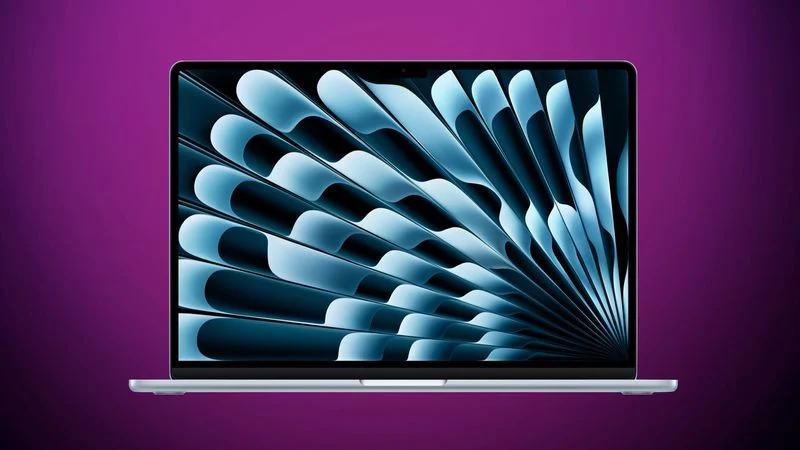
Apple is planning to launch a MacBook Air with an OLED display, but it won't come for several years after the MacBook Pro is updated with OLED screen technology.


We're not going to see an OLED ‌MacBook Air‌ until at least 2028, according to Bloomberg. Large, high-quality OLED displays are expensive, and it will take some time for the technology to come down in price enough that it can be used in Apple's midrange devices.


Apple brought OLED to the 11-inch and 13-inch iPad Pro models in 2024, introducing the first larger-sized OLED screens. The iPhone and Apple Watch have used OLED for years, but it is more complicated with bigger displays. Apple wants to transition its flagship Mac and iPad models to OLED, with OLED eventually used across all product lines.


OLED displays have better contrast than the LCD and mini-LED displays that Apple is using for current Macs, providing richer colors and deeper blacks. OLED also supports wider viewing angles and is often more power efficient because black pixels don't light up.


A ‌MacBook Pro‌ with a touchscreen OLED display is in development, and rumors suggest that we're going to get it as soon as late 2026, though Apple analyst Ming-Chi Kuo said today that we could be waiting until early 2027.


Kuo also said that we won't see an OLED ‌MacBook Air‌ until 2028 or 2029, so the ‌MacBook Air‌ will likely continue to use LCD display technology until then. It's possible Apple could do an interim mini-LED update, but there are no rumors suggesting that's the case yet.


Source: Macrumors

Windows
Mac OS
iOS
Linux
3uTools
Win 64-bit For this device
V9.03 2026-03-12
Download
Win 32-bit For this device
V9.03 2026-03-12
Download
3uTools
Intel Chip How to Identify Chip Type
V9.01 2025-12-31
Download
Apple Silicon
V9.01 2025-12-31
Download
How to Identify Chip Type
1.  Click the Apple icon in the top-left corner of the screen and select About This Mac.
2.  Check the Processor or Chip field to determine if it is "Intel" or "Apple".
Please use the 3uTools PC client to install the iOS client:
1、 Install either the Windows or Mac version of 3uTools on your computer
2、 Open the PC client and connect your device to the computer via USB cable
3、 After the connection is successful, wait for the computer to automatically install the mobile app for the device, or locate “Install Mobile App” on the computer and manually click to install.
3uTools
deb file
V3.01 2025-11-20
Download
rpm file
V3.01 2025-11-20
Download
Windows
Windows
iOS
iOS
Android
Android
TV
TV
3uAirPlayer
Win 64-bit For this device
V6.0.3 2026-03-11
Download
Win 32-bit For this device
V6.0.3 2026-03-11
Download
iOS Device Mirroring (No App Required)
1、 Install 3uAirPlayer on the Windows PC
2、 Open Control Center and select Screen Mirroring
3、 From the list, choose your PC to start mirroring
4、 Or connect your iOS device to the PC via USB to begin mirroring
Scan to get "3uAirPlayer" App
3uAirPlayer TV V1.0.18
2025-11-28
TV System Requirements: Android 7.0 or later
Download the TV installation package, copy it to a USB drive, insert it into your TV or set-top box, then select the file from the home screen to install.