NEWS

iPad Pro 2 Release Specs And Features: What We Want To See

03/06/2017

2899

iPad Pro 2 Release Specs And Features: What We Want To See


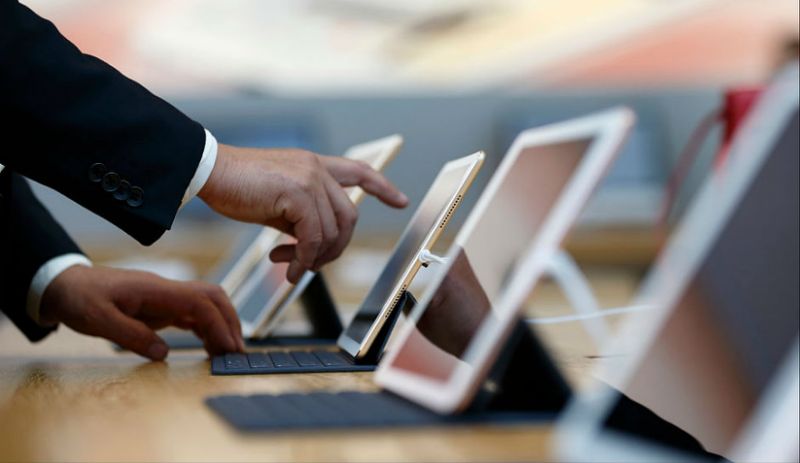
The iPad Pro 2 is coming, that much is sure. While the release date of the device remains unknown as of now, speculations are high that the next powerhouse tablet from the Cupertino-based tech giant would make its debut within the next couple of months.


The original iPad Pro was designed to be a portable device that is capable of replacing a full-fledged laptop computer. However, a limited suite of enterprise-driven apps and clunky accessories ultimately caused the first-generation iPad Pro to fall short of its goal. It was a successful tablet in its own right, but it remained no more than that.


Things appear to be different this time around, however, as Apple is gearing up to release a successor to its powerhouse tablet, the iPad Pro 2. With this in mind, here are three notable features that the iPad Pro 2 must have if Apple would like to finally take a decisive crack at the productivity-centered enterprise market.


Source: yahoo news


Windows
Mac OS
iOS
Linux
3uTools
Win 64-bit For this device
V9.0 2025-11-11
Download
Win 32-bit For this device
V9.0 2025-11-11
Download
3uTools
Intel Chip How to Identify Chip Type
V9.0 2025-12-02
Download
Apple Silicon
V9.0 2025-12-02
Download
How to Identify Chip Type
1.  Click the Apple icon in the top-left corner of the screen and select About This Mac.
2.  Check the Processor or Chip field to determine if it is "Intel" or "Apple".
Please use the 3uTools PC client to install the iOS client:
1、 Install either the Windows or Mac version of 3uTools on your computer
2、 Open the PC client and connect your device to the computer via USB cable
3、 After the connection is successful, wait for the computer to automatically install the mobile app for the device, or locate “Install Mobile App” on the computer and manually click to install.
3uTools
deb file
V3.01 2025-11-20
Download
rpm file
V3.01 2025-11-20
Download
Windows
Windows
iOS
iOS
Android
Android
TV
TV
3uAirPlayer
Win 64-bit For this device
V6.0.2 2025-11-19
Download
Win 32-bit For this device
V6.0.2 2025-11-19
Download
iOS Device Mirroring (No App Required)
1、 Install 3uAirPlayer on the Windows PC
2、 Open Control Center and select Screen Mirroring
3、 From the list, choose your PC to start mirroring
4、 Or connect your iOS device to the PC via USB to begin mirroring
Scan to get "3uAirPlayer" App
3uAirPlayer TV V1.0.18
2025-11-28
TV System Requirements: Android 7.0 or later
Download the TV installation package, copy it to a USB drive, insert it into your TV or set-top box, then select the file from the home screen to install.