NEWS

Florida Pro Soccer Team's New iOS App Cuts Out Ticket Middlemen

03/01/2017

3630

Florida Pro Soccer Team's New iOS App Cuts Out Ticket Middlemen


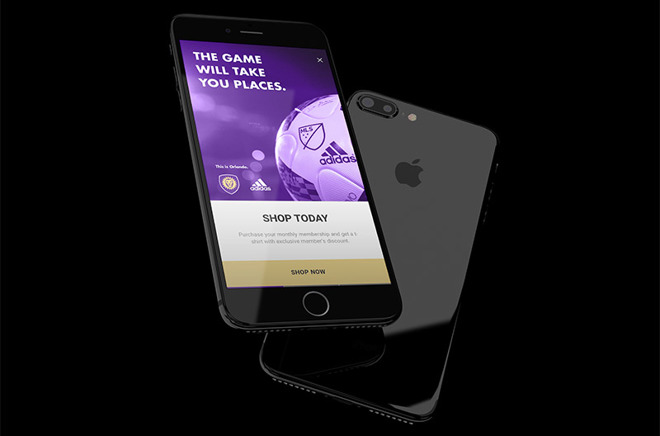
Developed by mobile platform firm FanHero, Orlando City SC's LionNation app acts as a digital hub for the club's membership program. 

Similar to other live event apps, LionNation offers users the usual assortment of ticket management features, including purchasing and in-stadium pass presentation. The OCSC goes further by providing in-app direct to customer merchandise and ticket sales, saving buyers money normally associated with third party ticketing services. 

"It seems archaic that an organization should miss out on thousands of dollars of revenue to sell their own products - we believe this technology is the future of 'hero' to 'fan' sales," said Christopher Cooper, co-founder of FanHero.

Available to members and non-members, LionNation will be the preferred method of entry into Orlando City Stadium as the venue transitions to a paperless ticketing process. When the Major League Soccer season kicks off in March, single-game ticket holders will need to present an in-app pass for entry into the stadium. Season-ticket holders can use either the app or their physical membership card.

Fans can also buy digital tickets for friends and family, as well as resell passes purchased within the app.

In addition to ticketing, the new app offers live coverage of team practices, player interviews, exclusive photos, commentary, team news, stats, a chat module and more. 

The LionNation app is a 
free download from the iOS app store.


Source: appleinsider

Windows
Mac OS
iOS
Linux
3uTools
Win 64-bit For this device
V9.0 2025-11-11
Download
Win 32-bit For this device
V9.0 2025-11-11
Download
3uTools
Intel Chip How to Identify Chip Type
V9.0 2025-12-02
Download
Apple Silicon
V9.0 2025-12-02
Download
How to Identify Chip Type
1.  Click the Apple icon in the top-left corner of the screen and select About This Mac.
2.  Check the Processor or Chip field to determine if it is "Intel" or "Apple".
Please use the 3uTools PC client to install the iOS client:
1、 Install either the Windows or Mac version of 3uTools on your computer
2、 Open the PC client and connect your device to the computer via USB cable
3、 After the connection is successful, wait for the computer to automatically install the mobile app for the device, or locate “Install Mobile App” on the computer and manually click to install.
3uTools
deb file
V3.01 2025-11-20
Download
rpm file
V3.01 2025-11-20
Download
Windows
Windows
iOS
iOS
Android
Android
TV
TV
3uAirPlayer
Win 64-bit For this device
V6.0.2 2025-11-19
Download
Win 32-bit For this device
V6.0.2 2025-11-19
Download
iOS Device Mirroring (No App Required)
1、 Install 3uAirPlayer on the Windows PC
2、 Open Control Center and select Screen Mirroring
3、 From the list, choose your PC to start mirroring
4、 Or connect your iOS device to the PC via USB to begin mirroring
Scan to get "3uAirPlayer" App
3uAirPlayer TV V1.0.18
2025-11-28
TV System Requirements: Android 7.0 or later
Download the TV installation package, copy it to a USB drive, insert it into your TV or set-top box, then select the file from the home screen to install.