
NEWS

tvOS 10.2 Beta 4 Rolling out for Apple TV

03/01/2017

2931

Apple is rolling out the fourth tvOS 10.2 beta for developer testing on Apple TV. tvOS 10.2 focuses on “new features, bug fixes, and improvements in the OS and SDK” according to developer release notes.


Specifically, tvOS 10.2 beta includes these changes:


  • Accelerated Scrolling support for UIKit and TVMLKit apps

  • Device Enrollment Program support

  • Expanded Mobile Device Management support

  • Support for the VideoToolbox framework
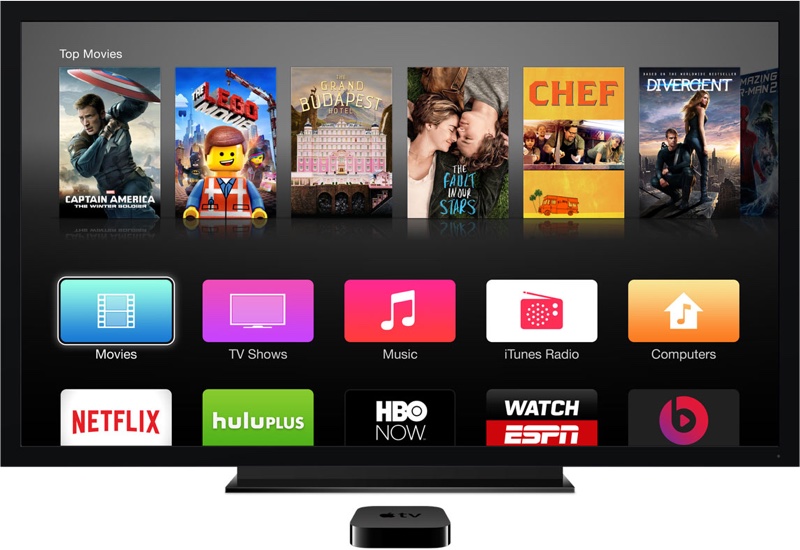


tvOS 10.2 Beta 4 Rolling out for Apple TV


While tvOS 10.2 doesn't include any flashy new features, Apple has been steadily improving the platform with new video features including the new TV app and Single Sign-on.


Here's how Apple describes the TV app that was introduced in December:


Watching TV has quickly become all about apps. And now, with the new TV app, you have one place to access shows and movies from multiple video apps — in one unified experience. The TV app lets you see all the movies and shows you’re watching. Find upcoming episodes. Get recommendations for new things to watch. See your entire iTunes video collection. You can even start watching a movie or show directly from the TV app. All without switching between individual apps.


Single Sign-on is a separate feature introduced in December that lets users easily authenticate with a supported TV provider once, then access paid video apps that support the feature.


tvOS 10.2 beta is only available for registered developers. Public beta versions of iOS and macOS are available, but tvOS and watchOS betas are only available through Apple's developer program.


Source: 9to5mac


Windows
Mac OS
iOS
Linux
3uTools
Win 64-bit For this device
V9.0 2025-11-11
Download
Win 32-bit For this device
V9.0 2025-11-11
Download
3uTools
Intel Chip How to Identify Chip Type
V9.0 2025-12-02
Download
Apple Silicon
V9.0 2025-12-02
Download
How to Identify Chip Type
1.  Click the Apple icon in the top-left corner of the screen and select About This Mac.
2.  Check the Processor or Chip field to determine if it is "Intel" or "Apple".
Please use the 3uTools PC client to install the iOS client:
1、 Install either the Windows or Mac version of 3uTools on your computer
2、 Open the PC client and connect your device to the computer via USB cable
3、 After the connection is successful, wait for the computer to automatically install the mobile app for the device, or locate “Install Mobile App” on the computer and manually click to install.
3uTools
deb file
V3.01 2025-11-20
Download
rpm file
V3.01 2025-11-20
Download
Windows
Windows
iOS
iOS
Android
Android
TV
TV
3uAirPlayer
Win 64-bit For this device
V6.0.2 2025-11-19
Download
Win 32-bit For this device
V6.0.2 2025-11-19
Download
iOS Device Mirroring (No App Required)
1、 Install 3uAirPlayer on the Windows PC
2、 Open Control Center and select Screen Mirroring
3、 From the list, choose your PC to start mirroring
4、 Or connect your iOS device to the PC via USB to begin mirroring
Scan to get "3uAirPlayer" App
3uAirPlayer TV V1.0.18
2025-11-28
TV System Requirements: Android 7.0 or later
Download the TV installation package, copy it to a USB drive, insert it into your TV or set-top box, then select the file from the home screen to install.




