NEWS

iPhone 17e Rumored to Gain New Design, Dynamic Island, and More

08/19/2025

1497

iPhone 17e Rumored to Gain New Design, Dynamic Island, and More


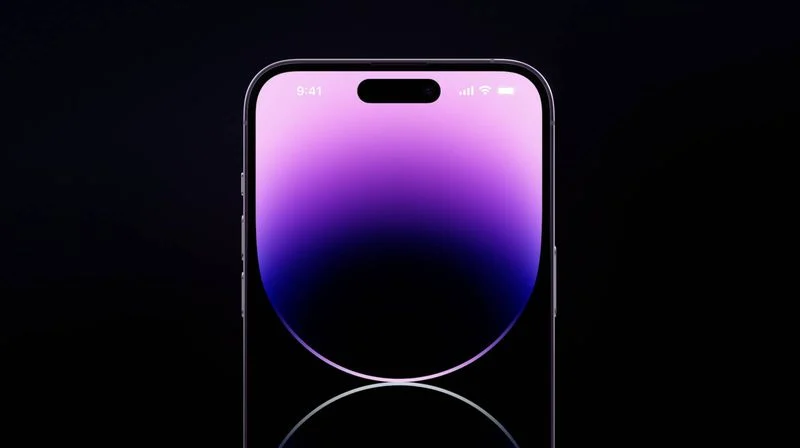
Apple's iPhone 17e will gain upgrades including the Dynamic Island and a new design, according to a known Weibo leaker.


The leaker known as "Digital Chat Station" today claimed to reveal a selection of details about the upcoming ‌iPhone‌ 17e, allegedly originating in Apple's supply chain.


The device is apparently set to feature a new industrial design, the ‌Dynamic Island‌, and the A19 chip. The iPhone 16e features a "notch" at the top of the display, similar to the ‌iPhone‌ 13 and ‌iPhone‌ 14. It also contains Apple's A18 chip.


The ‌iPhone‌ 17e is expected to retain a 6.1-inch OLED display with a 60Hz refresh rate, a front-facing 12-megapixel camera, Face ID, and a rear 48-megapixel camera. The leaker says the biggest selling point of the device will continue to be its low price point.


The ‌iPhone 16e‌ is based on the design of 2022's ‌iPhone‌ 14, so it's possible that the ‌iPhone‌ 17e could be based on 2023's iPhone 15, which gained the ‌Dynamic Island‌ and a noticeably more rounded frame.


Reliable sources such as Ming-Chi Kuo, Bloomberg's Mark Gurman, and Korea's The Elec agree that the ‌iPhone‌ 17e is on schedule to launch early next year.


Digital Chat Station has a relatively good track record for Apple rumors. They accurately revealed that the ‌iPhone 15‌ and ‌iPhone 15‌ Plus would feature a slightly smaller 48-megapixel sensor than the ‌iPhone 15‌ Pro and ‌iPhone 15‌ Pro Max, as well as the display panel design of the ‌iPhone‌ 12 back in 2020.


Source: Macrumors

Windows
Mac OS
iOS
Linux
3uTools
Win 64-bit For this device
V9.0 2025-11-11
Download
Win 32-bit For this device
V9.0 2025-11-11
Download
3uTools
Intel Chip How to Identify Chip Type
V9.0 2025-12-02
Download
Apple Chip
V9.0 2025-12-02
Download
How to Identify Chip Type
1.  Click the Apple icon in the top-left corner of the screen and select About This Mac.
2.  Check the Processor or Chip field to determine if it is "Intel" or "Apple".
Please use the 3uTools PC client to install the iOS client:
1、 Install either the Windows or Mac version of 3uTools on your computer
2、 Open the PC client and connect your device to the computer via USB cable
3、 After the connection is successful, wait for the computer to automatically install the mobile app for the device, or locate “Install Mobile App” on the computer and manually click to install.
3uTools
deb file
V3.01 2025-11-20
Download
rpm file
V3.01 2025-11-20
Download
Windows
Windows
iOS
iOS
Android
Android
TV
TV
3uAirPlayer
Win 64-bit For this device
V6.0.2 2025-11-19
Download
Win 32-bit For this device
V6.0.2 2025-11-19
Download
iOS Device Mirroring (No App Required)
1、 Install 3uAirPlayer on the Windows PC
2、 Open Control Center and select Screen Mirroring
3、 From the list, choose your PC to start mirroring
4、 Or connect your iOS device to the PC via USB to begin mirroring
Scan to get "3uAirPlayer" App
3uAirPlayer TV V1.0.18
2025-11-28
TV System Requirements: Android 7.0 or later
Download the TV installation package, copy it to a USB drive, insert it into your TV or set-top box, then select the file from the home screen to install.