NEWS

Apple Releases Updated MagSafe Charger Firmware

08/06/2025

957

Apple Releases Updated MagSafe Charger Firmware


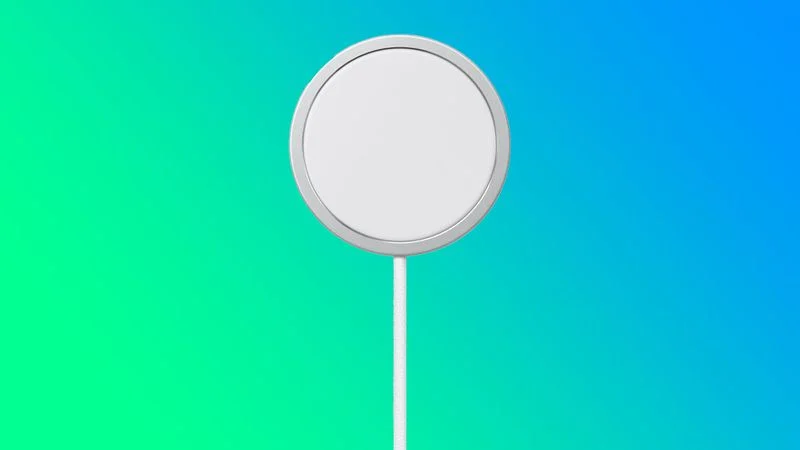
Apple today released a firmware update for the 25W MagSafe Charger that is compatible with the iPhone 12 and later and the latest AirPods. The new firmware is version 2A168, up from the 2A146 firmware that came out last year. In the Settings app, the new firmware is version 148, up from 136.


Apple introduced the 2024 ‌MagSafe‌ charger alongside the iPhone 16 models back in September, and it is able to charge them at up to 25W. For the ‌iPhone‌ 12 models to the iPhone 15 models, charging is capped at 15W. Apple replaced all of its ‌MagSafe‌ chargers with the new model, and now only sells the 2024 version.


Firmware updates are released quietly over the air, and Apple does not provide release notes. We don't know what new features or bug fixes might be included in the software.


There is no clear method for updating a ‌‌MagSafe‌‌ charger's firmware, but it needs to be plugged in and connected to an Apple device for a firmware update to initiate. You can check your ‌‌MagSafe‌‌ Charger's firmware by following the instructions in our MagSafe Charger how to.


Source: Macrumors

Windows
Mac OS
iOS
Linux
3uTools
Win 64-bit For this device
V9.0 2025-11-11
Download
Win 32-bit For this device
V9.0 2025-11-11
Download
3uTools
Intel Chip How to Identify Chip Type
V9.0 2025-12-02
Download
Apple Silicon
V9.0 2025-12-02
Download
How to Identify Chip Type
1.  Click the Apple icon in the top-left corner of the screen and select About This Mac.
2.  Check the Processor or Chip field to determine if it is "Intel" or "Apple".
Please use the 3uTools PC client to install the iOS client:
1、 Install either the Windows or Mac version of 3uTools on your computer
2、 Open the PC client and connect your device to the computer via USB cable
3、 After the connection is successful, wait for the computer to automatically install the mobile app for the device, or locate “Install Mobile App” on the computer and manually click to install.
3uTools
deb file
V3.01 2025-11-20
Download
rpm file
V3.01 2025-11-20
Download
Windows
Windows
iOS
iOS
Android
Android
TV
TV
3uAirPlayer
Win 64-bit For this device
V6.0.2 2025-11-19
Download
Win 32-bit For this device
V6.0.2 2025-11-19
Download
iOS Device Mirroring (No App Required)
1、 Install 3uAirPlayer on the Windows PC
2、 Open Control Center and select Screen Mirroring
3、 From the list, choose your PC to start mirroring
4、 Or connect your iOS device to the PC via USB to begin mirroring
Scan to get "3uAirPlayer" App
3uAirPlayer TV V1.0.18
2025-11-28
TV System Requirements: Android 7.0 or later
Download the TV installation package, copy it to a USB drive, insert it into your TV or set-top box, then select the file from the home screen to install.