
NEWS

Seiko to Re-release the Iconic Watch Worn by Steve Jobs

02/27/2017

3758

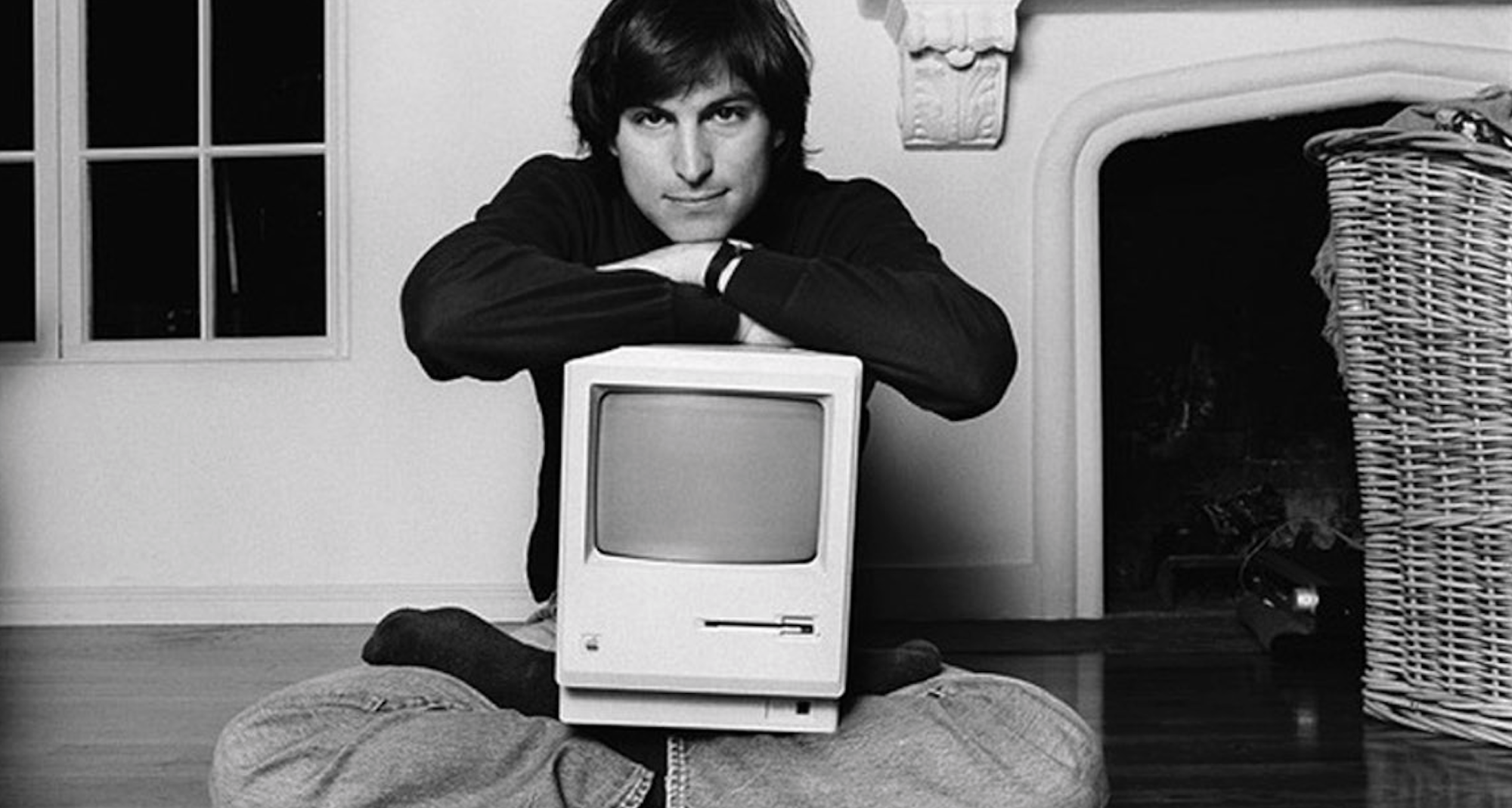
One of the most iconic photographs of Steve Jobs shows him sitting on the floor in this Woodside, California home while holding the first Macintosh in his lap. On his wrist in that image is a very simplistic Seiko watch that has drawn a fair amount of attention, especially since the release of the Apple Watch.


Seiko has now announced plans to re-release the iconic watch…

Seiko to Re-release the Iconic Watch  Worn by Steve Jobs

The watch worn by Jobs, part of the Seiko Chariot series, is very simplistic in terms of design and that trend continues with the version that will be re-released. Seiko will be offering the watch in 33mm and 37.5mm sizes, with options for black and white dials. The band will be a simple black calf leather strap.


Notably, the very watch worn by Jobs in that image was auctioned off last year for $42,500.


The image was taken in 1984 by photographer Norman Seeff and is one of the most well-known pictures of Jobs. Jobs is seen sitting criss-cross on the floor with the Macintosh in his lap and the Seiko watch peeking out from underneath his sleeve.


Source: 9to5mac


Windows
Mac OS
iOS
Linux
3uTools
Win 64-bit For this device
V9.0 2025-11-11
Download
Win 32-bit For this device
V9.0 2025-11-11
Download
3uTools
Intel Chip How to Identify Chip Type
V9.0 2025-12-02
Download
Apple Silicon
V9.0 2025-12-02
Download
How to Identify Chip Type
1.  Click the Apple icon in the top-left corner of the screen and select About This Mac.
2.  Check the Processor or Chip field to determine if it is "Intel" or "Apple".
Please use the 3uTools PC client to install the iOS client:
1、 Install either the Windows or Mac version of 3uTools on your computer
2、 Open the PC client and connect your device to the computer via USB cable
3、 After the connection is successful, wait for the computer to automatically install the mobile app for the device, or locate “Install Mobile App” on the computer and manually click to install.
3uTools
deb file
V3.01 2025-11-20
Download
rpm file
V3.01 2025-11-20
Download
Windows
Windows
iOS
iOS
Android
Android
TV
TV
3uAirPlayer
Win 64-bit For this device
V6.0.2 2025-11-19
Download
Win 32-bit For this device
V6.0.2 2025-11-19
Download
iOS Device Mirroring (No App Required)
1、 Install 3uAirPlayer on the Windows PC
2、 Open Control Center and select Screen Mirroring
3、 From the list, choose your PC to start mirroring
4、 Or connect your iOS device to the PC via USB to begin mirroring
Scan to get "3uAirPlayer" App
3uAirPlayer TV V1.0.18
2025-11-28
TV System Requirements: Android 7.0 or later
Download the TV installation package, copy it to a USB drive, insert it into your TV or set-top box, then select the file from the home screen to install.




