NEWS

You Can Get a Free Apple Watch Pin Today at the Apple Store

04/25/2025

1336

You Can Get a Free Apple Watch Pin Today at the Apple Store


Today marks the 10th anniversary of the Apple Watch, and to celebrate the device’s impact in users’ lives, Apple is giving away a special pin entirely free. Here are the details.


Free, limited edition pin celebrates 10 years of Apple Watch


To mark 10 years of Apple Watch, Apple has dubbed today—April 24, 2025—as ‘Global Close Your Rings Day.’


As part of the celebration, you can earn a special digital reward and iMessage stickers for closing all three of your Activity rings today.


But even if you don’t close your rings, and in fact even if you’re not an Apple Watch owner, there’s a special physical gift Apple is offering too.


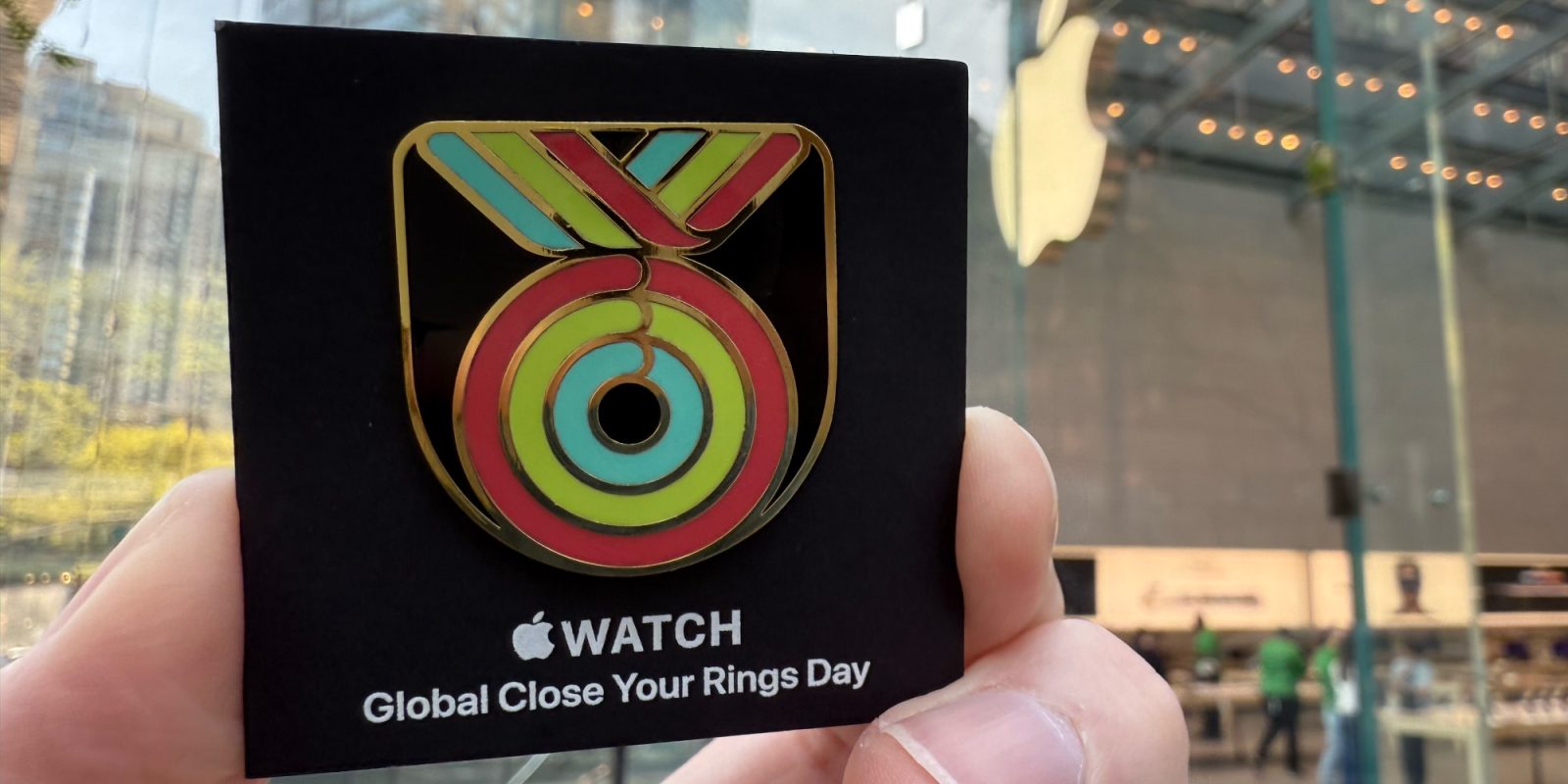
You can pick up a limited-run ‘Global Close Your Rings Day’ pin simply by visiting the Apple Store.


The pin is entirely free, with no purchase required.


Per Apple’s press release: “Customers can pick up a pin at Apple Store locations worldwide starting April 24, while supplies last.”


The special edition pin looks just like the digital reward users can earn for closing their rings today, but in physical form.


Source: 9to5mac

Windows
Mac OS
iOS
Linux
3uTools
Win 64-bit For this device
V9.0 2025-11-11
Download
Win 32-bit For this device
V9.0 2025-11-11
Download
3uTools
Intel Chip How to Identify Chip Type
V9.0 2025-12-02
Download
Apple Silicon
V9.0 2025-12-02
Download
How to Identify Chip Type
1.  Click the Apple icon in the top-left corner of the screen and select About This Mac.
2.  Check the Processor or Chip field to determine if it is "Intel" or "Apple".
Please use the 3uTools PC client to install the iOS client:
1、 Install either the Windows or Mac version of 3uTools on your computer
2、 Open the PC client and connect your device to the computer via USB cable
3、 After the connection is successful, wait for the computer to automatically install the mobile app for the device, or locate “Install Mobile App” on the computer and manually click to install.
3uTools
deb file
V3.01 2025-11-20
Download
rpm file
V3.01 2025-11-20
Download
Windows
Windows
iOS
iOS
Android
Android
TV
TV
3uAirPlayer
Win 64-bit For this device
V6.0.2 2025-11-19
Download
Win 32-bit For this device
V6.0.2 2025-11-19
Download
iOS Device Mirroring (No App Required)
1、 Install 3uAirPlayer on the Windows PC
2、 Open Control Center and select Screen Mirroring
3、 From the list, choose your PC to start mirroring
4、 Or connect your iOS device to the PC via USB to begin mirroring
Scan to get "3uAirPlayer" App
3uAirPlayer TV V1.0.18
2025-11-28
TV System Requirements: Android 7.0 or later
Download the TV installation package, copy it to a USB drive, insert it into your TV or set-top box, then select the file from the home screen to install.