
NEWS

iPhone 8 Concept With ‘Function Area’ Looks Pretty Functional – Video

02/23/2017

2984

The iPhone 8 is rumored to feature a new ‘Function Area’ that would work much like how the Touch Bar does on the new MacBook Pro. But what will it look like on the new smartphone? A new iPhone 8 concept aims to answer that question, though it might not look like the best thing ever.
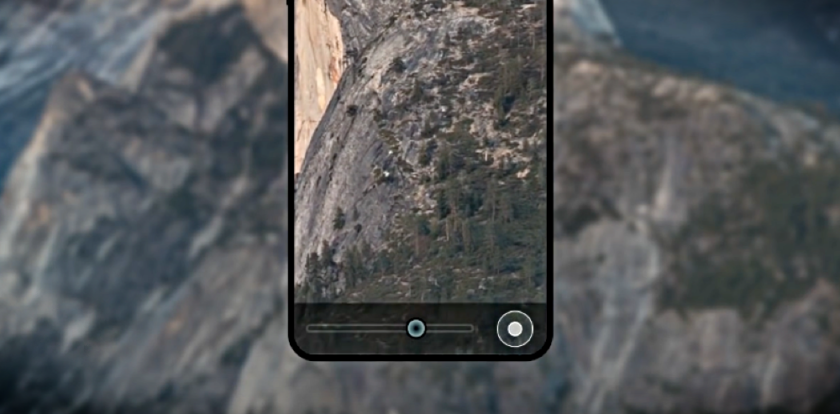

iPhone 8 Concept With ‘Function Area’ Looks Pretty Functional – Video


Function Area on the iPhone 8 Concept Looks Pretty Useful, But Will Apple Actually Implement it?


At this point in time, there’s no telling what the iPhone 8 will actually look like. But concept designers have been working round the clock to give everyone a good glimpse of Apple’s future, though it might be absolutely inaccurate. But in all these concepts, you’ll find a very similar trend: a lack of a physical Home button and a Touch ID sensor that’s baked right into the display. In today’s iPhone 8 concept, you’ll see something familiar, but it brings in the rumored Function Area into the mix. 


Quite frankly, this might not be the best concept we have come across in terms of quality but it gets the point across in a really well manner. The Function Area is adaptive, and changes according to what is on the display itself. And unlike the Touch Bar on the new MacBook Pro, the Function Area is a part of the iPhone 8 display here. But of course, since this is a rumored feature, there’s no telling at this point whether or not the Function Area will actually make an entry with the iPhone 8, or even the Home button, for that matter, will make a dramatic exit.


Source: wccftech


Windows
Mac OS
iOS
Linux
3uTools
Win 64-bit For this device
V9.0 2025-11-11
Download
Win 32-bit For this device
V9.0 2025-11-11
Download
3uTools
Intel Chip How to Identify Chip Type
V9.0 2025-12-02
Download
Apple Silicon
V9.0 2025-12-02
Download
How to Identify Chip Type
1.  Click the Apple icon in the top-left corner of the screen and select About This Mac.
2.  Check the Processor or Chip field to determine if it is "Intel" or "Apple".
Please use the 3uTools PC client to install the iOS client:
1、 Install either the Windows or Mac version of 3uTools on your computer
2、 Open the PC client and connect your device to the computer via USB cable
3、 After the connection is successful, wait for the computer to automatically install the mobile app for the device, or locate “Install Mobile App” on the computer and manually click to install.
3uTools
deb file
V3.01 2025-11-20
Download
rpm file
V3.01 2025-11-20
Download
Windows
Windows
iOS
iOS
Android
Android
TV
TV
3uAirPlayer
Win 64-bit For this device
V6.0.2 2025-11-19
Download
Win 32-bit For this device
V6.0.2 2025-11-19
Download
iOS Device Mirroring (No App Required)
1、 Install 3uAirPlayer on the Windows PC
2、 Open Control Center and select Screen Mirroring
3、 From the list, choose your PC to start mirroring
4、 Or connect your iOS device to the PC via USB to begin mirroring
Scan to get "3uAirPlayer" App
3uAirPlayer TV V1.0.18
2025-11-28
TV System Requirements: Android 7.0 or later
Download the TV installation package, copy it to a USB drive, insert it into your TV or set-top box, then select the file from the home screen to install.




