
NEWS

Siri: Sexism Rules In Voice Assistant Genders, Show Studies

02/23/2017

3320

Studies cited by the WSJ show that sexist attitudes are alive and well when it comes to preferences for gender in the voices of intelligent assistants.


An Indiana university study found that both men and women prefer a female voice, finding it welcoming, warm and nurturing. Microsoft and Amazon found the same thing in their own research. Even more tellingly, a Stanford University study reveals that preferences for male or female voices depend on the subject matter.
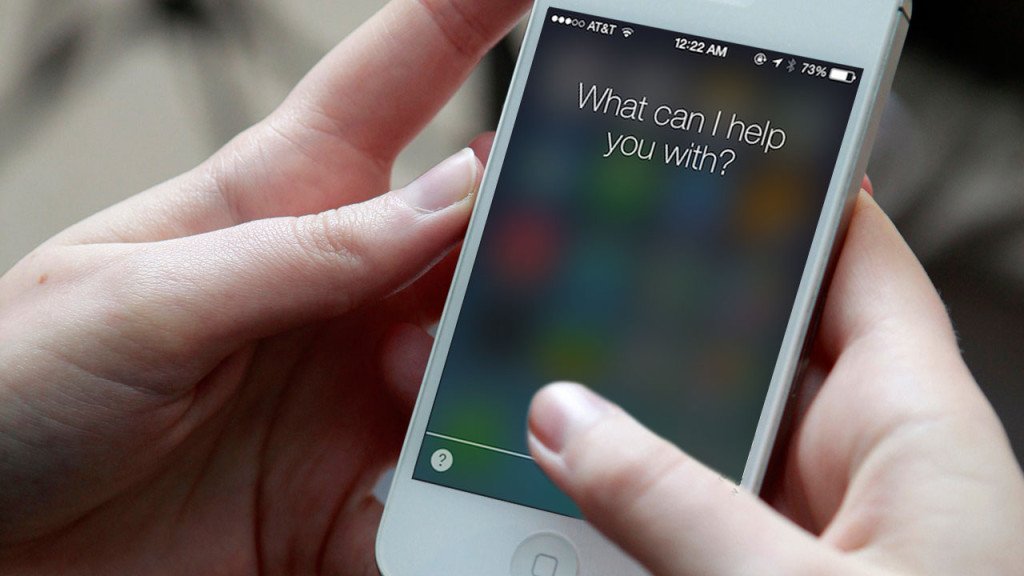

Siri: Sexism Rules In Voice Assistant Genders, Show Studies


The study showed that a male voice was preferred when learning about computers, but a female voice when hearing about love and relationships. Interestingly, these same preferences were found in both men and women.


It also seems likely that human assistants historically being mainly women plays a part in expectations when it comes to artificial ones.


The piece notes that Alexa, Google Assistant and Cortana all not only default to female voices, but don’t give you the option of changing to a male voice. Only Apple’s Siri offers the option of changing it, though it still defaults to a female voice in most countries, including the USA.


An Alpha version of the Google app recently allowed some non-Pixel owners to enable Google Assistant on their devices.


Source: 9to5mac


Windows
Mac OS
iOS
Linux
3uTools
Win 64-bit For this device
V9.0 2025-11-11
Download
Win 32-bit For this device
V9.0 2025-11-11
Download
3uTools
Intel Chip How to Identify Chip Type
V9.0 2025-12-02
Download
Apple Silicon
V9.0 2025-12-02
Download
How to Identify Chip Type
1.  Click the Apple icon in the top-left corner of the screen and select About This Mac.
2.  Check the Processor or Chip field to determine if it is "Intel" or "Apple".
Please use the 3uTools PC client to install the iOS client:
1、 Install either the Windows or Mac version of 3uTools on your computer
2、 Open the PC client and connect your device to the computer via USB cable
3、 After the connection is successful, wait for the computer to automatically install the mobile app for the device, or locate “Install Mobile App” on the computer and manually click to install.
3uTools
deb file
V3.01 2025-11-20
Download
rpm file
V3.01 2025-11-20
Download
Windows
Windows
iOS
iOS
Android
Android
TV
TV
3uAirPlayer
Win 64-bit For this device
V6.0.2 2025-11-19
Download
Win 32-bit For this device
V6.0.2 2025-11-19
Download
iOS Device Mirroring (No App Required)
1、 Install 3uAirPlayer on the Windows PC
2、 Open Control Center and select Screen Mirroring
3、 From the list, choose your PC to start mirroring
4、 Or connect your iOS device to the PC via USB to begin mirroring
Scan to get "3uAirPlayer" App
3uAirPlayer TV V1.0.18
2025-11-28
TV System Requirements: Android 7.0 or later
Download the TV installation package, copy it to a USB drive, insert it into your TV or set-top box, then select the file from the home screen to install.




