
NEWS

Apple Watch Series 3 To Feature New Display Technology

02/22/2017

3270

A new supplier report out of Asia includes two details that may tell us a little more about the third generation Apple Watch rumored for release later this year. Digitimes points to industry sources in claiming the Apple Watch Series 3 will use a different display technology with shipments starting in the second half of this year.


Specifically, the report cites industry sources in claiming TPK Holding has struggled to profitably produce enough of the displays used by Apple Watch so far (which could also explain inventory constraints).
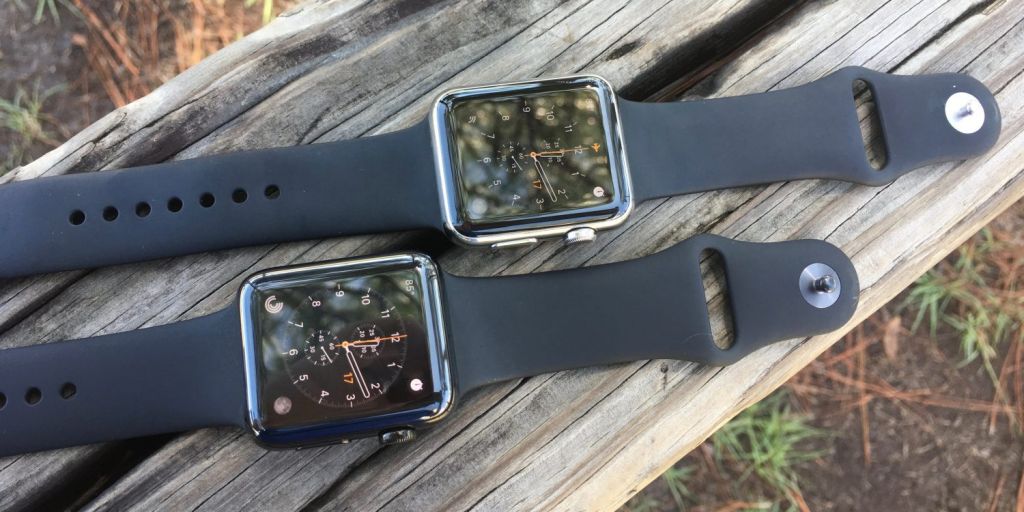

Apple Watch Series 3 To Feature New Display Technology


Digitimes says Apple is instead planning to switch from touch on lens touch panels that use two pieces of glass to a glass-film touch solution from another firm: In order to return to profitability, TPK will focus on 3D sensor-based touch panels for smartphones with OLED displays in 2017 and give up production of touch panels for Apple Watch, the sources noted. Considering cost and yield rates, Apple will adopt G/F (glass-film) touch solution in place of TOL for new Apple Watch and have Taiwan-based General Interface Solution or Hong Kong-based Biel Crystal Manufactory produce the G/F touch panels, with shipments to begin in the second half of 2017, the sources indicated.


The reports mention shipments of the new displays will happen in the latter half of this year, which follows earlier reporting from the supply chain that claimed Apple Watch Series 3 will launch in the third quarter of 2017.


Source: wareable

Windows
Mac OS
iOS
Linux
3uTools
Win 64-bit For this device
V9.0 2025-11-11
Download
Win 32-bit For this device
V9.0 2025-11-11
Download
3uTools
Intel Chip How to Identify Chip Type
V9.0 2025-12-02
Download
Apple Silicon
V9.0 2025-12-02
Download
How to Identify Chip Type
1.  Click the Apple icon in the top-left corner of the screen and select About This Mac.
2.  Check the Processor or Chip field to determine if it is "Intel" or "Apple".
Please use the 3uTools PC client to install the iOS client:
1、 Install either the Windows or Mac version of 3uTools on your computer
2、 Open the PC client and connect your device to the computer via USB cable
3、 After the connection is successful, wait for the computer to automatically install the mobile app for the device, or locate “Install Mobile App” on the computer and manually click to install.
3uTools
deb file
V3.01 2025-11-20
Download
rpm file
V3.01 2025-11-20
Download
Windows
Windows
iOS
iOS
Android
Android
TV
TV
3uAirPlayer
Win 64-bit For this device
V6.0.2 2025-11-19
Download
Win 32-bit For this device
V6.0.2 2025-11-19
Download
iOS Device Mirroring (No App Required)
1、 Install 3uAirPlayer on the Windows PC
2、 Open Control Center and select Screen Mirroring
3、 From the list, choose your PC to start mirroring
4、 Or connect your iOS device to the PC via USB to begin mirroring
Scan to get "3uAirPlayer" App
3uAirPlayer TV V1.0.18
2025-11-28
TV System Requirements: Android 7.0 or later
Download the TV installation package, copy it to a USB drive, insert it into your TV or set-top box, then select the file from the home screen to install.




