
NEWS

iPhone SE 4 Said to Feature 48MP Rear Lens, 12MP TrueDepth Camera

12/10/2024

1052

Apple's forthcoming iPhone SE 4 will feature a single 48-megapixel rear camera and a 12-megapixel TrueDepth camera on the front, according to details revealed in a new Korean supply chain report.
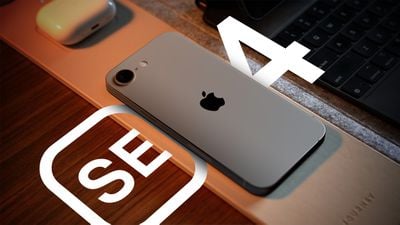
 

iPhone SE 4 Said to Feature 48MP Rear Lens, 12MP TrueDepth Camera


ET News reports that Korea-based LG Innotek is the main supplier of the front and rear camera modules for the more budget-friendly ~$400 device, which is expected to launch in the first quarter of next year. Foxconn and Cowell Electronics are also said to be contributing camera parts.


The current iPhone 16 uses a rear 48-megapixel Wide Angle lens, which Apple refers to as a "Fusion" lens, so-called because of its ability to be used for both standard photos and cropped-in 2x zoom photos. The iPhone 16 also features a 12-megapixel TrueDepth camera on the front, suggesting the fourth-generation iPhone SE could include the same camera setup, just minus the additional Ultra Wide camera.


The iPhone SE 4 is rumored to have an all-display design similar to the iPhone 14, featuring Face ID instead of Touch ID, a 6.06-inch display, OLED display technology instead of LCD, a USB-C port, the iPhone 14 battery, 8GB RAM to support Apple Intelligence, and perhaps a multi-purpose Action button to replace the mute switch. The iPhone SE 4 is also expected to be the first device that is equipped with an Apple-designed 5G chip.

Apple announced the existing third-generation iPhone SE on March 8, 2022, while the successor device could well debut around March 2025, according to reports.


Source: Macrumors

Windows
Mac OS
iOS
Linux
3uTools
Win 64-bit For this device
V9.0 2025-11-11
Download
Win 32-bit For this device
V9.0 2025-11-11
Download
3uTools
Intel Chip How to Identify Chip Type
V9.0 2025-12-02
Download
Apple Silicon
V9.0 2025-12-02
Download
How to Identify Chip Type
1.  Click the Apple icon in the top-left corner of the screen and select About This Mac.
2.  Check the Processor or Chip field to determine if it is "Intel" or "Apple".
Please use the 3uTools PC client to install the iOS client:
1、 Install either the Windows or Mac version of 3uTools on your computer
2、 Open the PC client and connect your device to the computer via USB cable
3、 After the connection is successful, wait for the computer to automatically install the mobile app for the device, or locate “Install Mobile App” on the computer and manually click to install.
3uTools
deb file
V3.01 2025-11-20
Download
rpm file
V3.01 2025-11-20
Download
Windows
Windows
iOS
iOS
Android
Android
TV
TV
3uAirPlayer
Win 64-bit For this device
V6.0.2 2025-11-19
Download
Win 32-bit For this device
V6.0.2 2025-11-19
Download
iOS Device Mirroring (No App Required)
1、 Install 3uAirPlayer on the Windows PC
2、 Open Control Center and select Screen Mirroring
3、 From the list, choose your PC to start mirroring
4、 Or connect your iOS device to the PC via USB to begin mirroring
Scan to get "3uAirPlayer" App
3uAirPlayer TV V1.0.18
2025-11-28
TV System Requirements: Android 7.0 or later
Download the TV installation package, copy it to a USB drive, insert it into your TV or set-top box, then select the file from the home screen to install.




