
NEWS

Apple Adding Late 2012 iMacs to Vintage and Obsolete Products

01/14/2019

3284

In an internal memo distributed to Apple Authorized Service Providers, Apple has indicated that the Late 2012 model 21.5-inch and 27-inch iMacs will be added to its vintage and obsolete products list on January 30. 
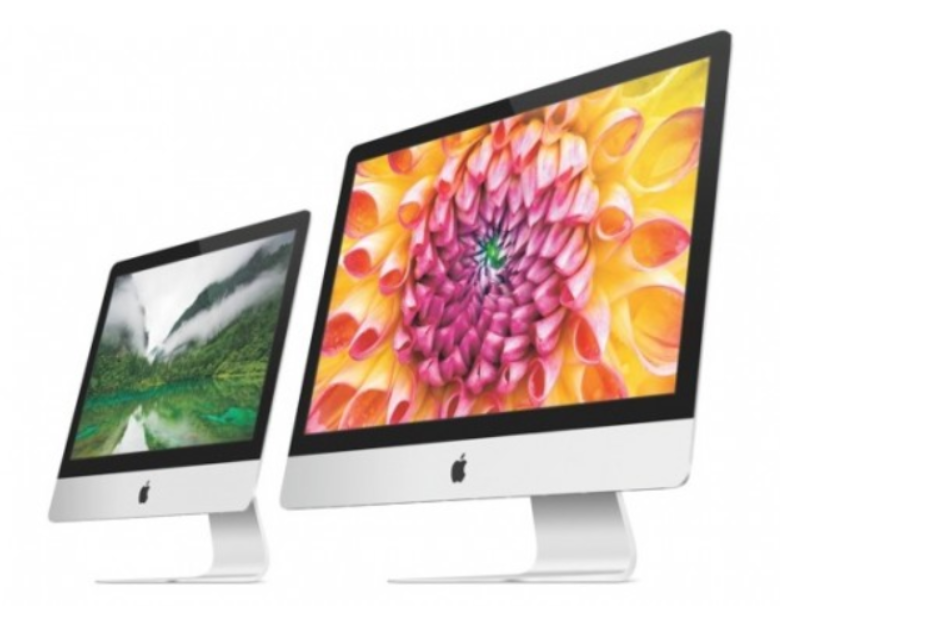
Apple Adding Late 2012 iMacs to Vintage and Obsolete Products

Vintage and obsolete products are typically no longer eligible for repairs or replacement parts from Apple or Apple Authorized Service Providers, but the memo states Late 2012 model iMacs will be eligible for Apple's pilot program that will permit extended service through January 30, 2021, worldwide, subject to parts availability. 


Other products in the pilot program include the iPhone 4S, iPhone 5, Mid 2012 models of the MacBook Air and Mac Pro, and Mid 2012 to Early 2013 models of the MacBook Pro. The program began in January 2018 and was expanded in August. 


Vintage products are those that have not been manufactured for more than five years, according to Apple.


Source: macrumors

Windows
Mac OS
iOS
Linux
3uTools
Win 64-bit For this device
V9.0 2025-11-11
Download
Win 32-bit For this device
V9.0 2025-11-11
Download
3uTools
Intel Chip How to Identify Chip Type
V9.0 2025-12-02
Download
Apple Silicon
V9.0 2025-12-02
Download
How to Identify Chip Type
1.  Click the Apple icon in the top-left corner of the screen and select About This Mac.
2.  Check the Processor or Chip field to determine if it is "Intel" or "Apple".
Please use the 3uTools PC client to install the iOS client:
1、 Install either the Windows or Mac version of 3uTools on your computer
2、 Open the PC client and connect your device to the computer via USB cable
3、 After the connection is successful, wait for the computer to automatically install the mobile app for the device, or locate “Install Mobile App” on the computer and manually click to install.
3uTools
deb file
V3.01 2025-11-20
Download
rpm file
V3.01 2025-11-20
Download
Windows
Windows
iOS
iOS
Android
Android
TV
TV
3uAirPlayer
Win 64-bit For this device
V6.0.2 2025-11-19
Download
Win 32-bit For this device
V6.0.2 2025-11-19
Download
iOS Device Mirroring (No App Required)
1、 Install 3uAirPlayer on the Windows PC
2、 Open Control Center and select Screen Mirroring
3、 From the list, choose your PC to start mirroring
4、 Or connect your iOS device to the PC via USB to begin mirroring
Scan to get "3uAirPlayer" App
3uAirPlayer TV V1.0.18
2025-11-28
TV System Requirements: Android 7.0 or later
Download the TV installation package, copy it to a USB drive, insert it into your TV or set-top box, then select the file from the home screen to install.




