 NEWS
NEWS
Apple Closes Heart Study Program with Stanford
 08/03/2018
 3953
3953
Apple is no longer accepting new applicants to participate in the Apple Heart Study, a medical research program that aggregates heart rate data gathered from Apple Watch devices to determine whether the wearable can identify irregular heart rhythms.
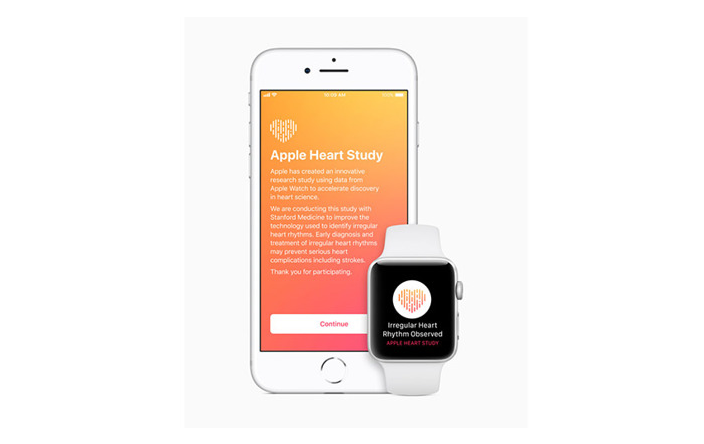
The company announced the change in a post to a dedicated Apple Heart Study FAQ webpage this week, saying enrollment for the study ended on Aug. 1. Apple will continue to collect data from Apple Watch currently participating in the program until the study's scheduled conclusion on Jan. 31, 2019.
Prior to the update, Apple was accepting all comers who owned a compatible Apple Watch — a Series 1 device or later running watchOS 4 or above — through a standalone iOS app which has since been removed from the App Store. Apple and study partner Stanford Medicine were actively seeking new participants as recently as May when the tech giant sent out solicitation emails to registered Apple Watch owners.
Earlier this week, users reported abnormal Apple Heart Study app behavior, with some longtime participants finding they were no longer enrolled in the program. In most cases, users were able to successfully re-enroll in the study, though the process resets heart rate reading histories. Whether the apparent glitch is linked to the decision to close the program to new participants is unknown.
Apple, in partnership with Stanford Health, announced the Apple Heart Study in tandem with the Apple Watch Series 3 release event last year. The program seeks to learn if data from Apple Watch, collected in conjunction with the Apple Heart Study app and watchOS companion app, can be used to identify irregular heart rhythms including those related to heart conditions like atrial fibrillation.
The system also includes a mechanism to notify Apple Watch owners of detected irregularities. If a study participant displays abnormal heart activity, they receive a notification on their Apple Watch and iPhone, a free consultation with a study doctor and an electrocardiogram peripheral for additional monitoring.
The study launched last November and continues through the January 2019 end date.
Source: appleinsider










