
NEWS

HomePod Launch Appears Imminent As Smart Speaker Receives FCC Approval

01/22/2018

3846

It looks like Apple’s HomePod launch is closer than ever as the smart speaker has now received FCC approval.


New details emerged today about the HomePod receiving FCC approval, which likely means a launch is imminent. Details on the filing include an image of the bottom of the smart speaker where the FCC label will be located.


Interestingly, many of the FCC documents are dated September 27, but have just now been released, which suggests that the hardware may not have changed much in the past months.


Just this week we heard a report that Apple’s suppliers have shipped the first million units, with expectations for a total of 10-12 million HomePods to be produced this year.
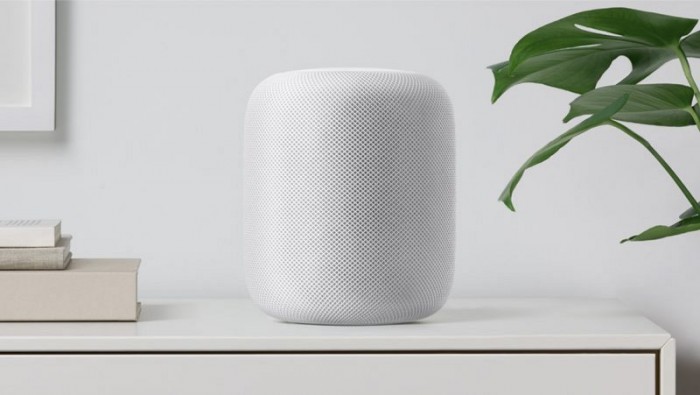

HomePod Launch Appears Imminent As Smart Speaker Receives FCC Approval


As of last week, expectations were for HomePod to ship within 4-6 weeks. It’s hard to know if we might see a launch much sooner, but odds seem good that Apple will make its smart speaker available next month at the latest.


The latest iOS 11.2.5 beta includes regulatory and license documentation, giving further reason to believe a launch is around the corner.


It will be interesting to see if Apple has updated its HomePod pitch after its delay. With the new competition that has popped up in the past months like the smart Sonos One at $199, the $349 HomePod may be a tough sell. In any case, we’re excited to put Apple’s first smart speaker to the test!


Source: 9to5mac

Windows
Mac OS
iOS
Linux
3uTools
Win 64-bit For this device
V9.0 2025-11-11
Download
Win 32-bit For this device
V9.0 2025-11-11
Download
3uTools
Intel Chip How to Identify Chip Type
V9.0 2025-12-02
Download
Apple Chip
V9.0 2025-12-02
Download
How to Identify Chip Type
1.  Click the Apple icon in the top-left corner of the screen and select About This Mac.
2.  Check the Processor or Chip field to determine if it is "Intel" or "Apple".
Please use the 3uTools PC client to install the iOS client:
1、 Install either the Windows or Mac version of 3uTools on your computer
2、 Open the PC client and connect your device to the computer via USB cable
3、 After the connection is successful, wait for the computer to automatically install the mobile app for the device, or locate “Install Mobile App” on the computer and manually click to install.
3uTools
deb file
V3.01 2025-11-20
Download
rpm file
V3.01 2025-11-20
Download
Windows
Windows
iOS
iOS
Android
Android
TV
TV
3uAirPlayer
Win 64-bit For this device
V6.0.2 2025-11-19
Download
Win 32-bit For this device
V6.0.2 2025-11-19
Download
iOS Device Mirroring (No App Required)
1、 Install 3uAirPlayer on the Windows PC
2、 Open Control Center and select Screen Mirroring
3、 From the list, choose your PC to start mirroring
4、 Or connect your iOS device to the PC via USB to begin mirroring
Scan to get "3uAirPlayer" App
3uAirPlayer TV V1.0.18
2025-11-28
TV System Requirements: Android 7.0 or later
Download the TV installation package, copy it to a USB drive, insert it into your TV or set-top box, then select the file from the home screen to install.




