 NEWS
NEWS
Apple Delays iPhone 6 Plus Battery Replacements Until March-April Due to Limited Supply
 01/12/2018
 3122
3122
iPhone 6 Plus users hoping to take advantage of Apple's discounted $29 battery replacements may have to wait a few months.
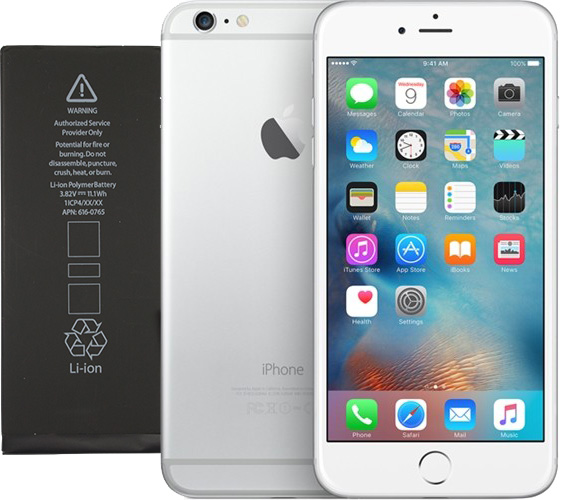
Apple says iPhone 6 Plus replacement batteries are in short supply and won't be available until late March to early April in the United States and other regions, according to an internal document distributed to Apple Stores and Apple Authorized Service Providers this week and later obtained by MacRumors.
Apple's internal document quotes a shorter wait of "approximately two weeks" for iPhone 6 and iPhone 6s Plus battery replacements, and adds that batteries for all other models like the iPhone 6s, iPhone 7, iPhone 7 Plus, and iPhone SE are expected to be available "without extended delays" in most countries.
Apple noted that lead times may vary in some regions, including the Middle East, Africa, Latin America, Russia, and Turkey.
MacRumors has already received a few emails from readers with an iPhone 6 Plus who were quoted a late March to early April timeframe for the replacement service to be completed at Apple Stores in New York and North Carolina, in line with the information outlined in Apple's document.
A reliable source at an Apple Authorized Service Provider indicated that they recently received a package with dozens of replacement batteries, the majority of which were for iPhone 7 and iPhone 7 Plus models.
Apple lowered its battery replacement fee to $29 last month for any customer with an iPhone 6 or newer as part of an apology over its lack of transparency about slowing down some older iPhone models to prevent unexpected shutdowns. Apple noted that initial supplies of some batteries may be limited.
As with any supply-demand situation, availability of replacement batteries will likely vary by location. Keep in mind that many Apple Authorized Service Providers like MacMedics and ComputerCare are able to replace iPhone batteries, so this may be an option worth considering beyond an Apple Store.
A source adds that Apple Authorized Service Providers are permitted to set their own prices for out-of-warranty parts and repairs, so some third-party repair shops are charging more than $29 for battery replacements, even if Apple might not prefer it, to ensure they are being fairly compensated.
Also keep in mind that Apple's discounted rate is available until December 31, 2018, so unless you absolutely need a battery replacement now, you may wish to consider waiting until later in the year to initiate the process.
If you are replacing your iPhone's battery for the first time, the $29 price is available regardless of whether the device passes or fails Apple's battery diagnostic test. To be eligible for any additional replacements at the discounted rate, however, the device must explicitly fail the test or the standard $79 applies.
To get started, read our guide on how to get your iPhone's battery replaced with an appointment at an Apple Store or Apple Authorized Service Provider. There's also a mail-in option, but we've heard that Apple's repair center may only be replacing batteries that fail a diagnostic test, and sending back devices that pass.
Source: macrumors









