NEWS

iPhone 8 & iPhone X the #2 and #3 Most Popular Google Searches in 2017

12/14/2017

3146

iPhone 8 & iPhone X the #2 and #3 Most Popular Google Searches in 2017


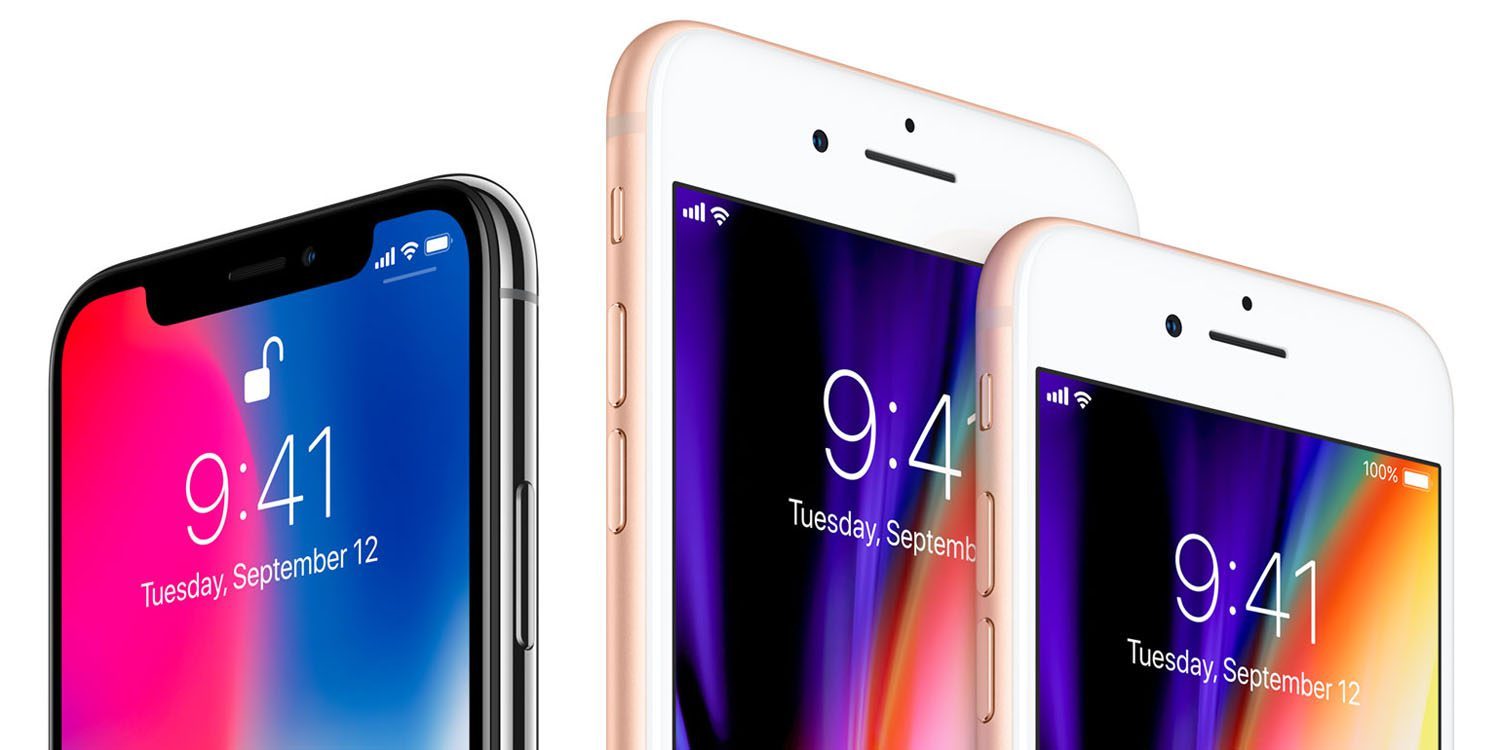
Google has published its annual list of the most popular searches of the year. This year’s new iPhones took the #2 and #3 slots after Hurricane Irma.


Searches for the iPhone 8 beat out those for the iPhone X, but that’s not surprising: Apple managed to keep the iPhone X name a surprise, so earlier searches for this year’s flagship iPhone would have been performed as ‘iPhone 8.’


Rounding out the top ten were Matt Lauer, Meghan Markle, 13 Reasons Why, Tom Petty, Fidget Spinner, Chester Bennington and the India National Cricket Team.


In consumer tech, this year’s iPhones naturally took the top two positions, followed by the Nintendo Switch, Samsung Galaxy S8 and Xbox One X.


Google put a positive spin on the year, saying that we were both more curious and more willing to help those in need than ever before.


This year we searched “How” [and “How to help”] more than ever before. The questions we asked show our desire to understand, and ultimately improve the world around us.


‘How to help refugees’ and ‘How to help flood victims’ were among the examples given.


You can explore all of the trending topics here.


Source: 9to5mac


Windows
Mac OS
iOS
Linux
3uTools
Win 64-bit For this device
V9.0 2025-11-11
Download
Win 32-bit For this device
V9.0 2025-11-11
Download
3uTools
Intel Chip How to Identify Chip Type
V9.0 2025-12-02
Download
Apple Silicon
V9.0 2025-12-02
Download
How to Identify Chip Type
1.  Click the Apple icon in the top-left corner of the screen and select About This Mac.
2.  Check the Processor or Chip field to determine if it is "Intel" or "Apple".
Please use the 3uTools PC client to install the iOS client:
1、 Install either the Windows or Mac version of 3uTools on your computer
2、 Open the PC client and connect your device to the computer via USB cable
3、 After the connection is successful, wait for the computer to automatically install the mobile app for the device, or locate “Install Mobile App” on the computer and manually click to install.
3uTools
deb file
V3.01 2025-11-20
Download
rpm file
V3.01 2025-11-20
Download
Windows
Windows
iOS
iOS
Android
Android
TV
TV
3uAirPlayer
Win 64-bit For this device
V6.0.2 2025-11-19
Download
Win 32-bit For this device
V6.0.2 2025-11-19
Download
iOS Device Mirroring (No App Required)
1、 Install 3uAirPlayer on the Windows PC
2、 Open Control Center and select Screen Mirroring
3、 From the list, choose your PC to start mirroring
4、 Or connect your iOS device to the PC via USB to begin mirroring
Scan to get "3uAirPlayer" App
3uAirPlayer TV V1.0.18
2025-11-28
TV System Requirements: Android 7.0 or later
Download the TV installation package, copy it to a USB drive, insert it into your TV or set-top box, then select the file from the home screen to install.