 NEWS
NEWS
Apple is Now Offering 32GB on iPhone 7
 09/14/2017
 4189
4189
Apple has expanded the jet black finish beyond just the higher capacities of the iPhone 7 family, and is now offering it on the 32GB versions of both the iPhone 7, and iPhone 7 Plus.
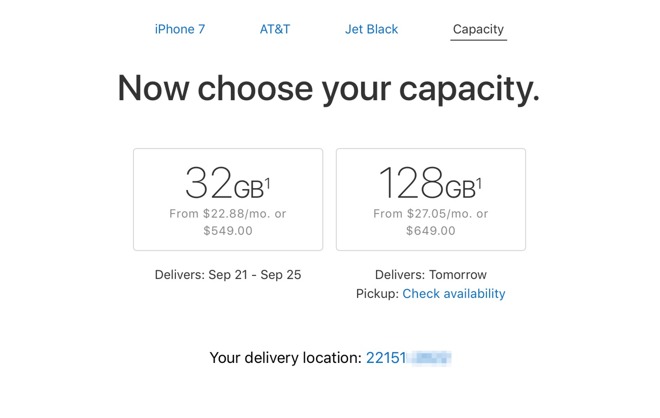
The update was one of a series of quiet product revisions that Apple made in the wake of the Sept. 12 iPhone release event. There is no price premium for the finish, with users opting for it seeing initial shipments between Sept. 21 and Sept. 25.
The Jet Black finish was the first of its kind from Apple, when it shipped with the iPhone 7. To apply the finish, the phone's casing dragged through a specialized powder, which buffs out imperfections and helps to produce a mirror-like effect. The housing is then dipped into an anodization tank, with an electrostatic process oxidizing the aluminum in a controlled fashion making it more corrosion-resistant and preparing it for the next step.
The surface is made porous after the oxidation so it can absorb a black dye, that Apple called a "single-component" able to be "absorbed through a capillary effect to ensure maximum saturation."
Following the application of the dye, the housing is spun through a bath of magnetized "ultra-fine" iron particles, used to polish the anodized layer for extra sheen. It is the outer layer that has proven to be more prone to showing scratches and scuff marks from use.
Presumably from the difficulty of manufacture, the jet black finish was only originally available on the iPhone 7 and iPhone 7 Plus, with 128GB or 256GB of storage. The finish can now be had for as low as $549.
Source: appleinsider










