 NEWS
NEWS
Apple Watch Series 12 Coming in September With These New Features
 07/21/2026
 932
932
With the Apple Watch Series 12 now just two months away, we have created a recap of rumored new features, with some more likely than others.
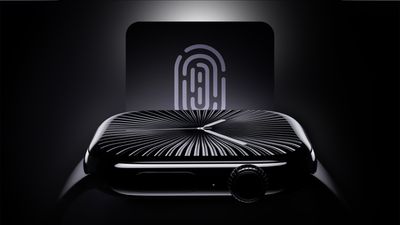
Below, we have outlined everything rumored so far for the Apple Watch Series 12.
More Likely
New Chip After One-Year Hiatus
While the Apple Watch Series 11, Apple Watch Ultra 3, and Apple Watch SE 3 all contain the same S10 chip as the previous year's models, leaked Apple code showed the Apple Watch Series 12 will get a new chip. It is unclear if the chip will have S11 or S12 branding, but performance improvements are expected either way after a one-year hiatus.
Longer Battery Life
With the Apple Watch Series 12, Apple is focused on longer battery life, according to a known leaker on the Chinese social media platform Weibo. Apple says the Series 11 lasts up to 24 hours on a single charge, or up to 38 hours in Low Power Mode.
Less Likely
Touch ID
Touch ID may be coming to the Apple Watch Series 12, according to leaked Apple code.
Touch ID would likely be built into the Apple Watch's side button, enabling users to unlock the device with their fingerprint instead of a passcode.
Even though new Touch ID references were discovered in the code, there is no guarantee that Apple will move forward with this plan. One leaker has denied the rumor, and credible sources such as Bloomberg's Mark Gurman and Apple supply chain analyst Ming-Chi Kuo have yet to mention Touch ID coming to the Apple Watch this year.
Band Sensors
Another sketchy rumor from a leaker known as Kosutami claimed that the Apple Watch Series 12 will have a band with at least one health sensor in it, which would be a first. Health sensors are built into the Apple Watch directly on all existing models.
Source: Macrumors










