 NEWS
NEWS
Prototype iPhone 5s Shown in Black and Slate Gray Colors
 01/19/2021
 2874
2874
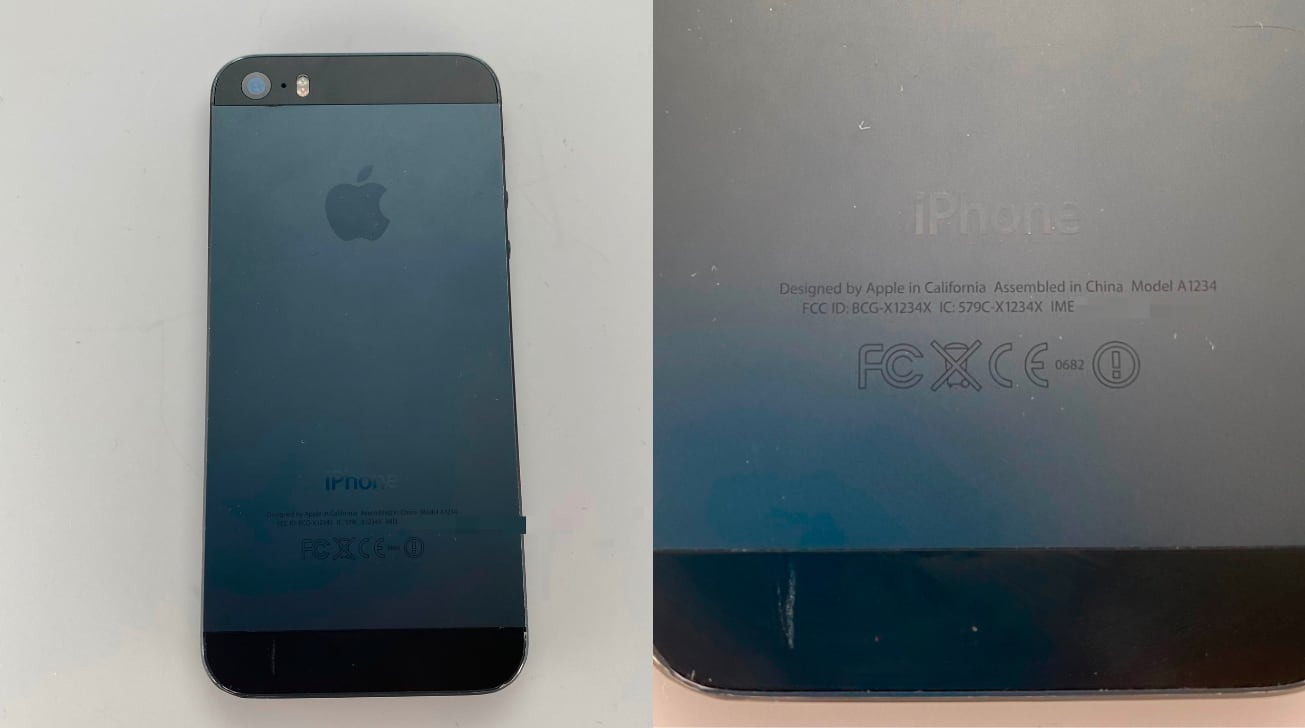
A prototype of the iPhone 5s has surfaced with an unusual slate grey backing, a darker color scheme that may have been used to disguise the iPhone model ahead of its launch.
Unveiled by Apple in September 2013 and accompanied by the iPhone 5c, the iPhone 5s was offered to the public in a choice of three color schemes. However, new images suggest Apple may have considered another option, one it ended up using on pre-release devices.
Images shared by @DongleBookPro on Twitter show what is identified as an "iPhone 5s Prototype." The device is shown to bear fake regulatory details on the rear, indicating it isn't a version intended for release to the public.
The images show Apple went to some lengths to disguise the device, including the use of a much darker "slate gray" back cover, as well as a matte top and base section instead of a glossy version. It is said that this and other minor alterations made the prototype seem similar to the iPhone 5's physical styling.
The pictured model is also said to have been manufactured in December 2012, a few months after Apple launched the iPhone 5.
Sporting a 4-inch display and the A7 SoC, the iPhone 5s was offered in a choice of three color options: Space Gray with glossy black sections, Gold with white, and Silver with white.
The prototype is the latest such image release to have surfaced on social media in the last year. Other posts include a Macintosh Classic in a clear case, prototypes for the original iPhone 2G, and on Wednesday, an alleged prototype of the Pacific Blue iPhone 12 Pro.
Source: Appleinsider









