
TUTORIALS

Apple Recycling Program: How to Get Your iDveice’s Evaluation?

10/27/2017

5274

If your equipment isn't functional or doesn't have any value, you can recycle your iPad, iPod, Mac, PC, or smartphone responsibly through Apple for free. This tutorial aims to show you how to look up your iDevice’s returned value in your country.


You want to know more detailed info about Apple Recycling Program? Just click here.


Note:

Please turn off Find My iPhone/iPad before you recycle your iDevice, clear iDevice’s all content and settings and pick out your SIM card.


Check your iDevice:

- If your iDevice is complete (iDevie and battery)

- If your iPhone’s WiFi can work as usual

- If your iDevice is free from liquid damage

- If you iDevice’s display in good condition

- If your iDevice’s buttons good working condition

- Delete iDevice’s passcode, including power on password, Apple ID password

Factory set iDveice


Check the latest valuation of your iDevice


*Go to this site:  https://www.apple.com/iphone/trade-up/ , choose the country you live to check the trade-in values of your iDevice. You can also trade in other eligible smartphones. Values range from $35 to $375.


* Go to this site https://reuserecycle.abbti.brightstarcorp.com/Iphonehome.aspx to get your iDevice’s evaluation easily.
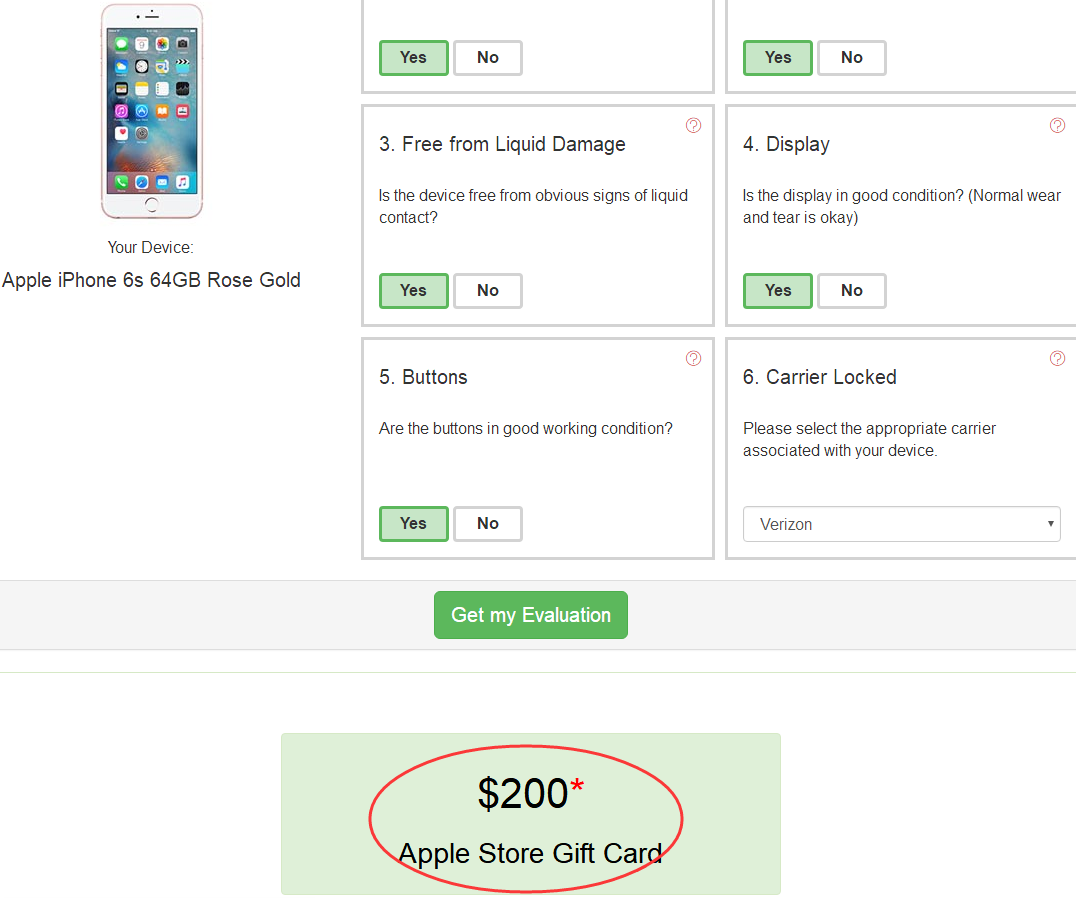


Apple Recycling Program: How to Get Your iDveice’s Evaluation?

Windows
Mac OS
iOS
Linux
3uTools
Win 64-bit For this device
V9.0 2025-11-11
Download
Win 32-bit For this device
V9.0 2025-11-11
Download
3uTools
Intel Chip How to Identify Chip Type
V9.0 2025-12-02
Download
Apple Chip
V9.0 2025-12-02
Download
How to Identify Chip Type
1.  Click the Apple icon in the top-left corner of the screen and select About This Mac.
2.  Check the Processor or Chip field to determine if it is "Intel" or "Apple".
Please use the 3uTools PC client to install the iOS client:
1、 Install either the Windows or Mac version of 3uTools on your computer
2、 Open the PC client and connect your device to the computer via USB cable
3、 After the connection is successful, wait for the computer to automatically install the mobile app for the device, or locate “Install Mobile App” on the computer and manually click to install.
3uTools
deb file
V3.01 2025-11-20
Download
rpm file
V3.01 2025-11-20
Download
Windows
Windows
iOS
iOS
Android
Android
TV
TV
3uAirPlayer
Win 64-bit For this device
V6.0.2 2025-11-19
Download
Win 32-bit For this device
V6.0.2 2025-11-19
Download
iOS Device Mirroring (No App Required)
1、 Install 3uAirPlayer on the Windows PC
2、 Open Control Center and select Screen Mirroring
3、 From the list, choose your PC to start mirroring
4、 Or connect your iOS device to the PC via USB to begin mirroring
Scan to get "3uAirPlayer" App
3uAirPlayer TV V1.0.18
2025-11-28
TV System Requirements: Android 7.0 or later
Download the TV installation package, copy it to a USB drive, insert it into your TV or set-top box, then select the file from the home screen to install.



