
TUTORIALS

VerticalVideoSyndrome 2-Warning Sign While Using Vertical Orientation

10/18/2017

3163

Recording videos in vertical orientation has long been the topic of dank memes on the internet. No working solution exists for iOS devices that use stock firmware. However, if you have a jailbroken device, you are in luck.    


VerticalVideoSyndrome 2 Cydia tweak aims to solve the vertical recording syndrome once and for all. It Shows a warning sign if the device is in a vertical orientation while in recording mode in the Camera app. It is developed by tweak developer Andreas Henriksson. Here’s how this tweak looks in action.
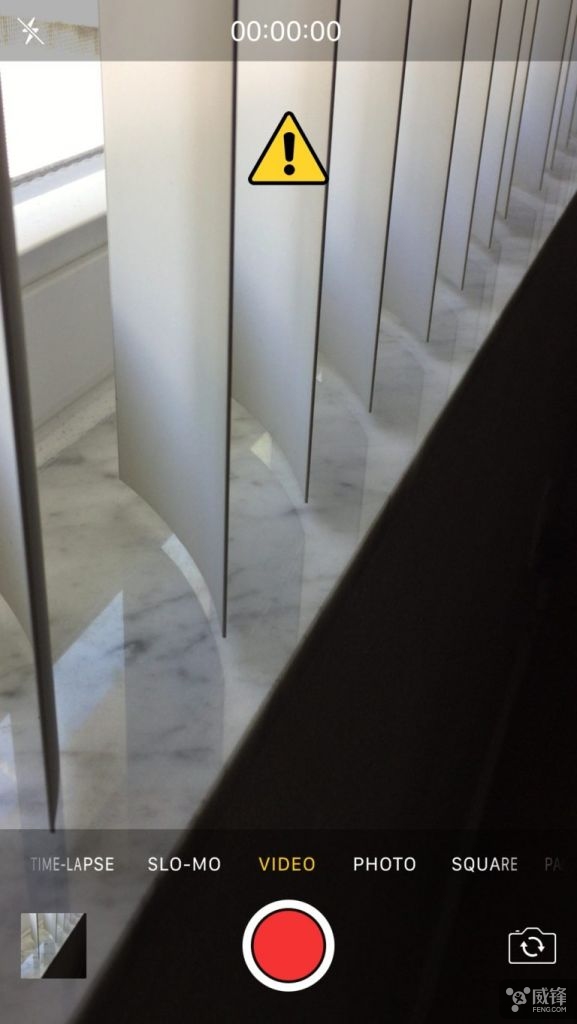
 

VerticalVideoSyndrome 2-Warning Sign While Using Vertical Orientation


Since it doesn’t hamper your ability to record videos in any orientation, having a nice warning makes you go right back to horizontal orientation.


VerticalVideoSyndrome 2 is available as a free package on Cydia, it supports jailbroken iDevices running on iOS 9 and iOS 10, if you’re interested in this tweak, you may download and install it. 


Windows
Mac OS
iOS
Linux
3uTools
Win 64-bit For this device
V9.0 2025-11-11
Download
Win 32-bit For this device
V9.0 2025-11-11
Download
3uTools
Intel Chip How to Identify Chip Type
V9.0 2025-12-02
Download
Apple Chip
V9.0 2025-12-02
Download
How to Identify Chip Type
1.  Click the Apple icon in the top-left corner of the screen and select About This Mac.
2.  Check the Processor or Chip field to determine if it is "Intel" or "Apple".
Please use the 3uTools PC client to install the iOS client:
1、 Install either the Windows or Mac version of 3uTools on your computer
2、 Open the PC client and connect your device to the computer via USB cable
3、 After the connection is successful, wait for the computer to automatically install the mobile app for the device, or locate “Install Mobile App” on the computer and manually click to install.
3uTools
deb file
V3.01 2025-11-20
Download
rpm file
V3.01 2025-11-20
Download
Windows
Windows
iOS
iOS
Android
Android
TV
TV
3uAirPlayer
Win 64-bit For this device
V6.0.2 2025-11-19
Download
Win 32-bit For this device
V6.0.2 2025-11-19
Download
iOS Device Mirroring (No App Required)
1、 Install 3uAirPlayer on the Windows PC
2、 Open Control Center and select Screen Mirroring
3、 From the list, choose your PC to start mirroring
4、 Or connect your iOS device to the PC via USB to begin mirroring
Scan to get "3uAirPlayer" App
3uAirPlayer TV V1.0.18
2025-11-28
TV System Requirements: Android 7.0 or later
Download the TV installation package, copy it to a USB drive, insert it into your TV or set-top box, then select the file from the home screen to install.




