
TUTORIALS

How to Replace Siri with Google Assistant on iPhone?

07/11/2017

4280

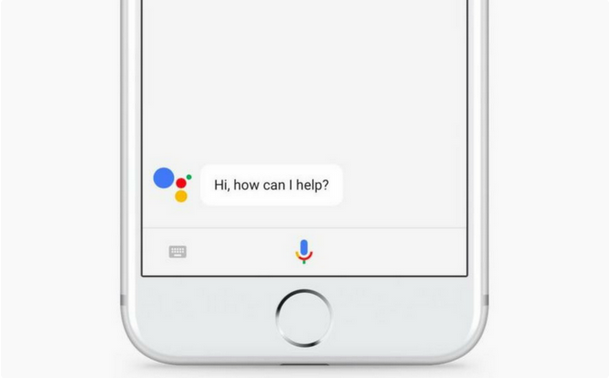
Google Assistant is a virtual personal assistant developed by Google and announced at its developer conference in May 2016. Now it is available for iOS and this a good news for those who are not in favor of Apple’s native voice assistant, Siri. After jailbreaking your iDevice, you can easily replace Siri with Google Assistant.

How to Replace Siri with Google Assistant on iPhone?


* How to jailbreak iOS10 - iOS10.2 using 3uTools?


Activator is a popular jailbreak tweak, you can easily make Google Assistant your default voice assistant using it. If you want to use Google Assistant instead of Siri on your iPhone, please follow the steps below:


Step 1: Download and install Google Assistant from the App Store as well as Activator from Cydia.


Step 2: Open the Activator app from the Home screen.


Step 3: Click Anywhere.


Step 4: Under the Home Button section, click Long Hold.


Step 5: Scroll down to the User Applications section and click Assistant to select it. Then press on the i button next to it and select ‘Open App Immediately’.


Step6: Go back to the anywhere screen and this time open Short Hold, scroll down to the System actions and select Do Nothing.


Step 7: Now open the Settings app and click Siri. Turn it off to disable Siri completely.


Windows
Mac OS
iOS
Linux
3uTools
Win 64-bit For this device
V9.0 2025-11-11
Download
Win 32-bit For this device
V9.0 2025-11-11
Download
3uTools
Intel Chip How to Identify Chip Type
V9.0 2025-12-02
Download
Apple Chip
V9.0 2025-12-02
Download
How to Identify Chip Type
1.  Click the Apple icon in the top-left corner of the screen and select About This Mac.
2.  Check the Processor or Chip field to determine if it is "Intel" or "Apple".
Please use the 3uTools PC client to install the iOS client:
1、 Install either the Windows or Mac version of 3uTools on your computer
2、 Open the PC client and connect your device to the computer via USB cable
3、 After the connection is successful, wait for the computer to automatically install the mobile app for the device, or locate “Install Mobile App” on the computer and manually click to install.
3uTools
deb file
V3.01 2025-11-20
Download
rpm file
V3.01 2025-11-20
Download
Windows
Windows
iOS
iOS
Android
Android
TV
TV
3uAirPlayer
Win 64-bit For this device
V6.0.2 2025-11-19
Download
Win 32-bit For this device
V6.0.2 2025-11-19
Download
iOS Device Mirroring (No App Required)
1、 Install 3uAirPlayer on the Windows PC
2、 Open Control Center and select Screen Mirroring
3、 From the list, choose your PC to start mirroring
4、 Or connect your iOS device to the PC via USB to begin mirroring
Scan to get "3uAirPlayer" App
3uAirPlayer TV V1.0.18
2025-11-28
TV System Requirements: Android 7.0 or later
Download the TV installation package, copy it to a USB drive, insert it into your TV or set-top box, then select the file from the home screen to install.




