TUTORIALS

How to Install USB Drivers for Android Devices

05/12/2026

512

How to Install USB Drivers for Android Devices


If your Android device cannot connect to your computer via USB, the issue is usually caused by a missing or incorrect USB driver.


Install the correct driver below to enable file transfer, screen mirroring, and other USB functions.


All links are from official or trusted sources.


1. Huawei Devices


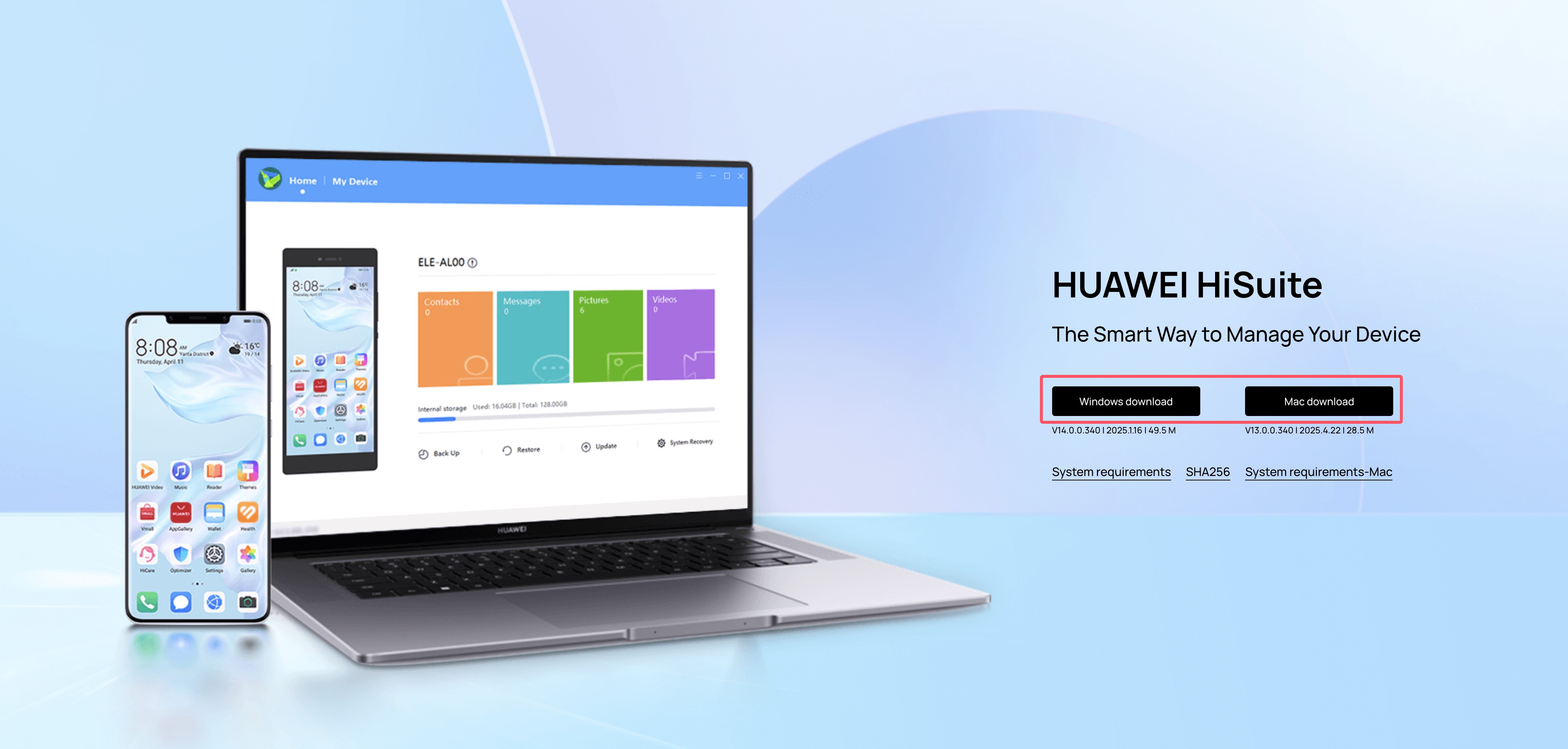
Install HiSuite: https://consumer.huawei.com/en/support/hisuite/
 

How to Install USB Drivers for Android Devices


Steps:

a. Install HiSuite on your computer

b. Connect your Huawei device via USB

c. If the connection is successful, the driver is installed correctly

d. Close HiSuite

e. Open 3uAirPlayer and reconnect via USB


2. Samsung Devices


Download and install Samsung USB Driver: https://developer.samsung.com/android-usb-driver
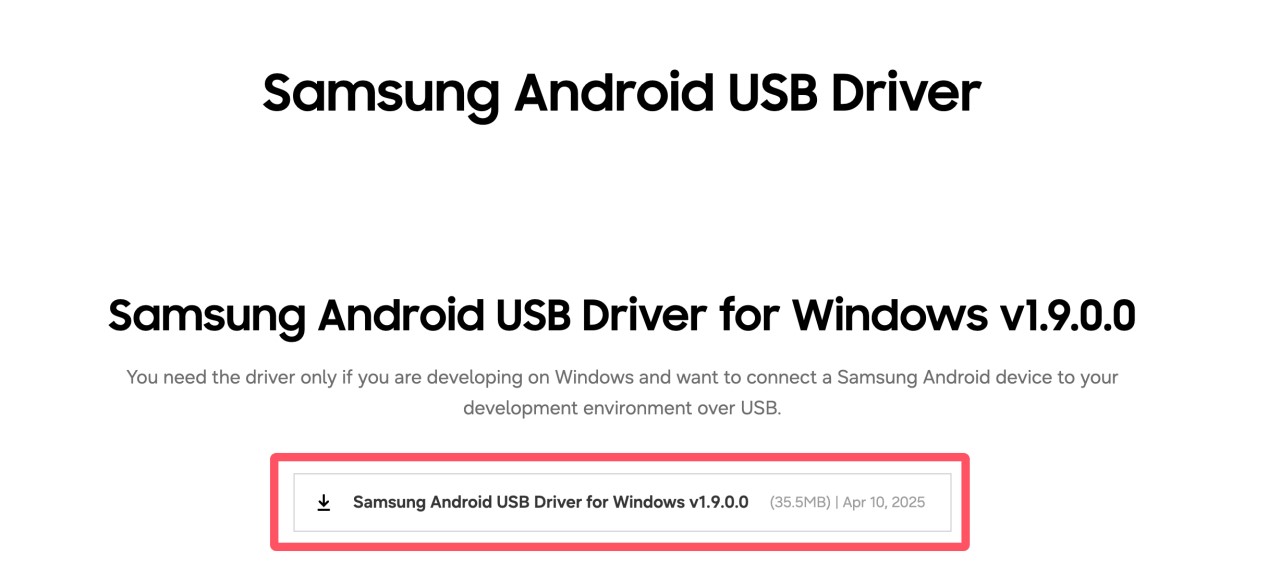
 

How to Install USB Drivers for Android Devices


Then reconnect your device to 3uAirPlayer.


3. Xiaomi Devices


Download driver package: https://dl.3u.com/pc/driver/driver_xiaomi.zip


Manual installation:


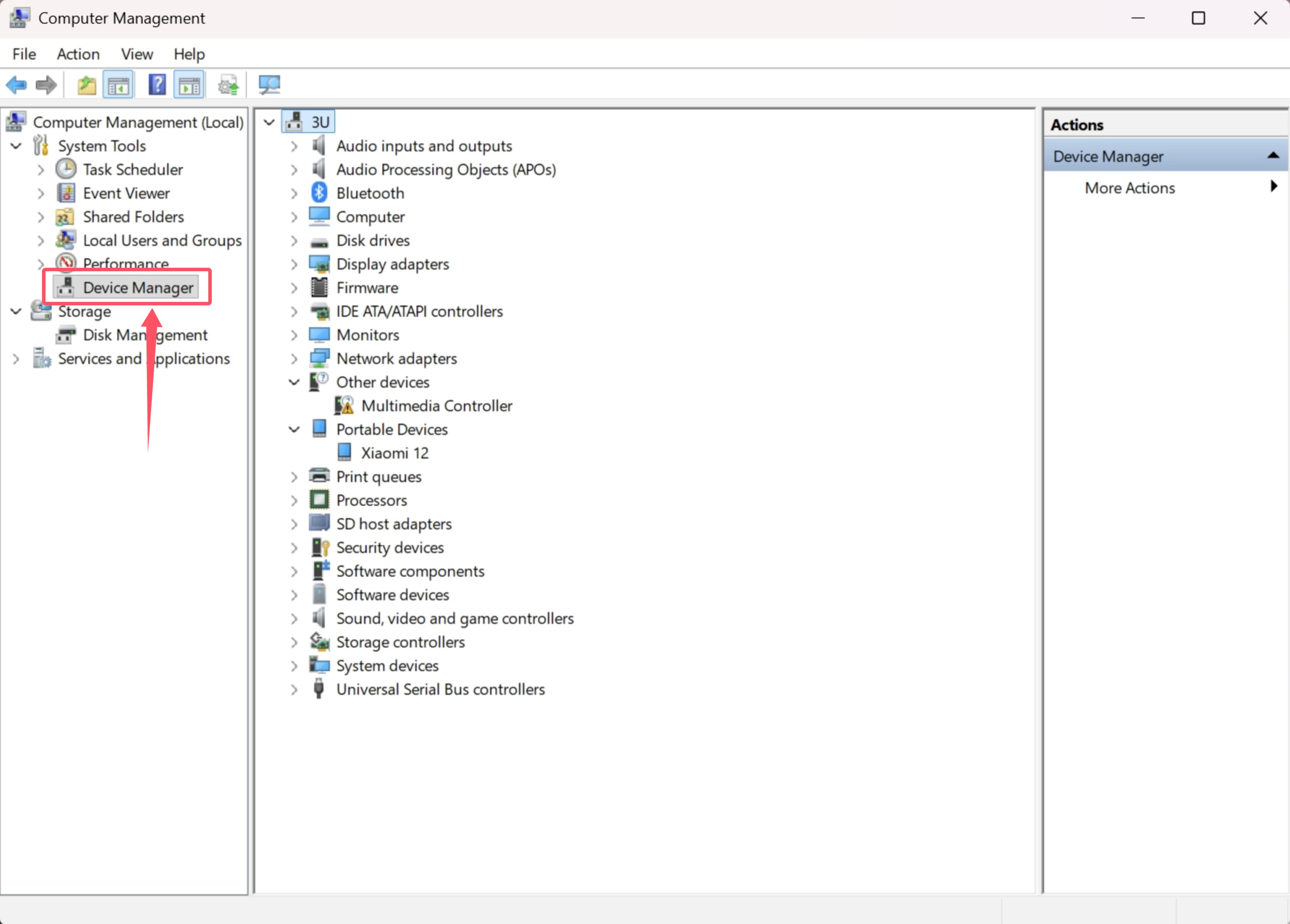
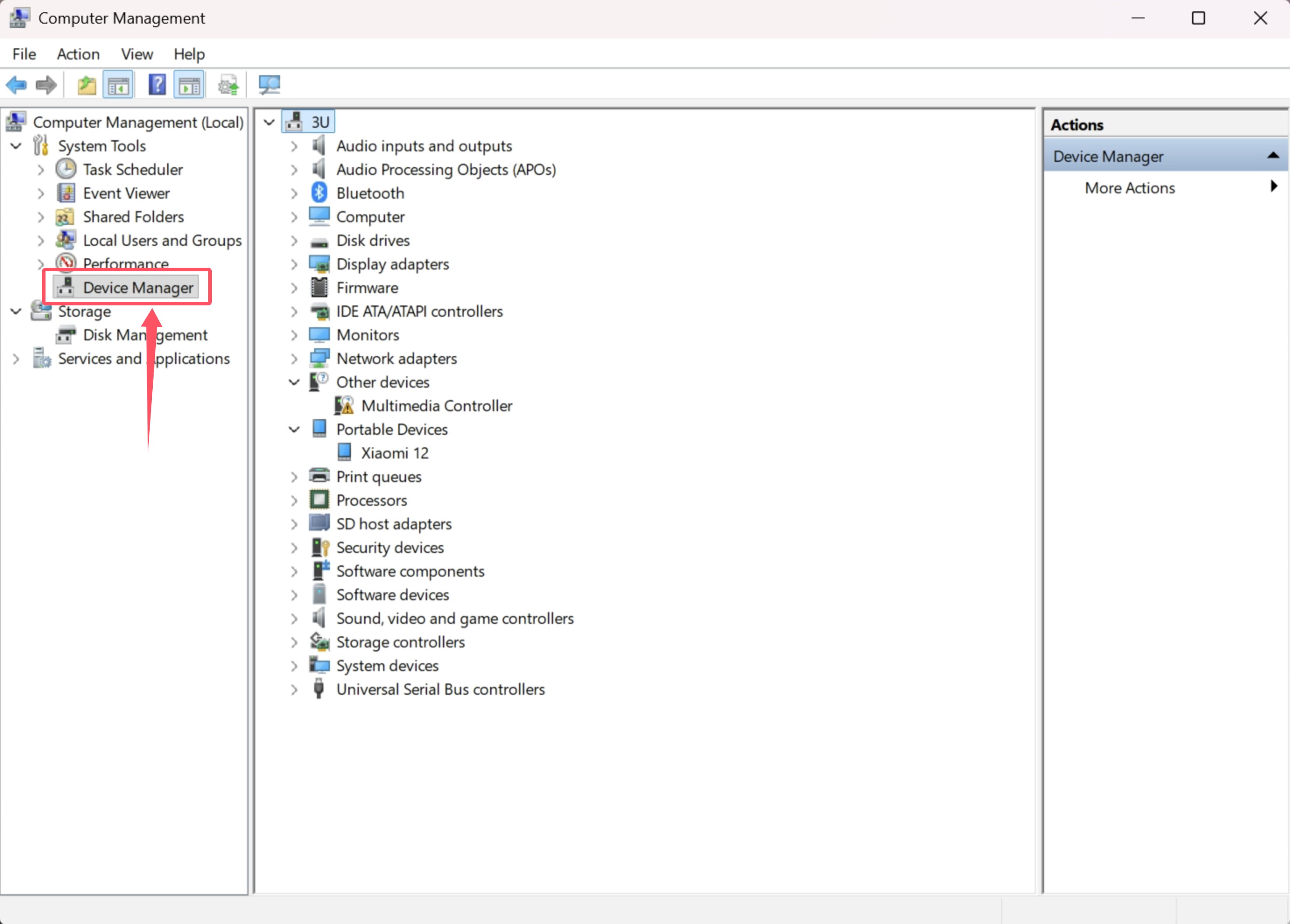
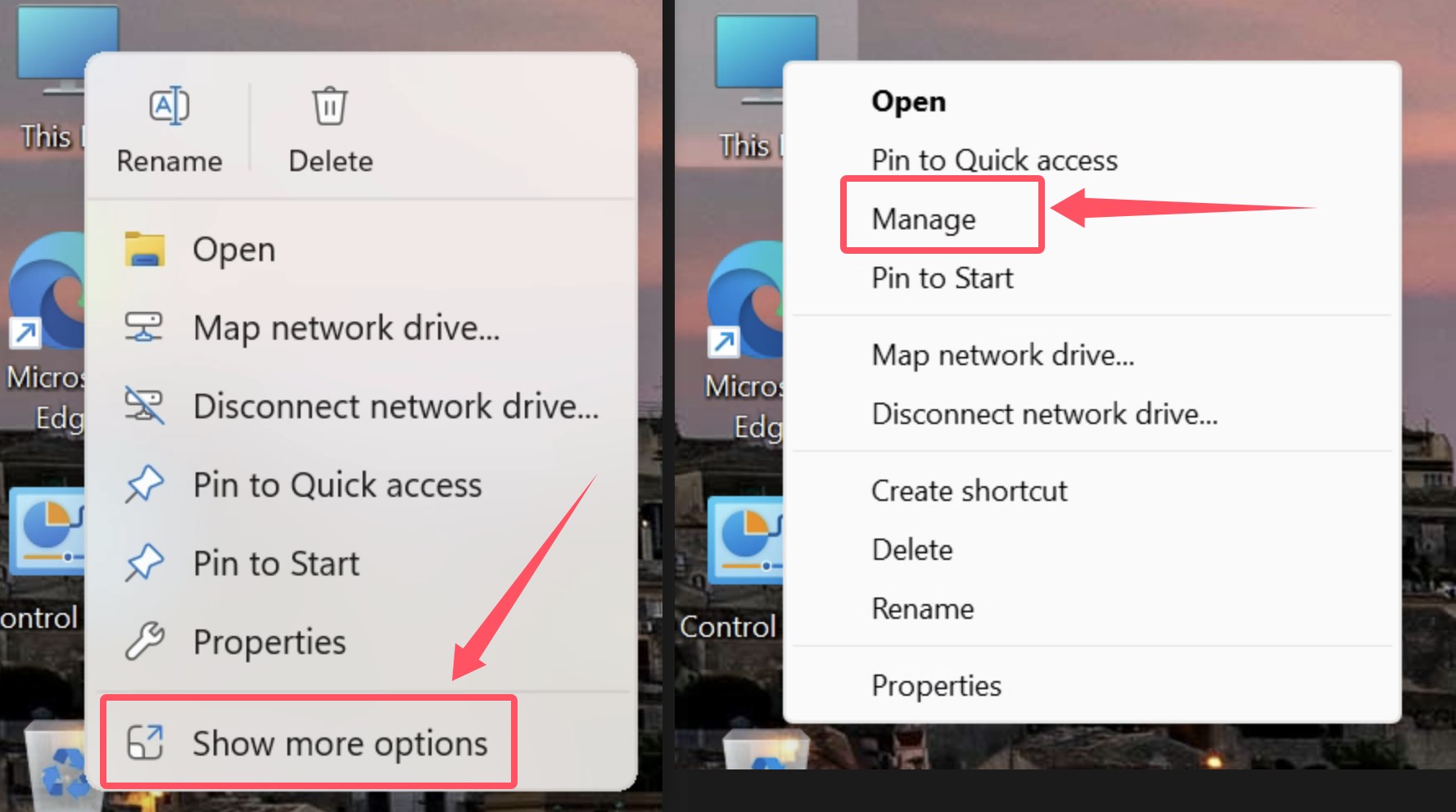
a. Right-click This PC → Manage
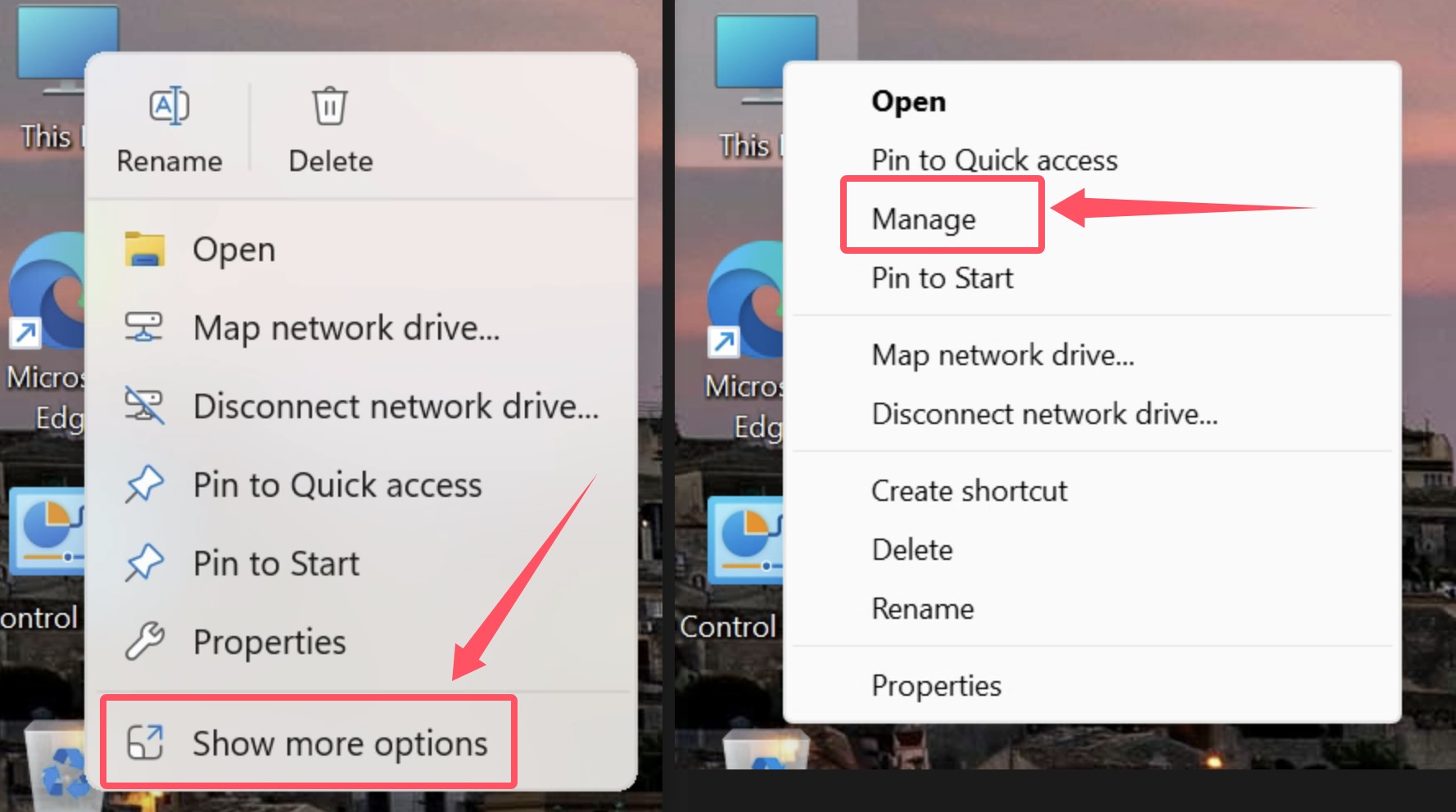
 

How to Install USB Drivers for Android Devices


b. Open Device Manager


How to Install USB Drivers for Android Devices


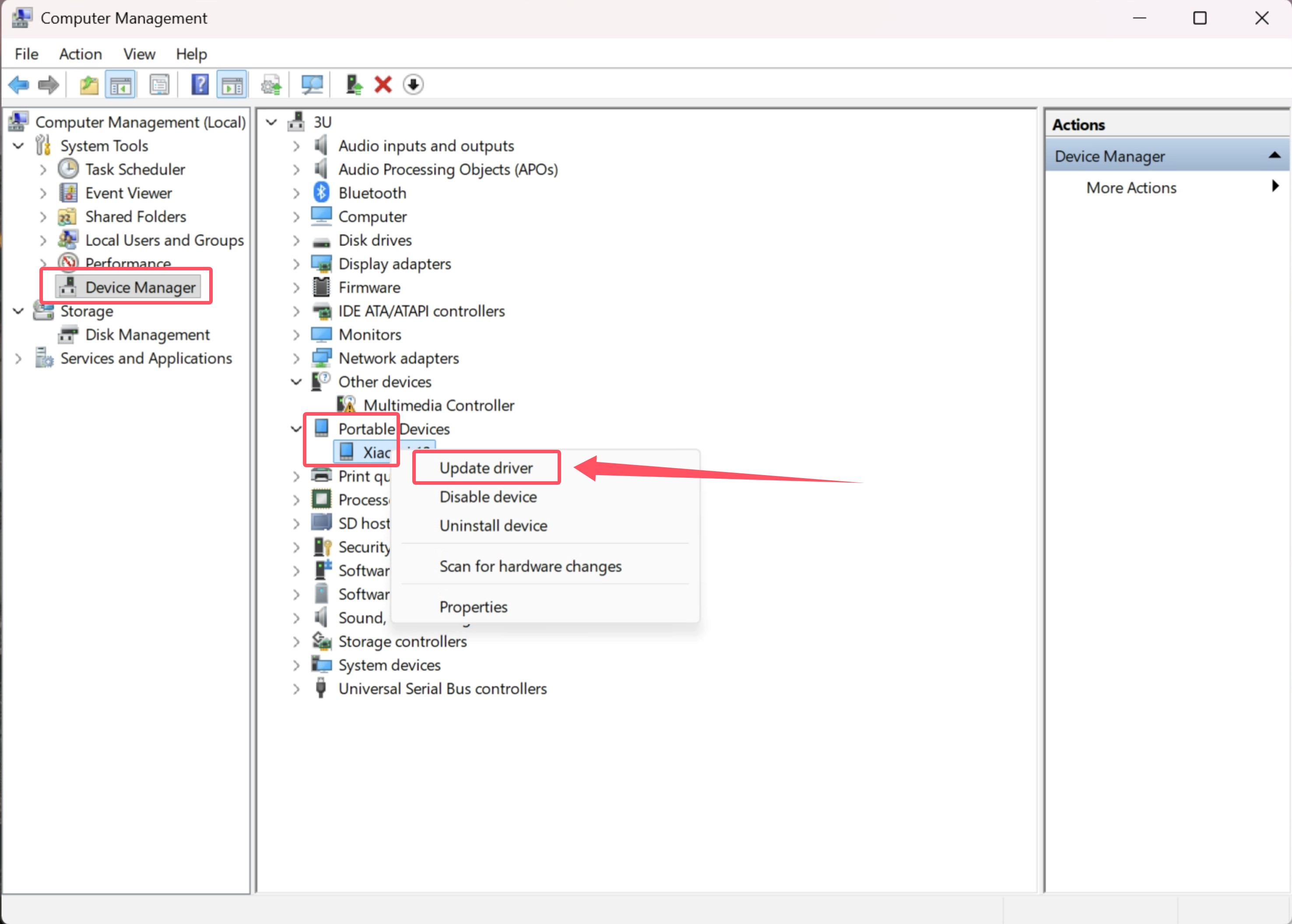
c. Find your connected device. Right-click → Update driver
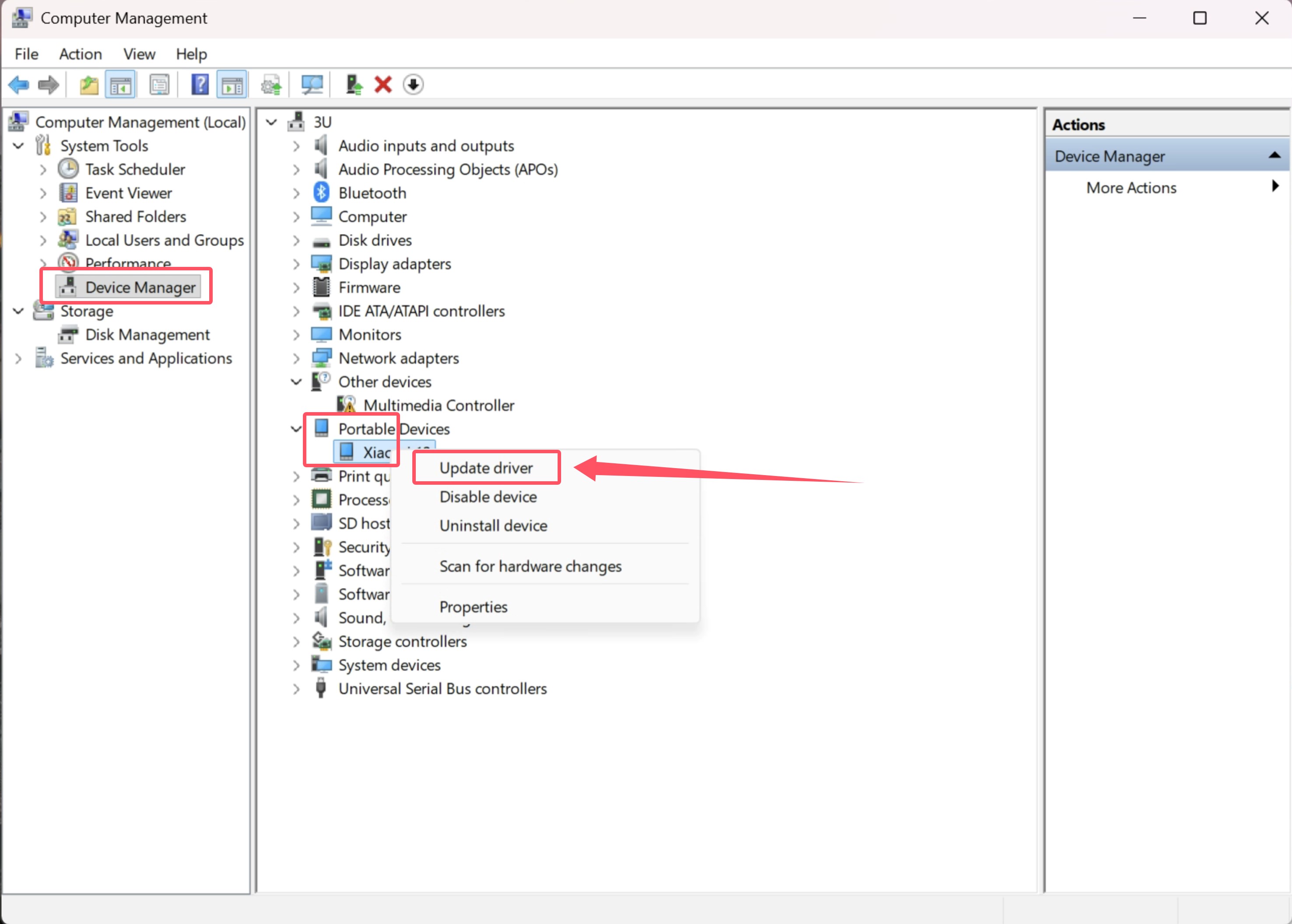
 

How to Install USB Drivers for Android Devices


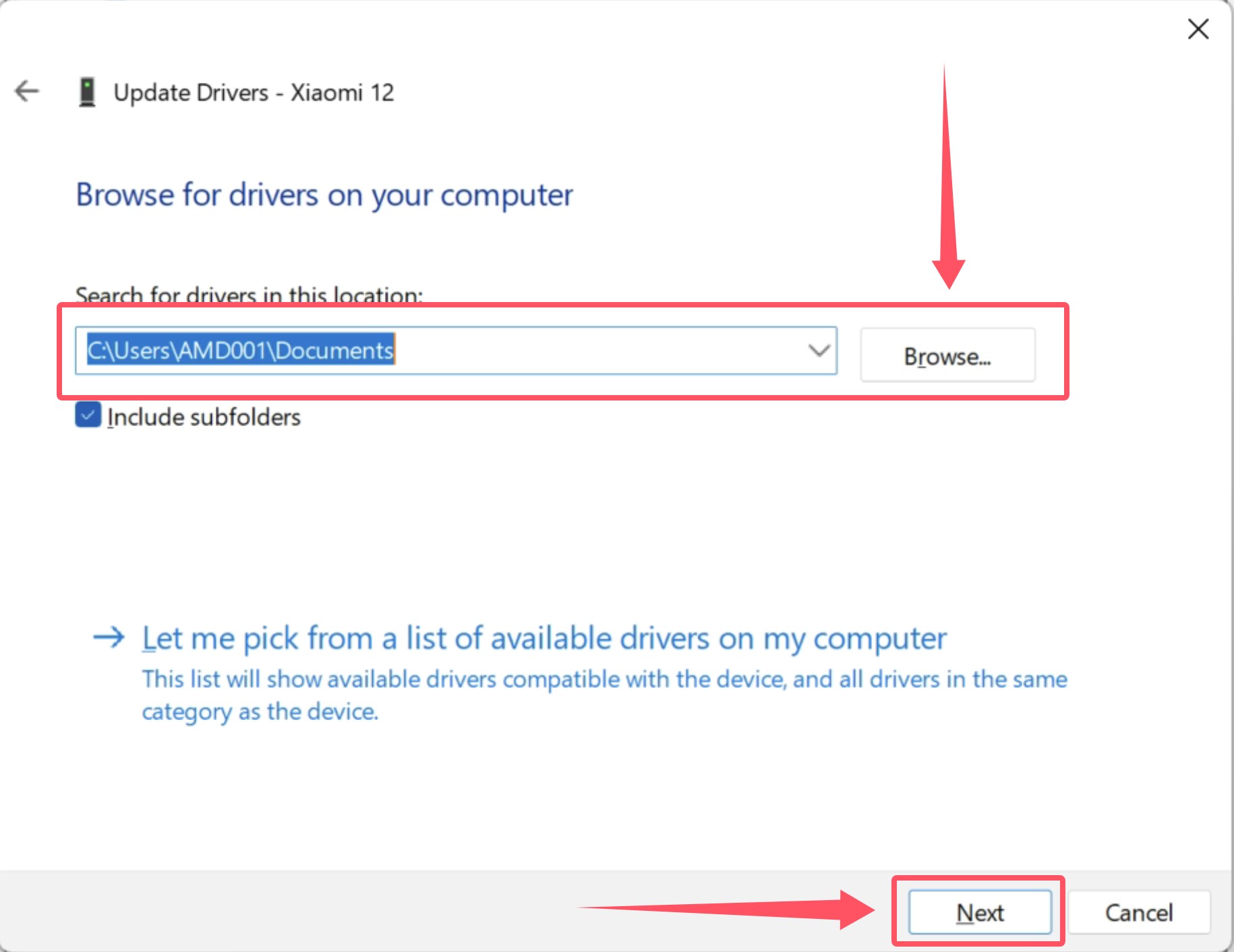
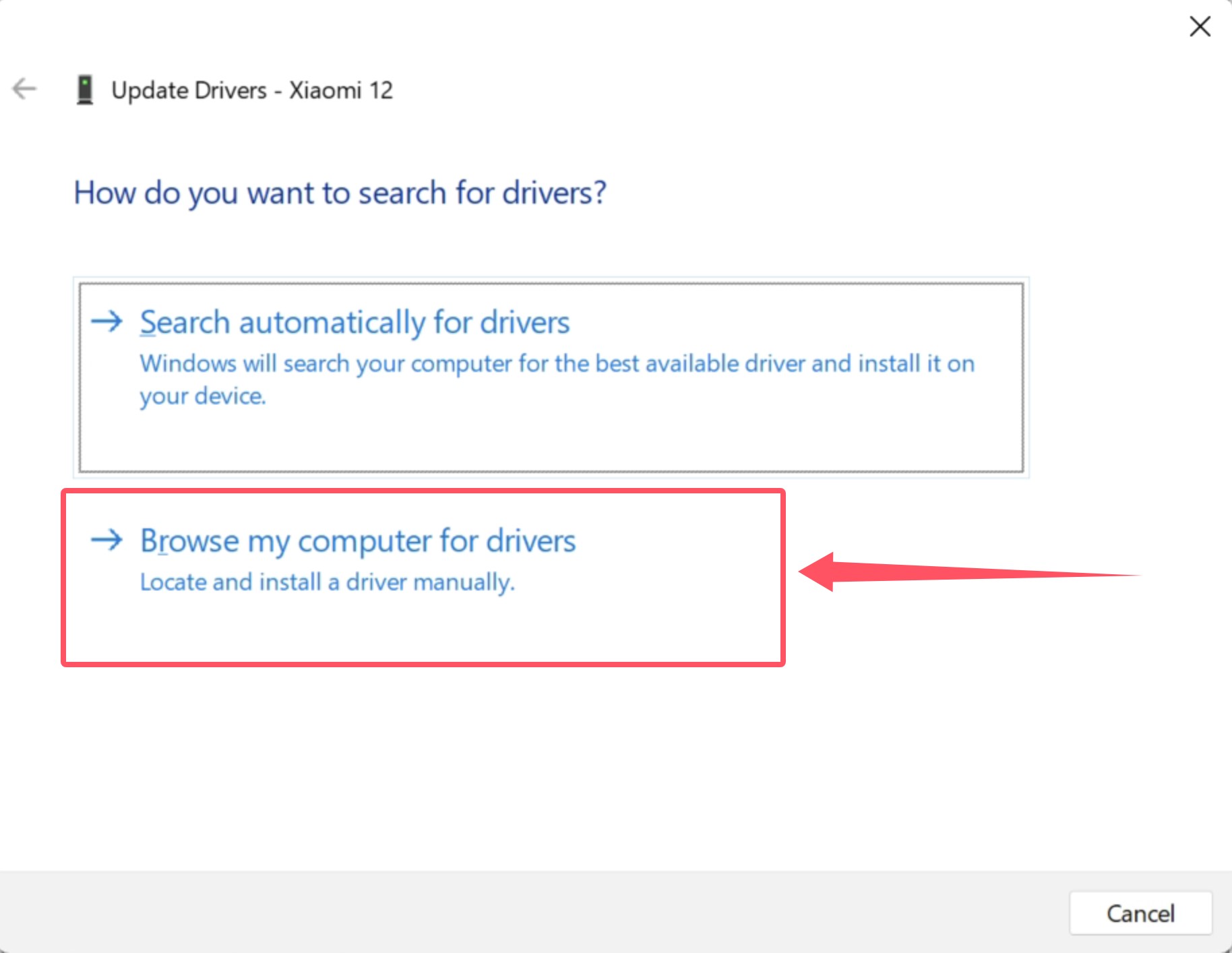
d. Select “Browse my computer for drivers”. Choose the downloaded folder and install
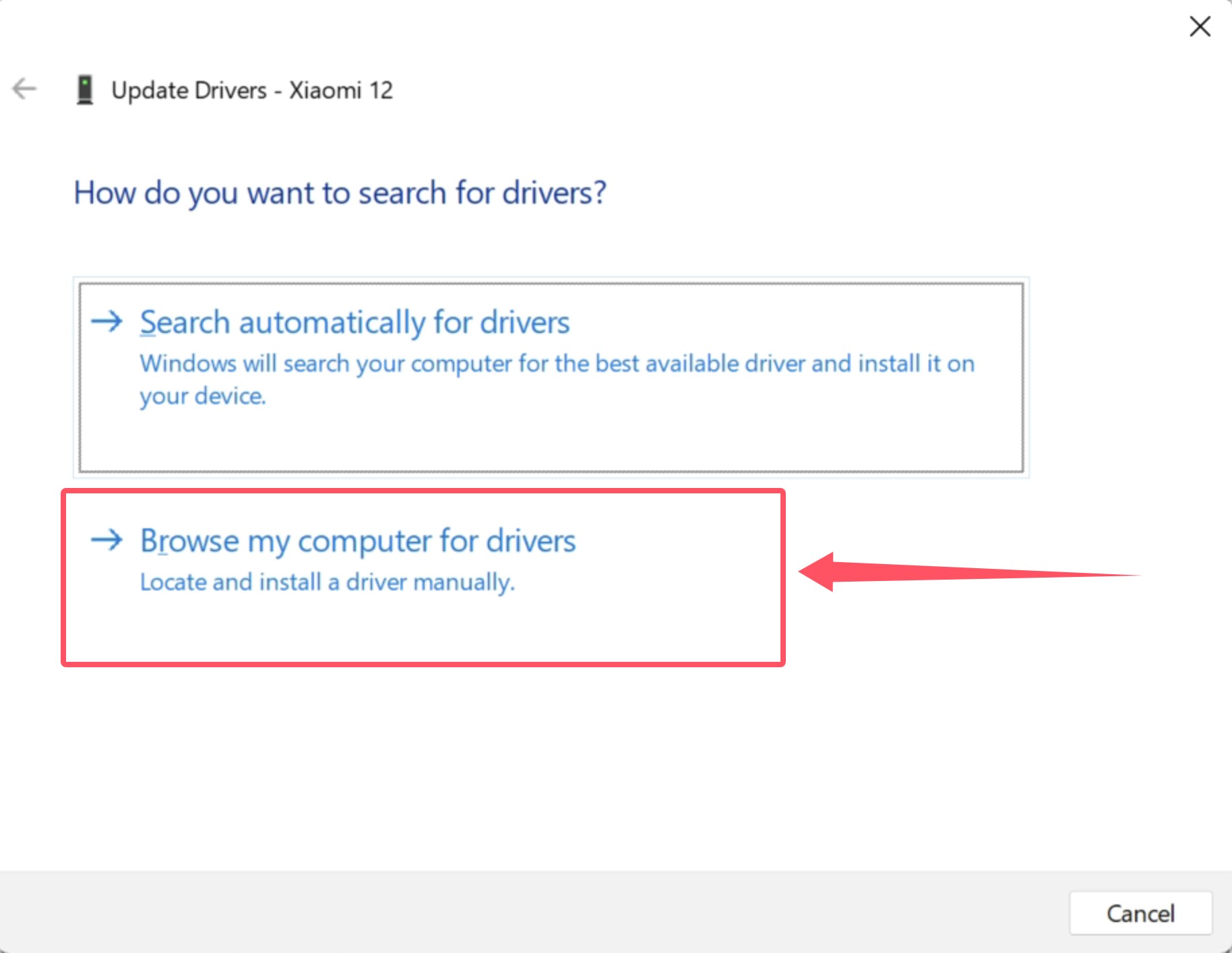
 

How to Install USB Drivers for Android DevicesHow to Install USB Drivers for Android Devices


4. vivo Devices


How to Install USB Drivers for Android Devices


Download: https://dl.3u.com/pc/driver/driver_vivo.exe


Double-click to install, then reconnect via USB.


5. OPPO Devices
 

How to Install USB Drivers for Android Devices


Download: https://androidmtk.com/download-oppo-usb-drivers


Install and reconnect your device.


6. Meizu Devices
 

How to Install USB Drivers for Android Devices


Download: https://androidmtk.com/download-meizu-usb-driver


Install and reconnect your device.


7. Universal Driver (Recommended if brand not listed)


Option A: Generic USB Driver


https://dl.3u.com/pc/driver/driver_public.zip


Installation:

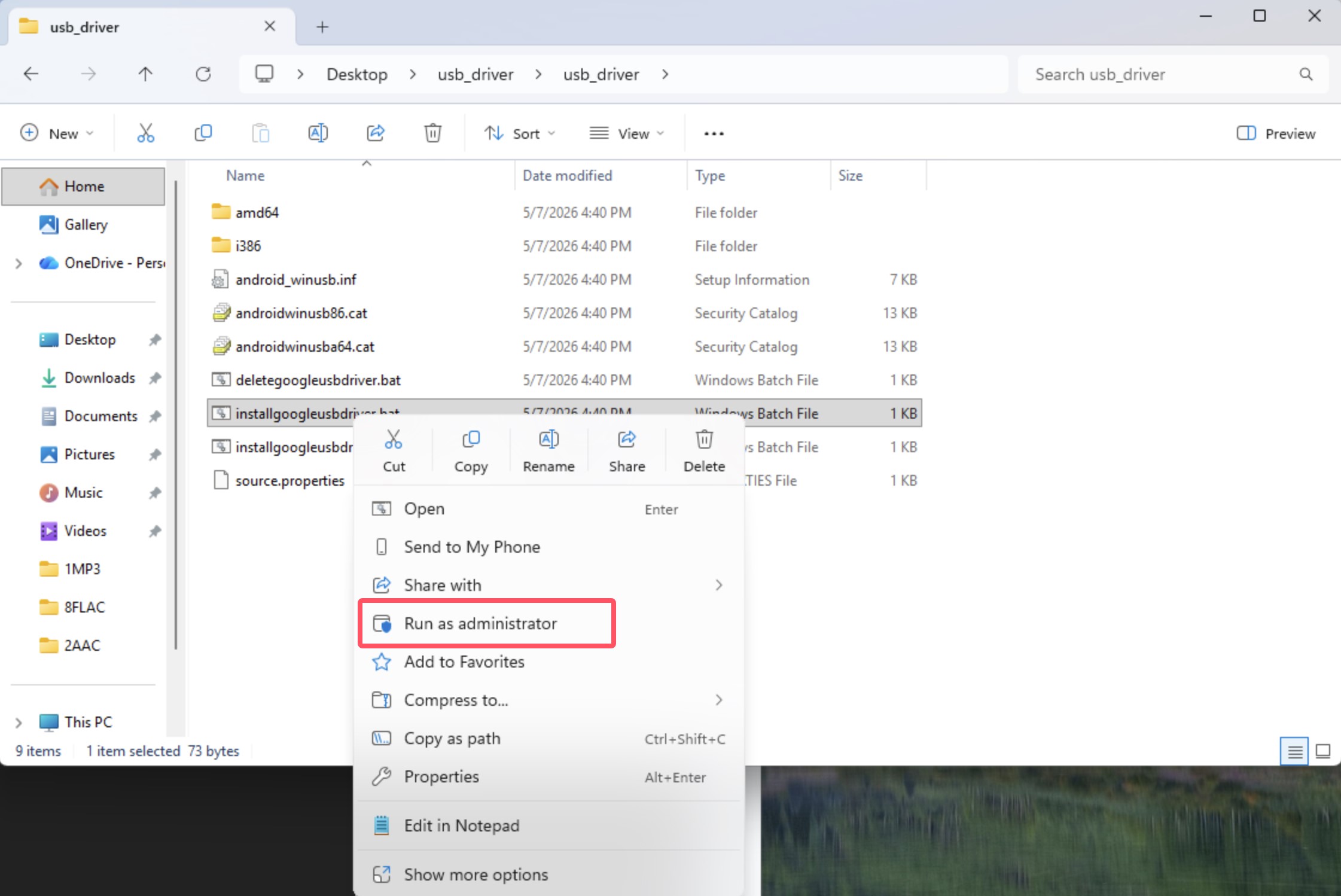
  • Windows 10 (Version 1607+):
    Run installgoogleusbdriver.bat as administrator


How to Install USB Drivers for Android Devices


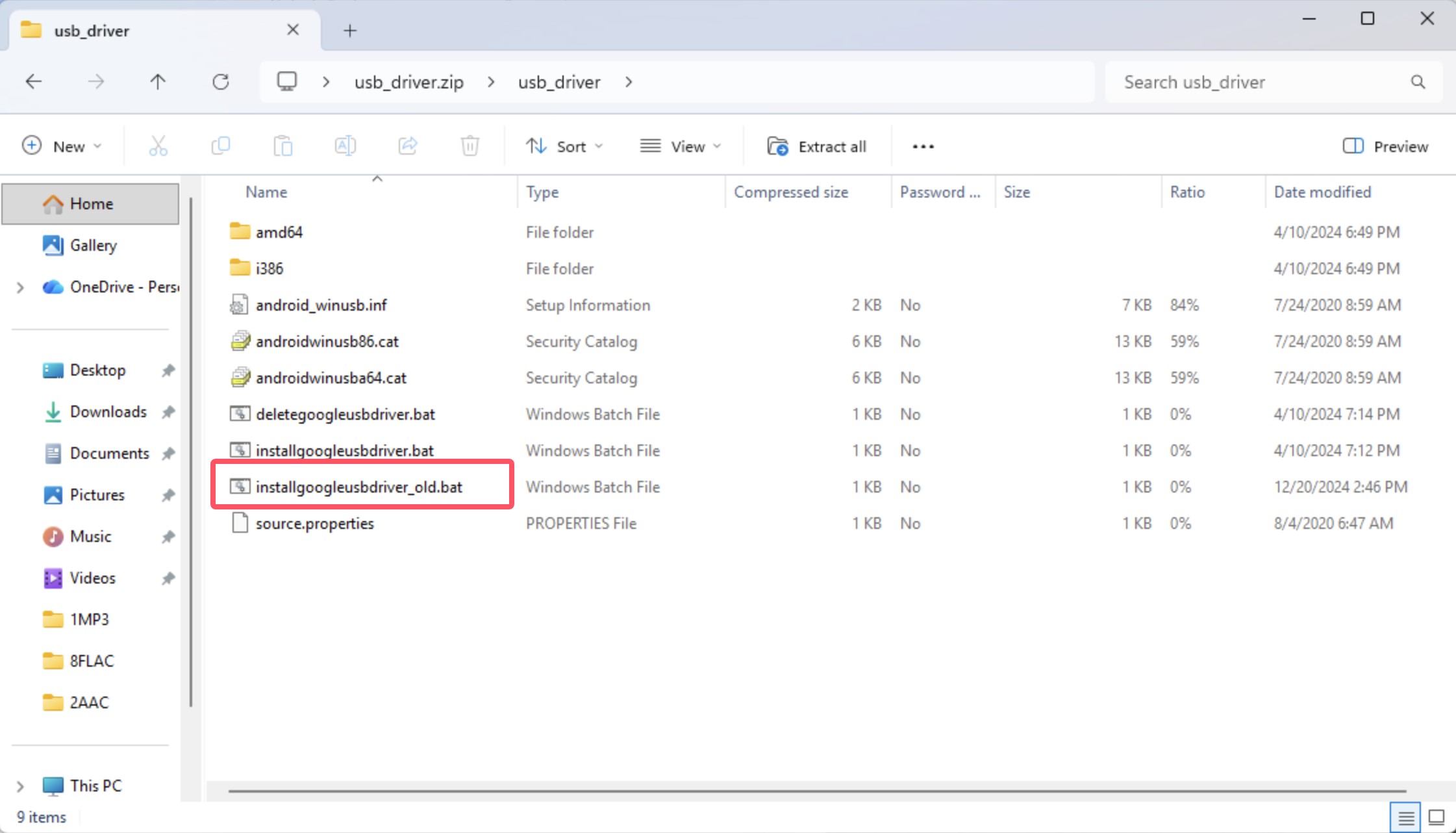
  • Older Windows 10 versions:
    Run installgoogleusbdriver_old.bat as administrator


How to Install USB Drivers for Android Devices


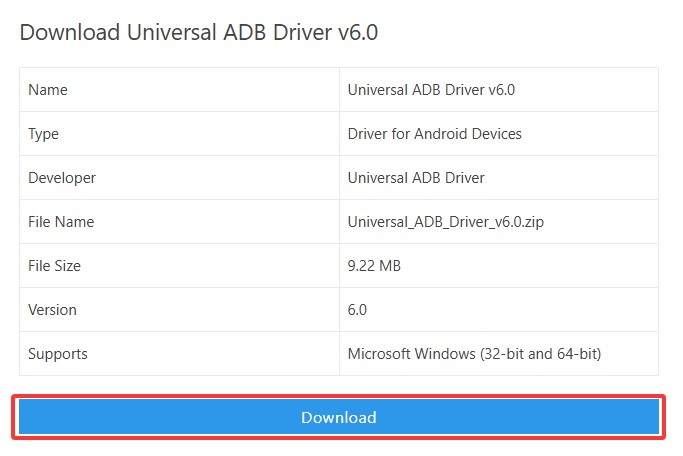
Option B: Universal ADB Driver


https://universaladbdriver.com/download/universal-adb-driver-v6-0/


Installation guide: https://androidmtk.com/install-universal-adb-driver
 

How to Install USB Drivers for Android Devices


Installation Notes


All drivers support two installation methods:


1. Automatic installation

  • .exe files → double-click to install

2. Manual installation


a. Open Device Manager

b. Locate your device

c. Select Update driver

d. Choose downloaded driver folder

e. Complete installation
 

How to Install USB Drivers for Android Devices

How to Install USB Drivers for Android Devices

How to Install USB Drivers for Android Devices

How to Install USB Drivers for Android Devices


System Requirements


a. Windows 7 / 8: use 32-bit driver if the system is 32-bit

b. Windows 10 / 11: install the matching 64-bit version if the system is 64-bit

Windows
Mac OS
iOS
Linux
3uTools
Win 64-bit For this device
V9.06 2026-04-09
Download
Win 32-bit For this device
V9.06 2026-04-09
Download
3uTools
Intel Chip How to Identify Chip Type
V9.03 2026-03-27
Download
Apple Silicon
V9.03 2026-03-27
Download
How to Identify Chip Type
1.  Click the Apple icon in the top-left corner of the screen and select About This Mac.
2.  Check the Processor or Chip field to determine if it is "Intel" or "Apple".
Please use the 3uTools PC client to install the iOS client:
1、 Install either the Windows or Mac version of 3uTools on your computer
2、 Open the PC client and connect your device to the computer via USB cable
3、 After the connection is successful, wait for the computer to automatically install the mobile app for the device, or locate “Install Mobile App” on the computer and manually click to install.
3uTools
deb file
V9.01 2026-05-28
Download
rpm file
V9.01 2026-05-28
Download
Windows
Windows
iOS
iOS
Android
Android
TV
TV
3uAirPlayer
Win 64-bit For this device
V6.0.5 2026-04-23
Download
Win 32-bit For this device
V6.0.5 2026-04-23
Download
iOS Device Mirroring (No App Required)
1、 Install 3uAirPlayer on the Windows PC
2、 Open Control Center and select Screen Mirroring
3、 From the list, choose your PC to start mirroring
4、 Or connect your iOS device to the PC via USB to begin mirroring
Scan to get "3uAirPlayer" App
3uAirPlayerTV
 
TV System Requirements: Android 7.0 or later
Download the TV installation package, copy it to a USB drive, insert it into your TV or set-top box, then select the file from the home screen to install.