 TUTORIALS
Saïgon iOS 10.3.1 Jailbreak Confirmed to Be Coming Soon
 10/20/2017
 12298
12298
The iOS 10.2.1 Saigon jailbreak may have recently been updated to allow iOS device owners to sideload the app without the need for a Mac and Xcode, but it looks as though the next update is going to bring additional compatibility with a new firmware version.
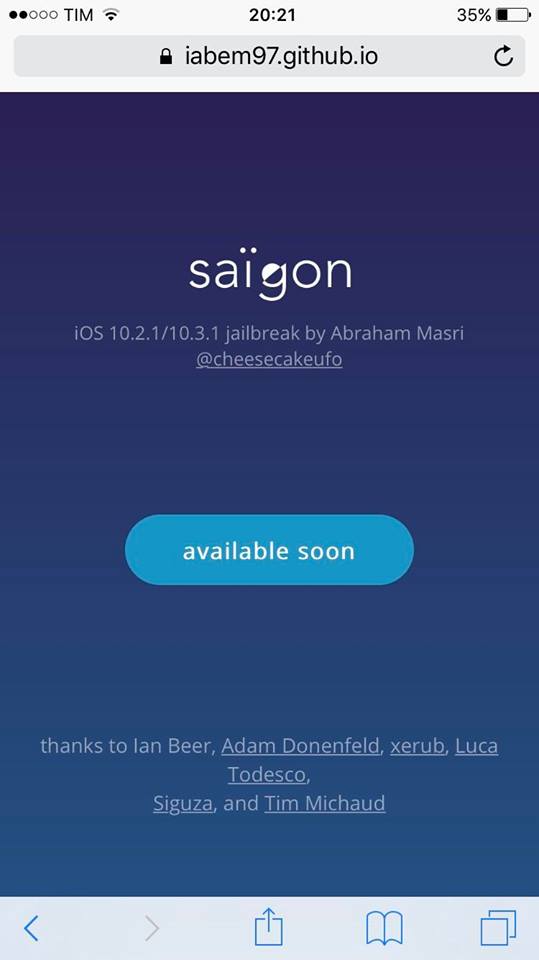
A placeholder for upcoming iOS 10.3.1 support on Saïgon’s GitHub-based page confirms that it is an “iOS 10.2.1/10.3.1 jailbreak” put together by Abraham Masri, and will be “available soon.”
As you may already know, up until now, and specifically with the initial release of Saïgon, the tool has been projected to the community as being compatible with 64-bit devices running iOS 10.2.1 firmware. The most recent release and update brought the ability for device owners to sideload the app via a compiled IPA, but curiously, it also mentioned support for jailbreaking iPhone 6s on iOS 10.3.1. At the time, many weren’t sure if this was a typing error, but the existence of this placeholder now seems to confirm that the tool has been extended to support iOS 10.3.1 as well as the aforementioned iOS 10.2.1.
There’s very little official information available at the moment other than the fact that the jailbreak was made possible thanks to some wonderful research and discovery work by the likes of Ian Beers, Adam Donenfeld, Luca Todesco, and a range of other prominent figureheads in the dwindling jailbreak community.
If official iOS 10.3.1 support is coming, then it’s likely that Saïgon will be released and updated to support only a small number of devices in the first instance, with the iPhone 6s looking likely to be one of first considering the information released in the previous version. As yet, we don’t actually know which devices will be supported, how thoroughly they have been tested, if at all, and when an update will be provided to support iOS 10.3.1.
However, what we do know is that the new update is still likely to be offered as an compiled IPA file which can be sideloaded onto the device easily via Cydia Impactor. We also know that Apple isn’t actually signing iOS 10.3.1 as an available and usable legacy version of iOS, which means that this jailbreak update is only applicable to those lucky device owners who currently find themselves on iOS 10.3.1 for one reason or another, or those who have SHSH2 blobs for iOS 10.3.1 saved and are currently sitting on a jailbroken firmware ready to upgrade/downgrade to 10.3.1.
As always, when more information becomes available, we will endeavor to bring it to you immediately. Stay tuned.
Source: redmondpie










